Red Hat Linux:如何在 Redhat Linux 的救援模式中安裝或重新安裝 RPM 套裝
Summary: 下列程序說明如何透過從作業系統 ISO 映像開機伺服器,以在 Red Hat Linux 的救援模式中安裝或重新安裝 RPM 套裝。 如果伺服器無法開機、登入作業系統或無法安裝任何 RPM 套裝,以下步驟會有所幫助。
This article applies to
This article does not apply to
This article is not tied to any specific product.
Not all product versions are identified in this article.
Instructions
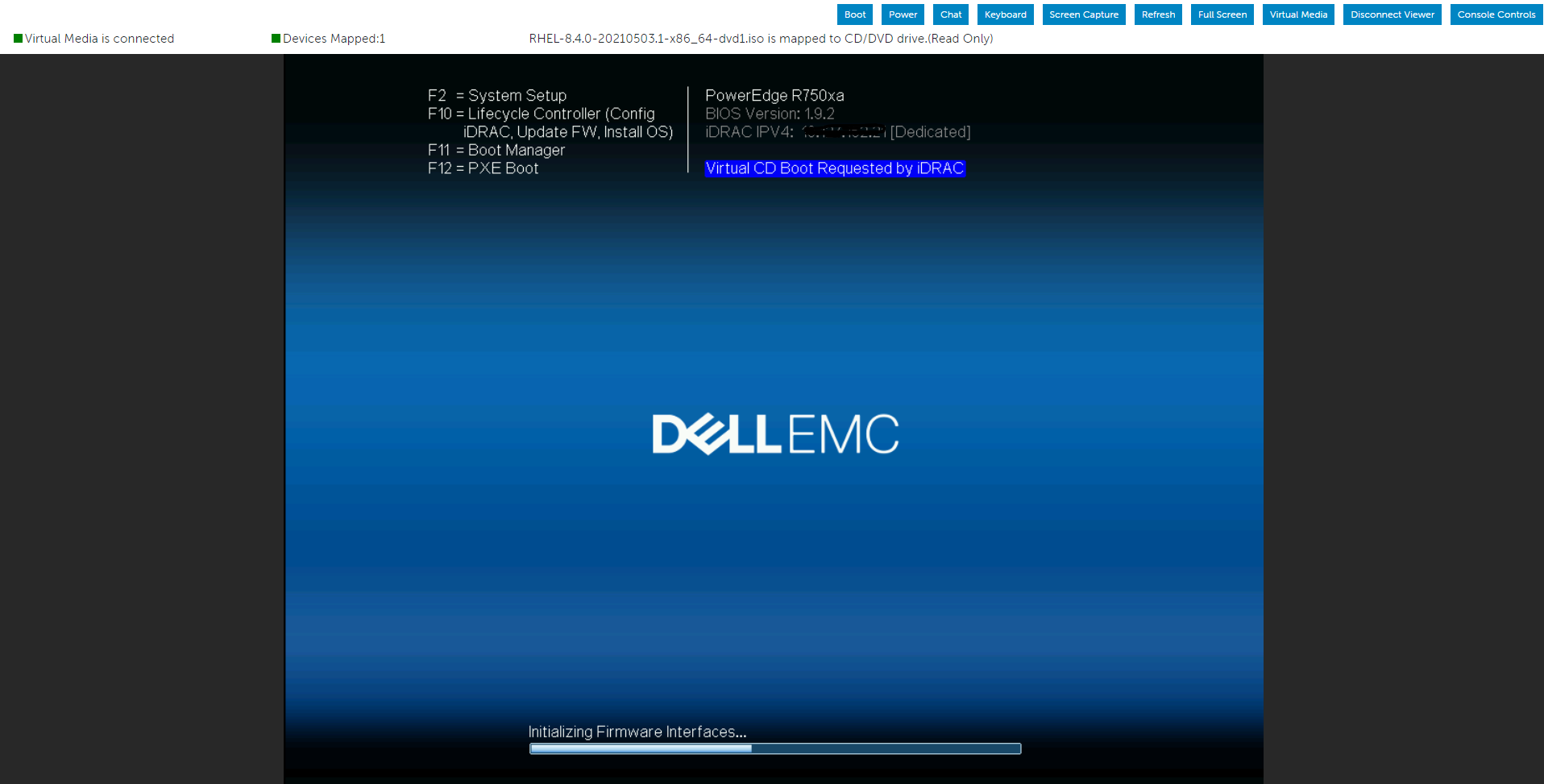
我們會使用 IDRAC 的虛擬媒體掛接作業系統 ISO 映像,然後從虛擬光碟機啟動伺服器。
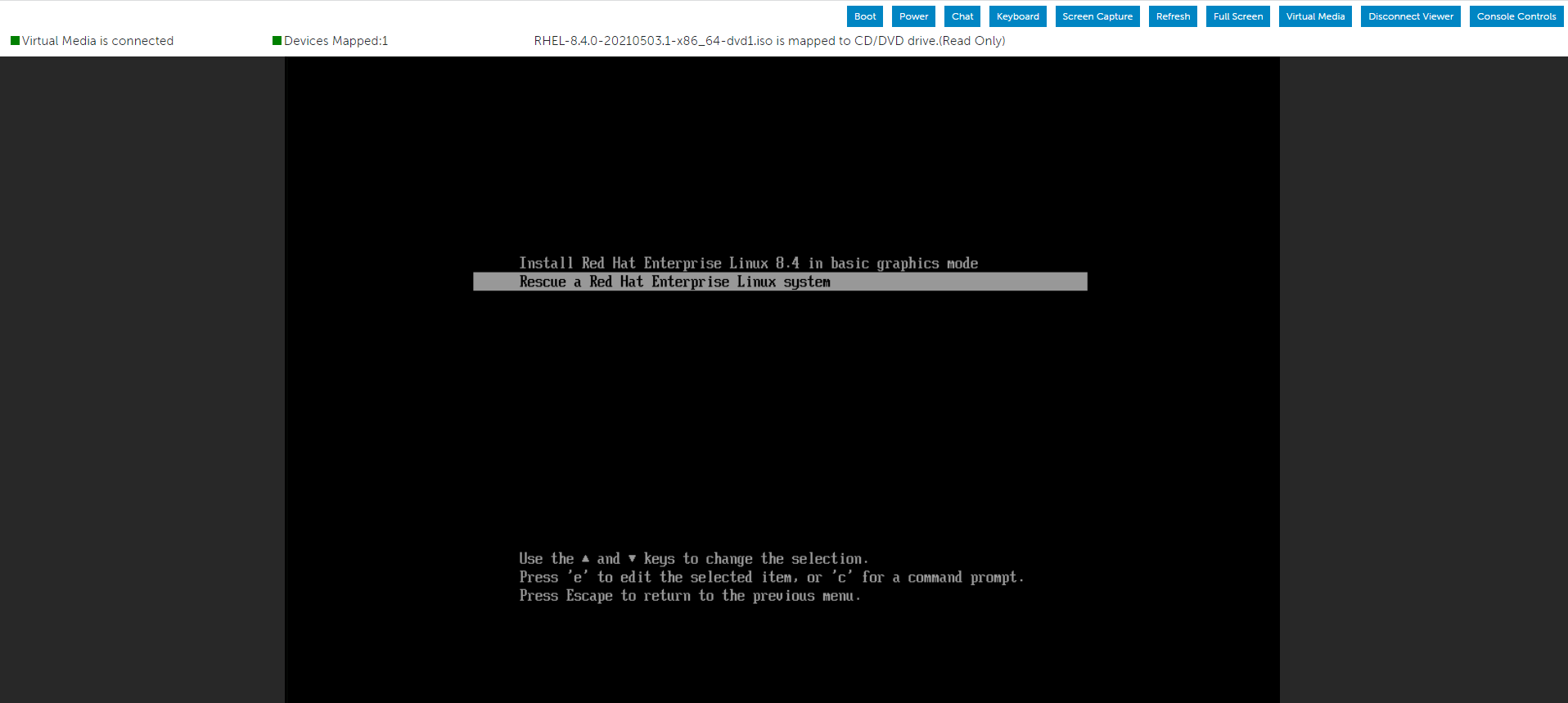
從功能表中選擇“故障排除”選項,然後選擇“救援”選項。


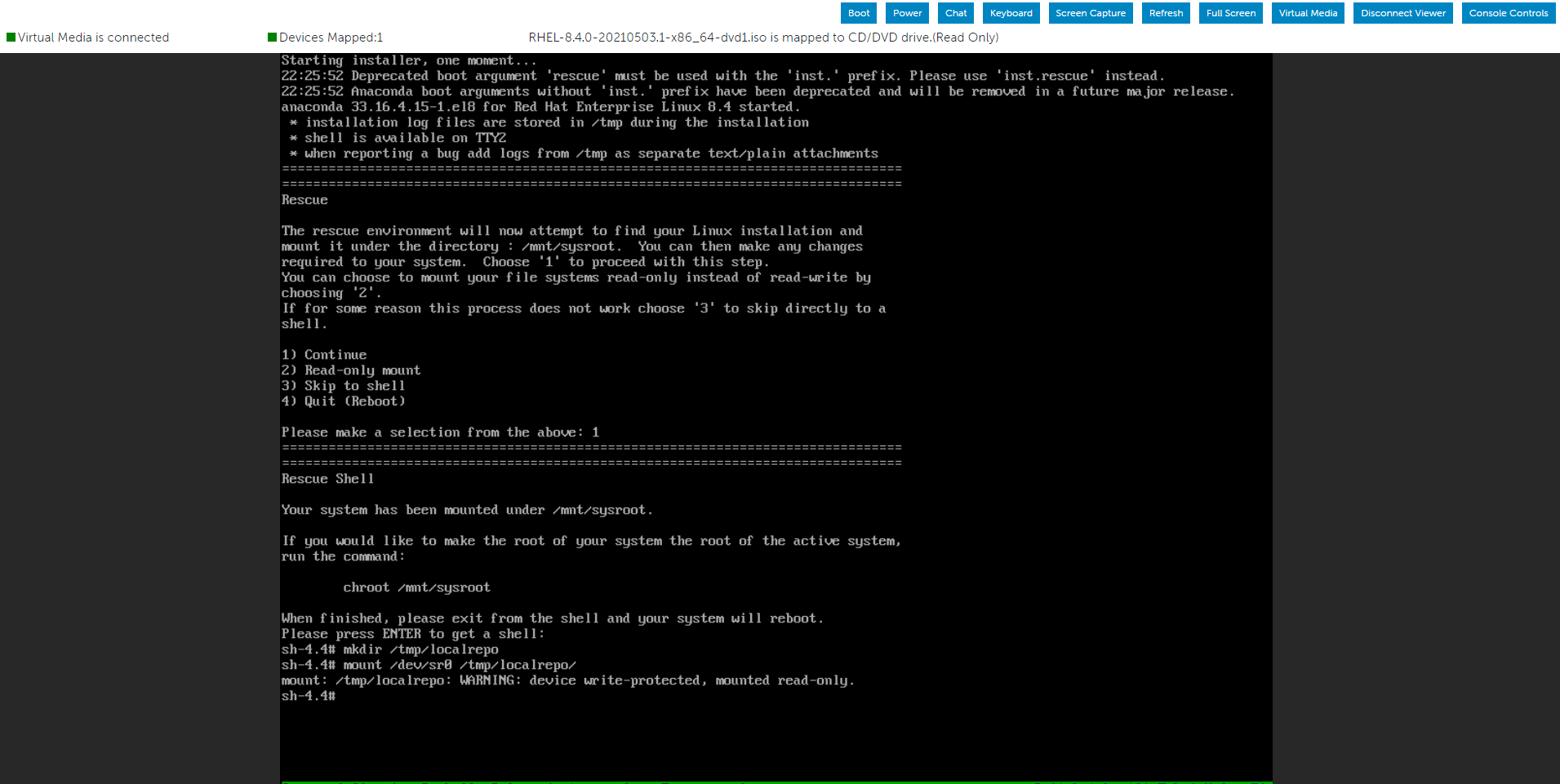
系統進入救援環境後,創建一個目錄並將 ISO 映像掛載到其中。
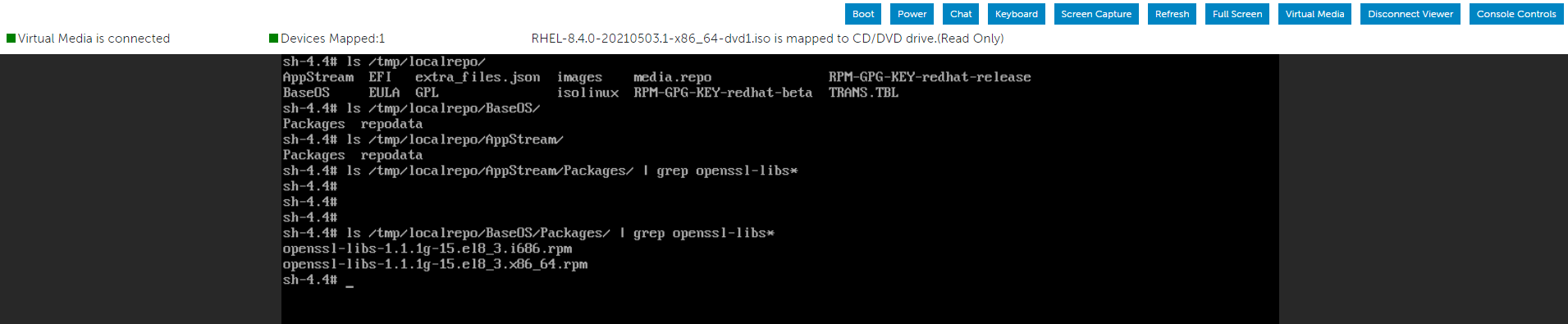
您現在可以使用我們使用作業系統 ISO 映像掛接的 Packages 資料夾來尋找必要的 RPM 檔案。

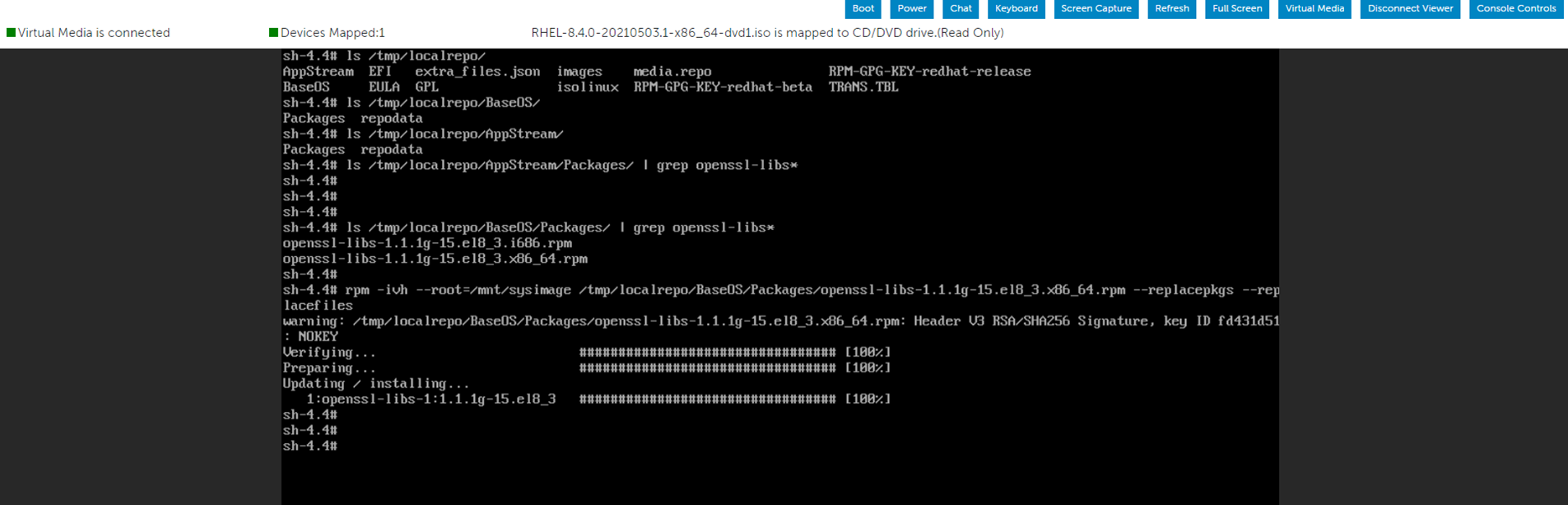
作為演示,當我在兩個 Packages 資料夾中搜索 openssl-libs RPM 包時,我可以找到想要的位置。
這
在根分區內安裝 RPM 套件。
安裝 RPM 套件後,請使用下列命令離開目前環境並重新啟動系統。
從功能表中選擇“故障排除”選項,然後選擇“救援”選項。
系統進入救援環境後,創建一個目錄並將 ISO 映像掛載到其中。
您現在可以使用我們使用作業系統 ISO 映像掛接的 Packages 資料夾來尋找必要的 RPM 檔案。
作為演示,當我在兩個 Packages 資料夾中搜索 openssl-libs RPM 包時,我可以找到想要的位置。
這
"--root=/mnt/sysimage"
在根分區內安裝 RPM 套件。
安裝 RPM 套件後,請使用下列命令離開目前環境並重新啟動系統。
# RPM -ivh --root=/mnt/sysimage <Location_Of_RPM_Package> --replacepkgs --replacefiles
# exit
Affected Products
Red Hat Enterprise Linux Version 7, Red Hat Enterprise Linux Version 9, Red Hat Enterprise Linux Version 8Article Properties
Article Number: 000213359
Article Type: How To
Last Modified: 17 Dec 2024
Version: 5
Find answers to your questions from other Dell users
Support Services
Check if your device is covered by Support Services.