RedHat Linux:如何在 Redhat Linux 的救援模式下安装或重新安装 RPM 软件包
Summary: 下面列出的过程解释了如何通过从操作系统 ISO 映像引导服务器,在 Redhat Linux 的救援模式下安装或重新安装 RPM 软件包。 如果服务器无法引导、无法登录操作系统或无法安装任何 RPM 软件包,则以下步骤会很有帮助。
This article applies to
This article does not apply to
This article is not tied to any specific product.
Not all product versions are identified in this article.
Instructions
让我们使用 IDRAC 的虚拟介质装载操作系统 ISO 映像,然后从虚拟光驱启动服务器。

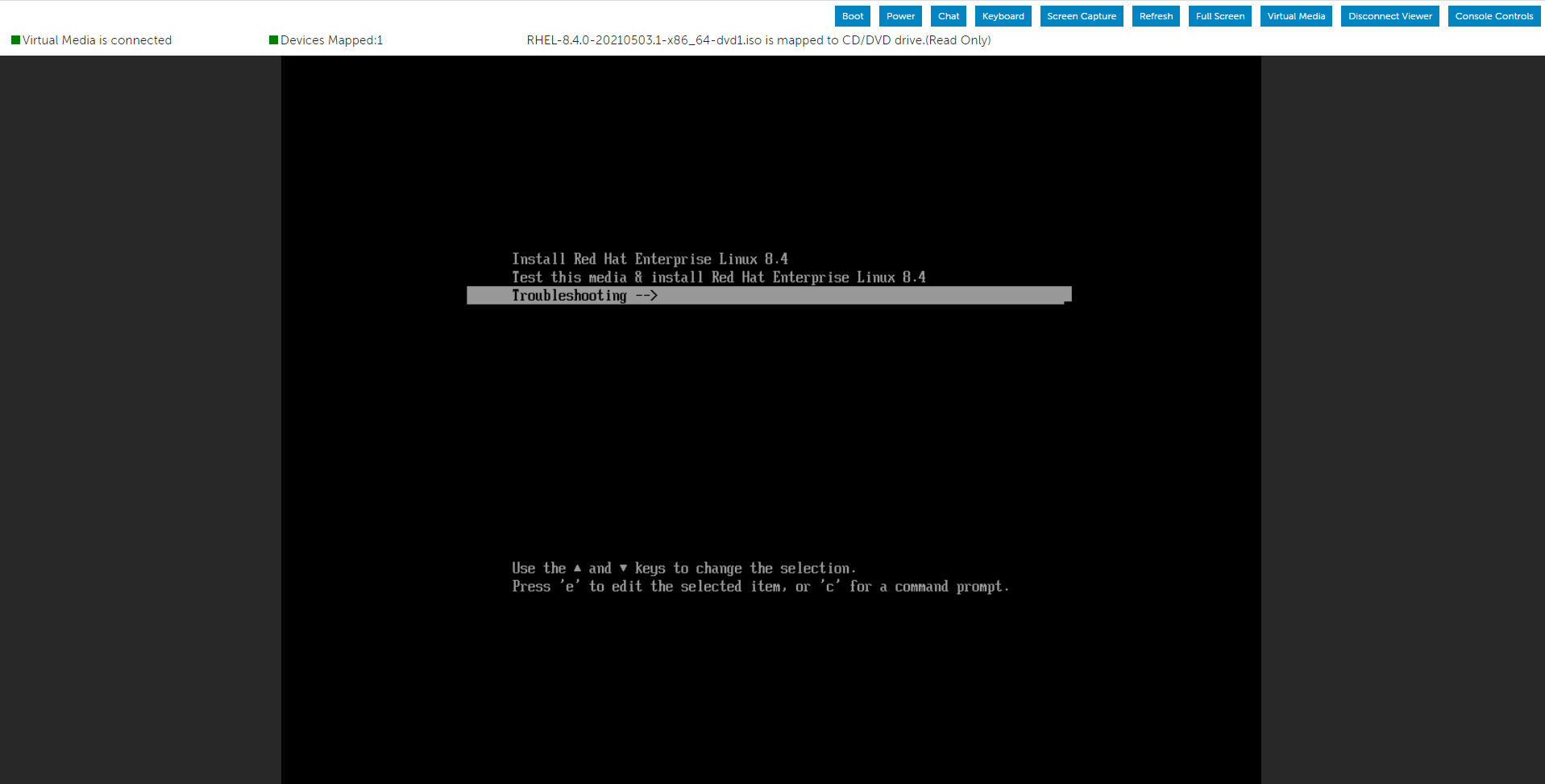
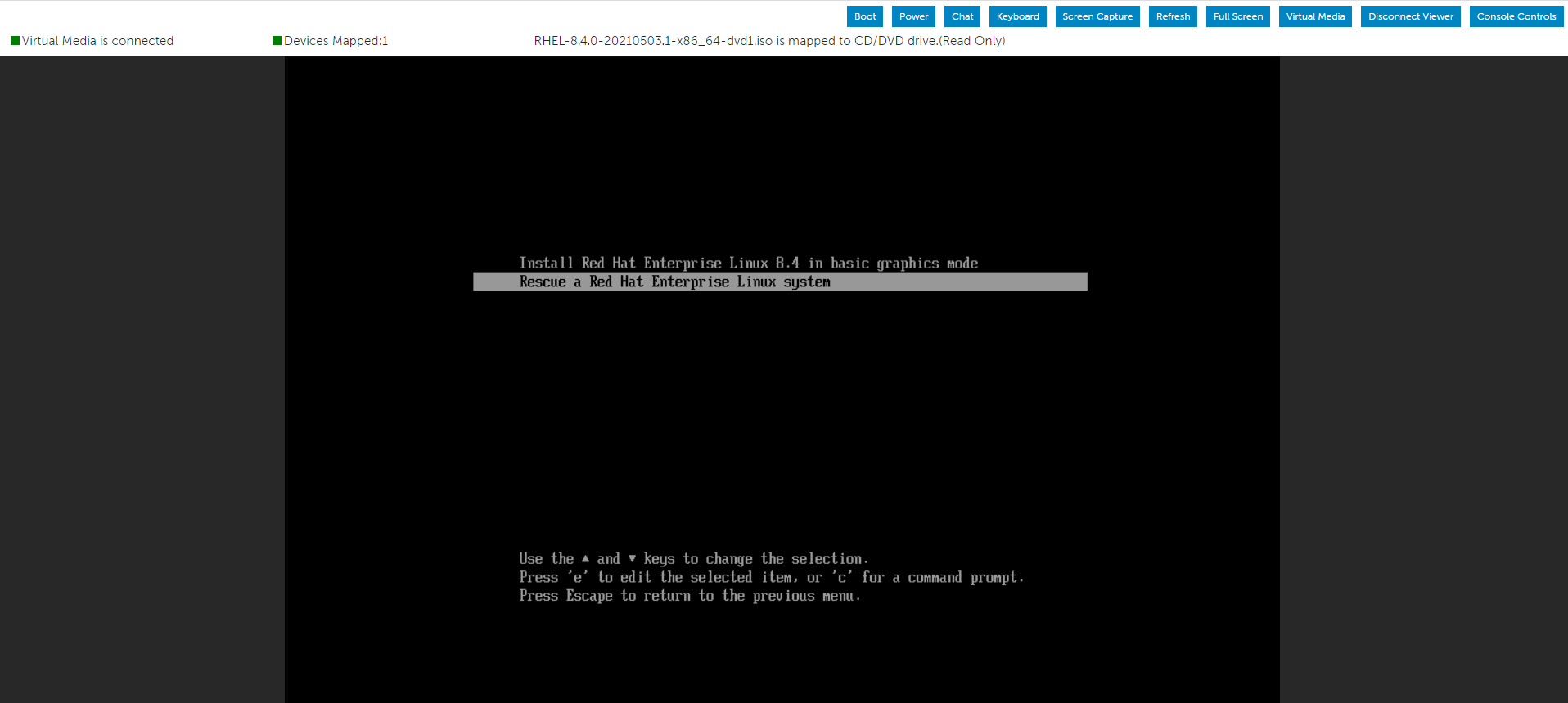
从菜单中选择“故障处理”选项,然后选择“救援”选项。
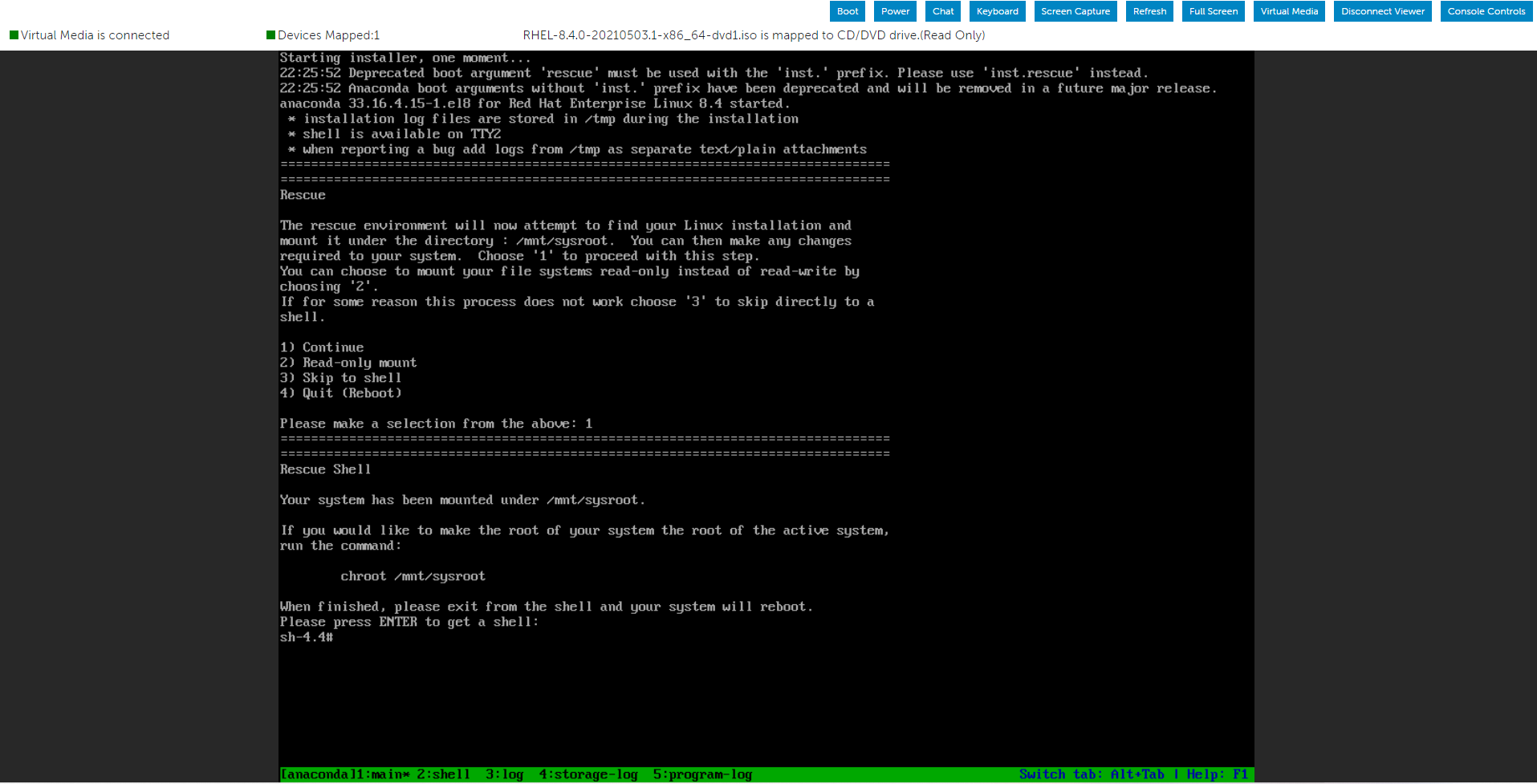
系统进入救援环境后,创建一个目录并在其中装载 ISO 映像。
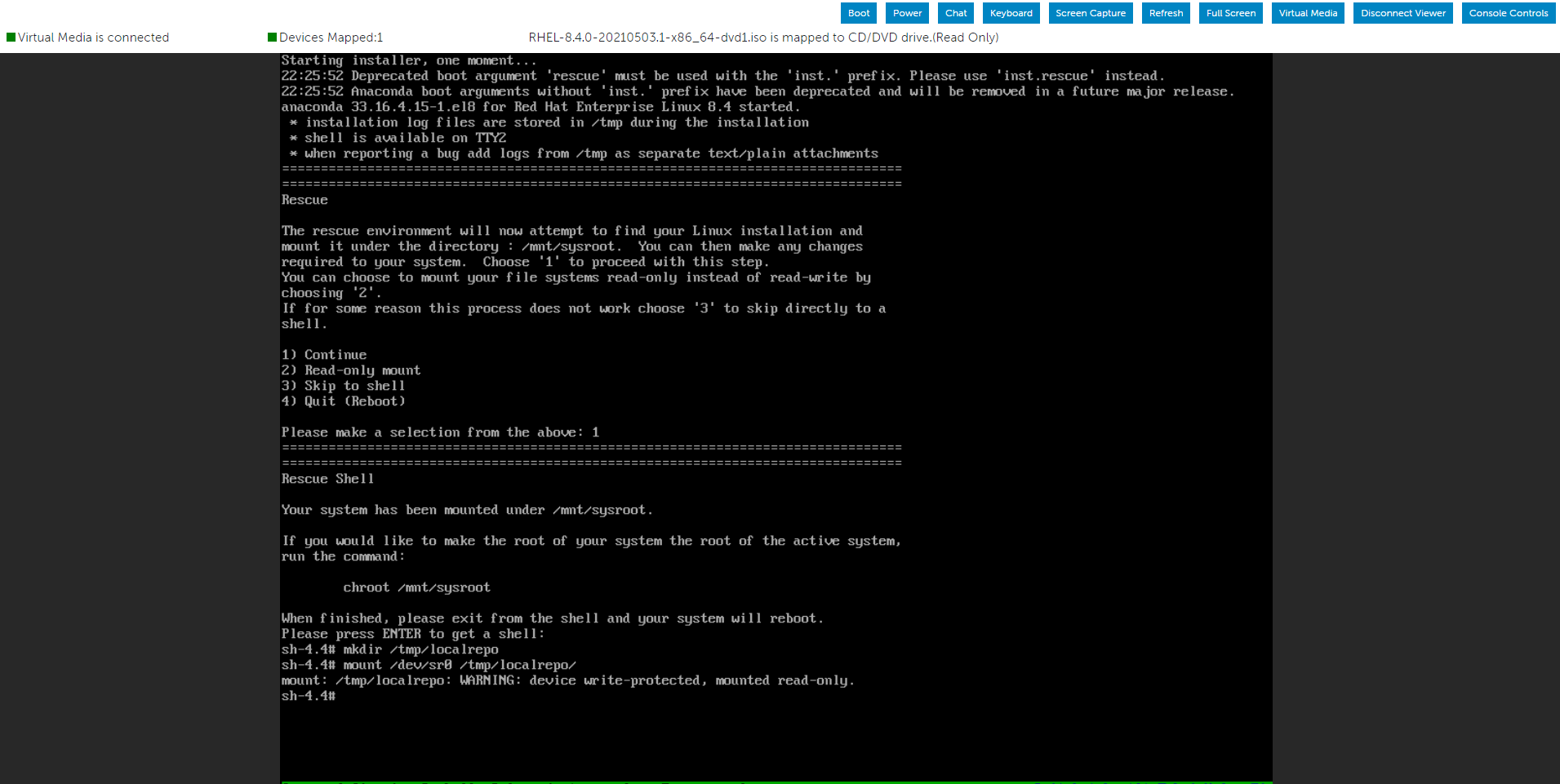
现在,您可以使用我们通过操作系统 ISO 映像装载的 Packages 文件夹来查找所需的 RPM 文件。

作为演示,当我在两个 Packages 文件夹中搜索 openssl-libs RPM 包时,我可以找到想要的位置。
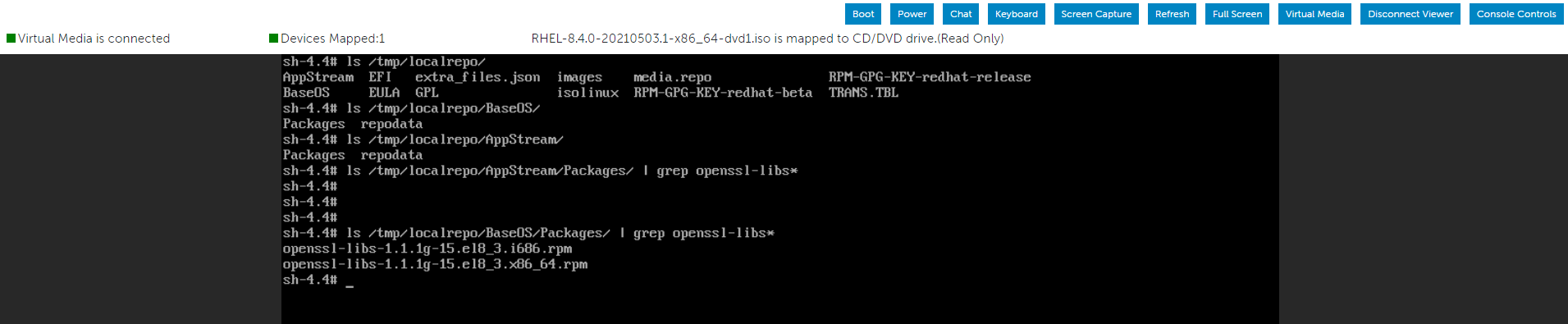
这
在根分区内安装 RPM 软件包。
安装 RPM 软件包后,使用以下命令退出当前环境并重新启动系统。
从菜单中选择“故障处理”选项,然后选择“救援”选项。
系统进入救援环境后,创建一个目录并在其中装载 ISO 映像。
现在,您可以使用我们通过操作系统 ISO 映像装载的 Packages 文件夹来查找所需的 RPM 文件。
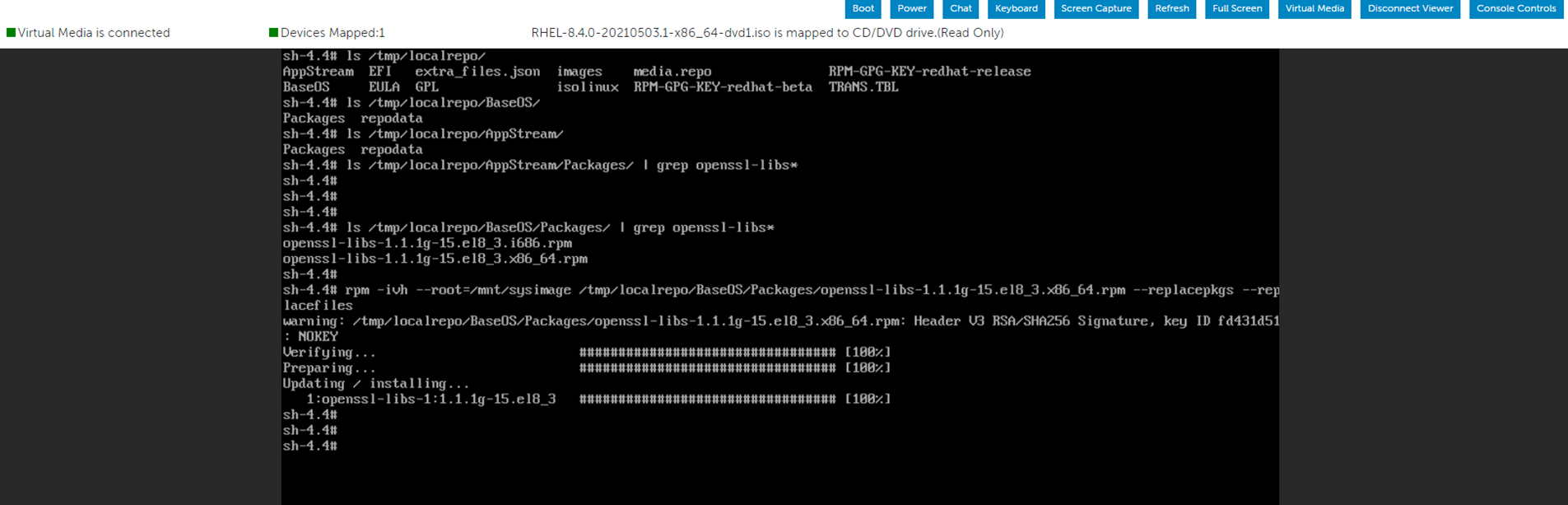
作为演示,当我在两个 Packages 文件夹中搜索 openssl-libs RPM 包时,我可以找到想要的位置。
这
"--root=/mnt/sysimage"
在根分区内安装 RPM 软件包。
安装 RPM 软件包后,使用以下命令退出当前环境并重新启动系统。
# RPM -ivh --root=/mnt/sysimage <Location_Of_RPM_Package> --replacepkgs --replacefiles
# exit
Affected Products
Red Hat Enterprise Linux Version 7, Red Hat Enterprise Linux Version 9, Red Hat Enterprise Linux Version 8Article Properties
Article Number: 000213359
Article Type: How To
Last Modified: 17 Dec 2024
Version: 5
Find answers to your questions from other Dell users
Support Services
Check if your device is covered by Support Services.