Laptop Wakes After Shutdown when Connected to Dell U3224KB Monitor and Thunderbolt Dock
Summary: Latitude and Precision laptops auto-wake after being in shutdown for thirty seconds when they are connected to a Thunderbolt dock and a Dell U3224KB monitor.
This article applies to
This article does not apply to
This article is not tied to any specific product.
Not all product versions are identified in this article.
Symptoms
Affected Platforms:
- Latitude 5350
- Latitude 5550
- Latitude 7350
- Precision 3590
- Precision 3591
Affected Products:
- Dell U3224KB Monitor
- Dell Thunderbolt Dock - WD19TB
- Dell Thunderbolt Dock - WD19TBS
Note:
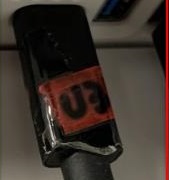
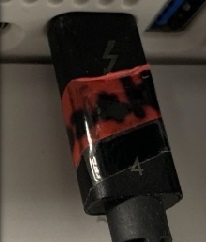
- This issue only happens if the Thunderbolt cable is connected to the monitor with the Thunderbolt sign facing down.
- If the Thunderbolt cable is connected to the monitor with the Thunderbolt sign facing up, the issue does not happen.
Cause
The Thunderbolt communication between monitor or dock is reestablished and encounters problems. The Power Delivery (PD) is repeatedly entered into Thunderbolt mode causing the docking station to reset. The computer supports a Wake on Dock connection, when the docking is reset, the computer identifies the dock is plugged and auto-wake.
Resolution
The Dell engineering team has released a docking station firmware update. Update to dock firmware to v1.00.44, 1.00.28 or later (released November 28, 2024).
Affected Products
Dell Thunderbolt Dock - WD19TB, Dell Thunderbolt Dock – WD19TBS, Latitude 5350, Latitude 7350, Latitude 5550, Precision 3590, Mobile Precision 3591, Dell U3224KBArticle Properties
Article Number: 000222320
Article Type: Solution
Last Modified: 20 May 2026
Version: 5
Find answers to your questions from other Dell users
Support Services
Check if your device is covered by Support Services.