PowerStore: Unity'yi Dosya için Uzak Sistem olarak eklerken SSL sertifikasında bir IP adresi eksik olduğunda içe aktarma başarısız oluyor
Summary: PowerStore, kendinden imzalı sertifikasında Unity yönetim IP adresi yoksa Uzak Sistem ekleyemez.
This article applies to
This article does not apply to
This article is not tied to any specific product.
Not all product versions are identified in this article.
Symptoms
Unity'yi Uzak Sistem olarak eklemeye çalışırken karşılaşılan hata:
PowerStore Manager'dan ekran görüntüsü:
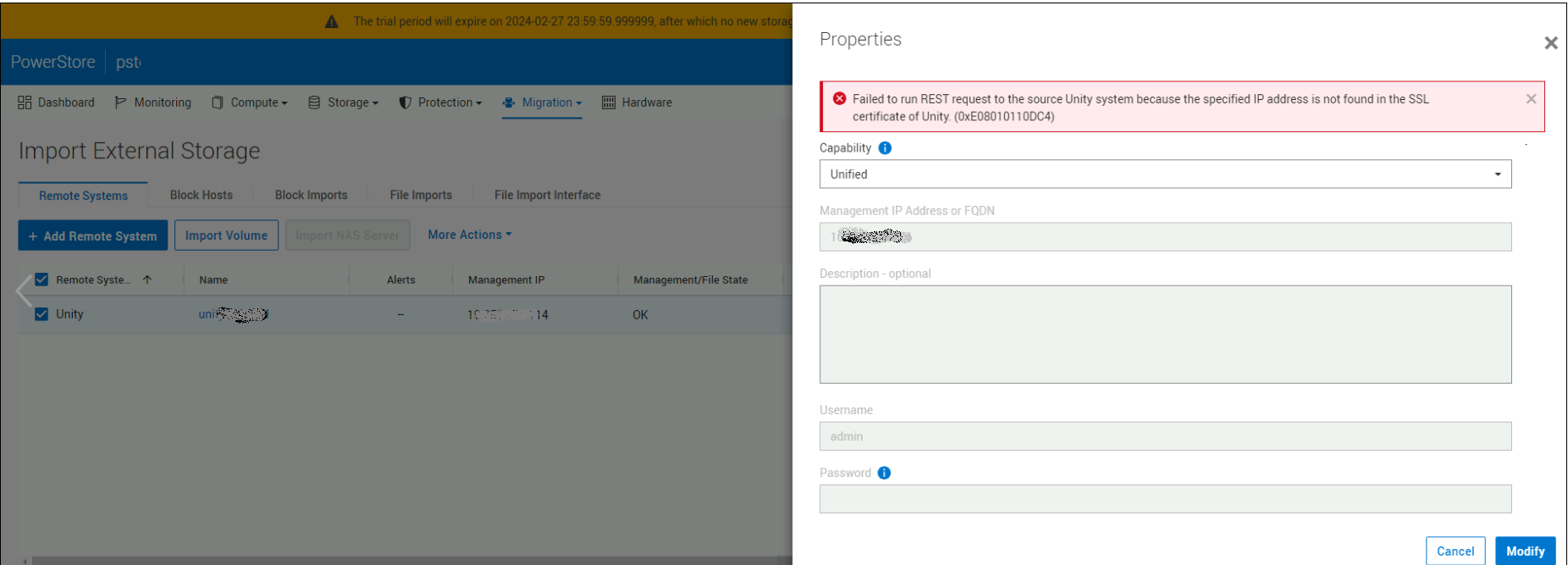
Failed to run REST request to the source Unity system because the specified IP address is not found in the SSL certificate of Unity. (0xE08010110DC4)
PowerStore Manager'dan ekran görüntüsü:
Cause
Unity sertifikasında Unity yönetim IP adresi ve Tam Nitelikli Etki Alanı Adı değerleri için "subjectAltName" bilgileri eksik.
Resolution
Unity'de "subjectAltName" bilgilerini belirten yeni bir sertifika oluşturun.
Örnek:
Örnek:
1) Using the openssl utility from a Linux host, create a Certificate Signing Request file with the following fields:
C=Country, ST=State, L=Location, O=Organization, CN=CommonName

service@Unity_LAB spb:~/user> openssl req -new -sha256 -key server.key -passin pass:emcemc -out request.csr -days 1825 -subj '/C=US/ST=MA/L=Sarasota/O=MyCust/CN=5.6.7.11/'

2) Self-sign the Certificate Signing Request file with the private key. If there is an "unable to write 'random state'" error, elevate to root user and try again.

service@Unity_LAB spb:~/user> openssl x509 -in request.csr -sha256 -out unitycer.crt -req -signkey server.key -days 1825 -extfile <(printf "subjectAltName=DNS:<MyUnity.LAB.DELL.COM>,DNS:<MyUnity>,IP:<IPV4  management IP>, IP:<IPV6 management IP>")
Affected Products
PowerStoreArticle Properties
Article Number: 000226350
Article Type: Solution
Last Modified: 05 Sept 2025
Version: 2
Find answers to your questions from other Dell users
Support Services
Check if your device is covered by Support Services.