PowerFlex Gateway:Java 升级后无法创建密码箱
Summary: 在 Java 升级到版本 1.8.0 内部版本 351 后,PowerFlex Gateway (GW) Web UI 无法加载,并且终端用户无法创建密码箱。
This article applies to
This article does not apply to
This article is not tied to any specific product.
Not all product versions are identified in this article.
Symptoms
PowerFlex Gateway 版本 3.6.0.4
将 Java 版本升级到 1.8.0 内部版本 351
网关 Web UI 显示错误:
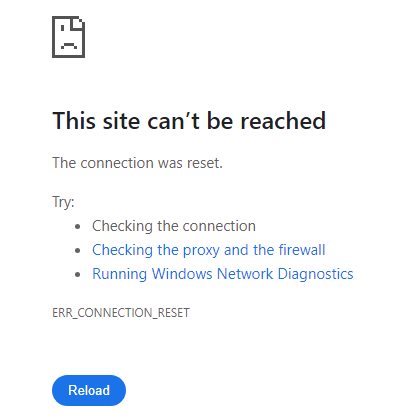 网关ScaleIO.log显示以下错误:
将 Java 版本升级到 1.8.0 内部版本 351
网关 Web UI 显示错误:
This site can't be reached The connection was reset. ... ERR_CONNECTION_RESET
2024-08-14 10:02:11,609 [Thread-3] ERROR c.e.s.a.mdm_proxy.MdmProxyServiceGW - in ScaleIo alert poller:
java.lang.IllegalStateException: Failed to load default crypto configuration. Either instantiate Lockbox with a custom crypto configuration or install a JCE provider which is capable of supporting the default crypto configuration
创建密码箱时,也可能会看到以下错误消息:
/opt/emc/scaleio/gateway/bin/FOSGWTool.sh --set_mdm_credentials --mdm_user admin --create_default_lockbox --mdm_password "<mdm_password>"
Exception in thread "main" java.lang.IllegalStateException: Failed to load default crypto configuration. Either instantiate Lockbox with a custom crypto configuration or install a JCE provider which is capable of supporting the default crypto configuration
Cause
将 Java 升级到版本 1.8.0_351 后,网关 Web UI 无法加载,并且无法创建密码箱。出现此问题的原因是,使用 SHA1 算法签名的 JAR 文件在 Java 中默认受到限制,并被视为未签名。此问题与使用 SHA-1 签名并由网关使用的 cryptoj 库相关。
Resolution
将 PowerFlex Gateway 升级到版本 3.6.1 或更高版本。
受影响的版本:
PowerFlex 3.6 及更低版本
修复版本:
PowerFlex 3.6.1 及更高版本
受影响的版本:
PowerFlex 3.6 及更低版本
修复版本:
PowerFlex 3.6.1 及更高版本
Article Properties
Article Number: 000228082
Article Type: Solution
Last Modified: 27 Aug 2024
Version: 1
Find answers to your questions from other Dell users
Support Services
Check if your device is covered by Support Services.