VxRail 기반 Dell VCF: 워크로드 도메인에 클러스터를 추가하는 동안 "NSX 전송 노드 수집 생성" 작업이 실패함
Summary: 워크로드 도메인에 클러스터를 추가할 때 "NSX 전송 노드 수집 생성" 작업이 실패합니다.
This article applies to
This article does not apply to
This article is not tied to any specific product.
Not all product versions are identified in this article.
Symptoms
드물지만 워크플로 최적화를 사용하여 워크로드 도메인에 클러스터를 추가할 때 SDDC Manager의 "NSX 전송 노드 수집 생성" 작업이 실패할 수 있습니다. 이 문제는 VCF 5.1.1 및 VxRail 8.0.210에서 발견되었습니다.
NSX 전송 노드 수집
생성 실패
/var/log/vmware/vcf/domainmanager/domainmanager.log:
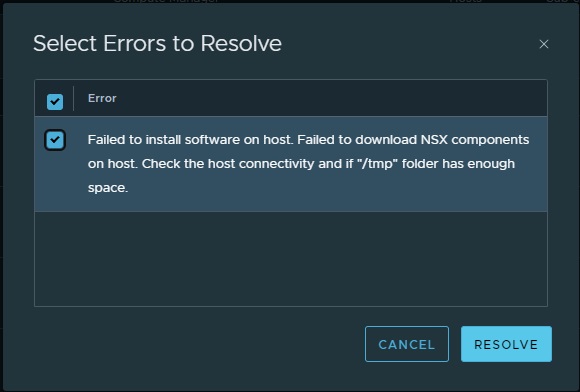
2024-11-13T03:56:01.925+0000 DEBUG [vcf_dm,673421c828f462beeb2892e623346f66,359c] [c.v.v.c.n.s.c.c.NsxtManagerTransportNodeOperations,dm-exec-4]  Resolving Fabric Node error [Failed to install software on host. Failed to download NSX components on host. Check the host connectivity and if "/tmp" folder has enough space.] for Host: dummyhost.dummy.com
2024-11-13T03:56:01.930+0000 INFO  [vcf_dm,673421c828f462beeb2892e623346f66,359c] [c.v.v.c.f.p.n.p.a.TransportNodeCollectionResolver,dm-exec-4]  Waiting for TransportNode status change to progress or all Transport Node status to success
2024-11-13T03:56:01.930+0000 DEBUG [vcf_dm,673421c828f462beeb2892e623346f66,359c] [c.v.v.c.f.p.n.h.NsxtCommonOperations,dm-exec-4]  Waiting 600000 ms for TN status to change to IN-PROGRESS or SUCCESS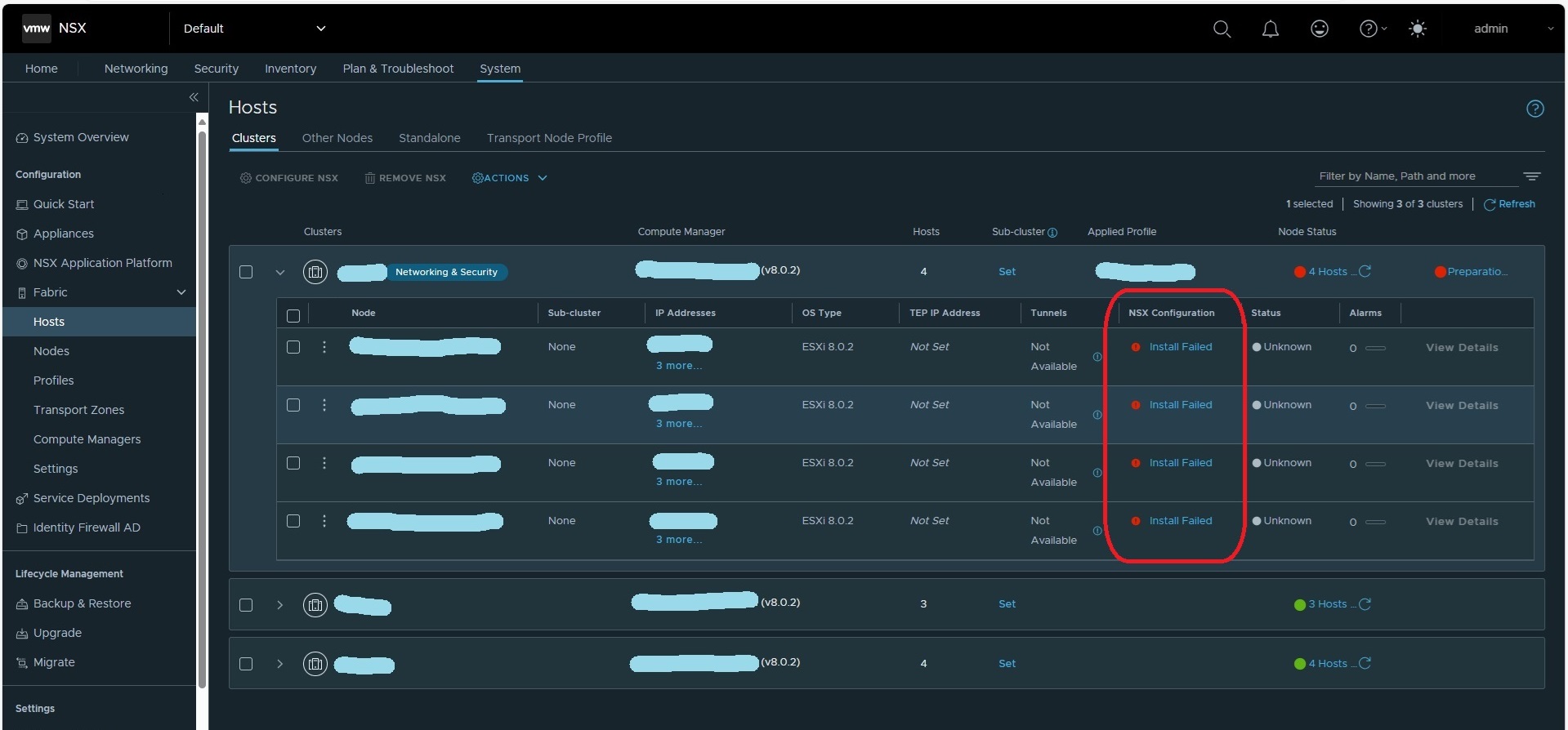
Cause
NSX Manager와 ESXi 호스트 간의 파일 전송 속도가 매우 느려서 NSX 설치가 실패합니다. 각 ESXi 호스트에서 /tmp 폴더를 확인하면 다양한 크기의 nsx-lcp-something<>.zip 파일이 표시됩니다. 시간 초과로 인해 파일 전송이 중간에 중지되었기 때문일 수 있습니다.
Resolution
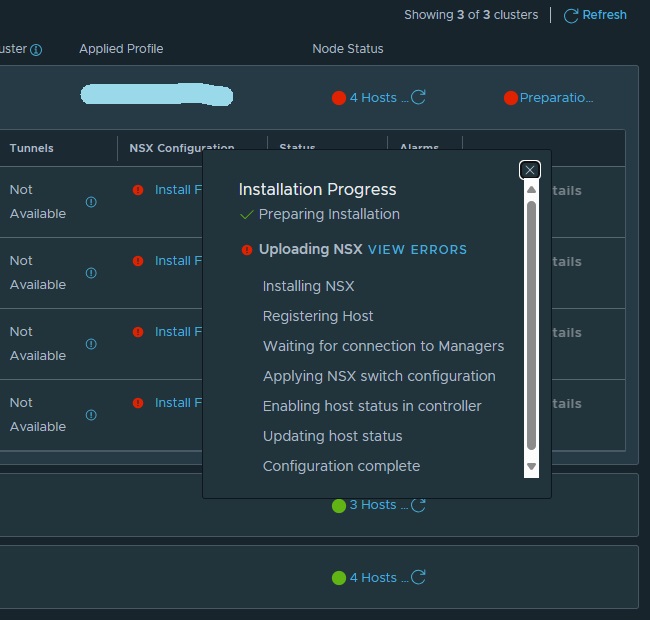
NSX Manager에서 하나의 ESXi 호스트에 대한 오류를 해결하면 한 번에 모든 호스트에 설치하는 것보다 성공할 가능성이 훨씬 높아집니다. "Install Failed"를 마우스 오른쪽 버튼으로 클릭하고 "VIEW ERRORS"를 클릭한 다음 오류를 해결됨으로 표시하여 설치를 계속할 수 있도록 합니다. 모든 ESXi 호스트에서 작업을 성공적으로 수행한 후 SDDC Manager에서 "작업 재시작"을 선택하면 작업이 성공합니다.

Affected Products
VxRail, VMware, VMWare Cloud on Dell EMC VxRail E560F, VMWare Cloud on Dell EMC VxRail E560N, VxRail Appliance Series, VxRail SoftwareArticle Properties
Article Number: 000249941
Article Type: Solution
Last Modified: 02 Dec 2024
Version: 1
Find answers to your questions from other Dell users
Support Services
Check if your device is covered by Support Services.