PowerStore: Resolve Initial Configuration Wizard failure on "Cluster Creation"
Summary: This article explains how to resolve PowerStore ICW “Cluster Creation” failures caused by unavailable NVRAM NVMedrives. ICW fails, configuration error, cluster failure
This article applies to
This article does not apply to
This article is not tied to any specific product.
Not all product versions are identified in this article.
Symptoms
ICW is falling on the Cluster Creation Process.
A DUMP file is created following a node panic.
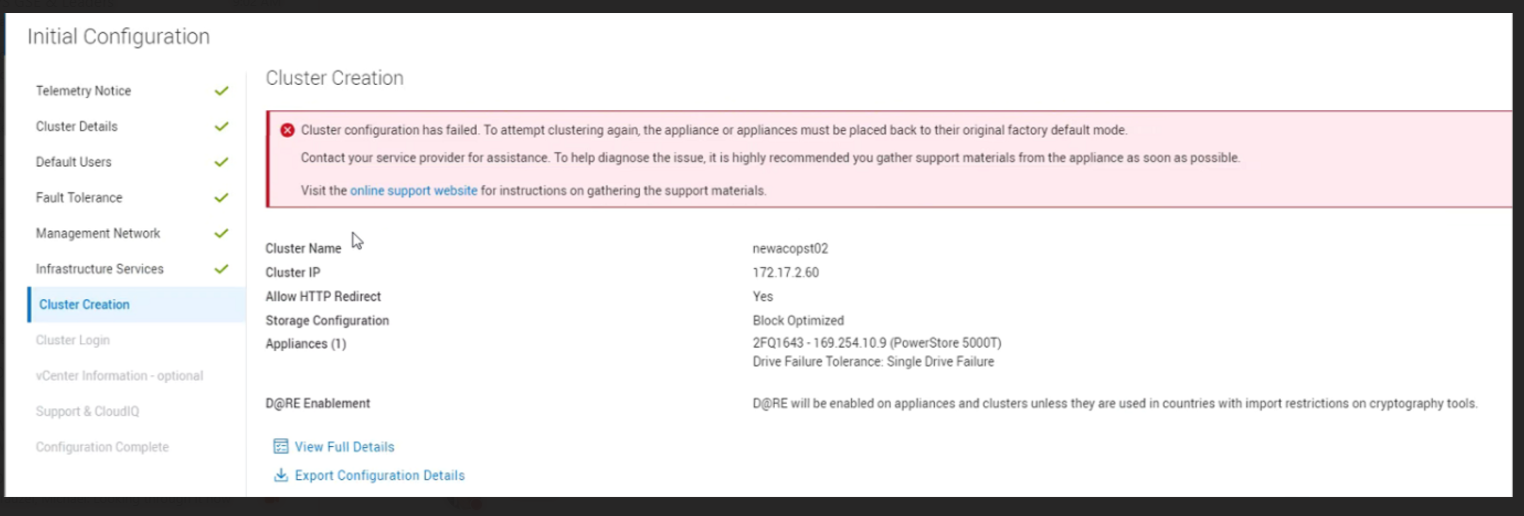
Cluster creation failed.
The following snapshot is displayed in PowerStore ICW when this issue is detected:
Cause
The cluster creation failed due to a SINGLE unavailable NVRAM NVMe drive and an unexpected amount of the NVRAM NVMe pairs required for the cluster creation.
Note: If two NVRAM NVMe drives are in a failed state, then the reason may be different, for example, BBU failure. In such a case, further investigation is required.
Resolution
To address this issue, contact Dell Technical Support for assistance. Mention this article number (000281413) for expedited attention and resolution.
- See related Dell article PowerStore: Cluster Creation Failure Due to Leading Zero in IP Address if you see a zero in the cluster IP.
- See related Dell article PowerStore: PowerStore Manager displays 'Cluster configuration has failed,' when trying to configure your PowerStore appliances.
- See Dell article PowerStore: How to Reinitialize a PowerStore System to Factory State Using the svc_factory_reset Command for guidance on how to reinitialize a PowerStore system to a blank factory state. Specify IP address without any leading zeros on the new ICW.
Affected Products
PowerStoreArticle Properties
Article Number: 000281413
Article Type: Solution
Last Modified: 06 Mar 2026
Version: 6
Find answers to your questions from other Dell users
Support Services
Check if your device is covered by Support Services.