Intel X710 adapters in a SET switch are reported as of different Manufacturer or Model
Summary: This article describes a condition reported by the Microsoft Cluster Validation Report when using Intel X710 adapters as members of a Switch Embedded Teaming (SET) team.
Symptoms
- A Windows Server Hyper-V cluster (2019, 2022, and 2025) is configured for usage with Switch Embedded Teaming (SET).
- Intel X710 adapters are configured as members of the SET team.
- When the Cluster Validation Report is generated, the following warnings are returned under the "Network" and "Validate Switch Enabled Teaming Configurations" categories:
Not all adapters associated with SET Switch 'SwitchName' on Node 'NodeName' are the same Manufacturer and Model
Unable to verify that all adapters associated with SET Switch 'SwitchName' on Node 'NodeName' are of the same RDMA Technology type, some adapters are reporting 'Device Default' or not reporting data at all.
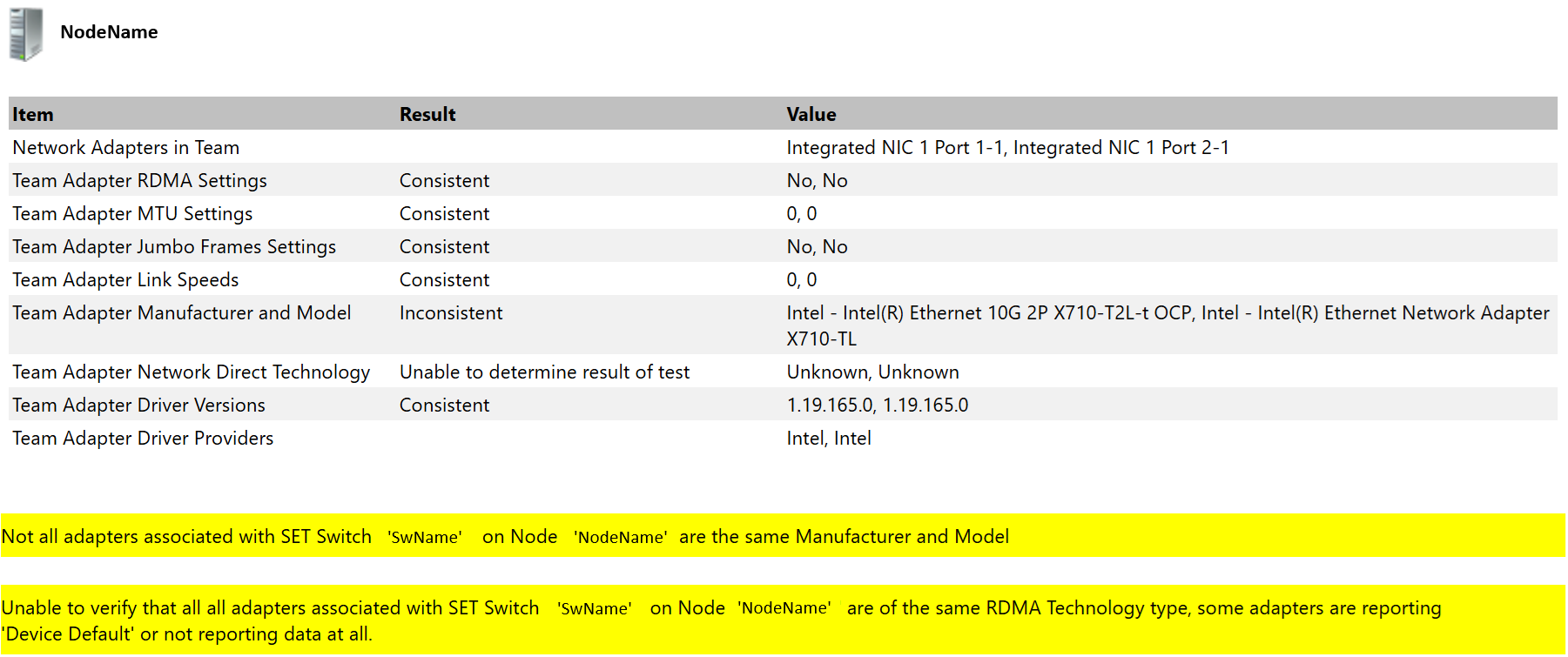
- The warnings are returned only in the cluster validation report and there is no evident impact to cluster operations nor to its workload.
Cause
This is a known condition documented by Intel in 2017:
- It was acknowledged as an erratum in the 700 series specification document, available from Intel Ethernet Controller X710/XXV710/XL710.

Here is a screenshot of this document with the relevant information:
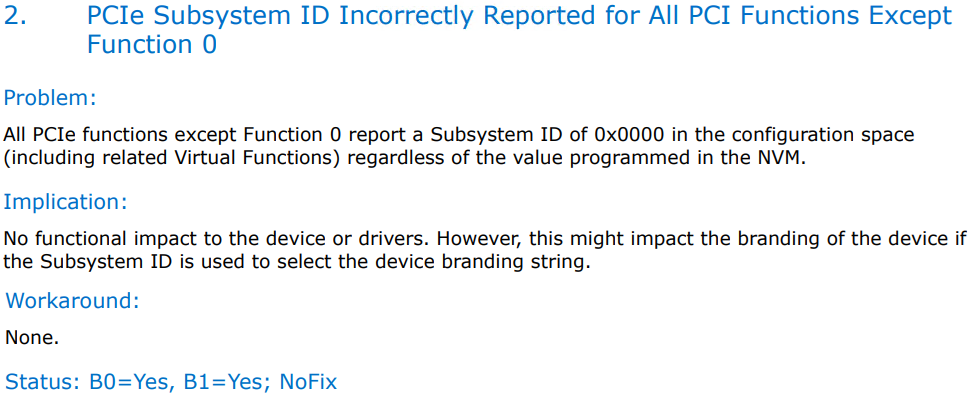
- The following information is available in the Intel X710 User's Guide:
"Some Intel X710 based devices report a subdevice ID of 0x0000 and may display a generic branding string. Port 0 reports the correct subvendor ID and displays the correct branding string."

Resolution
There are no plans to change this behavior. The condition is harmless to cluster operation, and the warning can be safely ignored.
As a workaround, the Intel X710 adapters can be operated as individual adapters, not as members of a SET team.
This article applies to Windows Server (2016, 2019, 2022, and 2025).
For Azure Local, see Validating Physical NICs are Symmetric Fails When Creating Network ATC NetIntent When Using Intel X710 Network Adapters