오픈시프트: 노드가 준비되지 않았거나 예약이 비활성화된 OCP 업그레이드 사후 검사 오류
Summary: 라이브 마이그레이션할 수 없는 RWO(ReadWriteOnce) 스토리지 볼륨으로 구성된 VM으로 인해 노드가 준비되지 않았거나 예약이 비활성화된 OCP 업그레이드 사후 검사 오류입니다.
This article applies to
This article does not apply to
This article is not tied to any specific product.
Not all product versions are identified in this article.
Symptoms
OCP 업그레이드 사후 검사 프로세스 중에 "OCP 클러스터에 대한 사후 검사를 실행하지 못했습니다. 노드가 준비되지 않았거나 예약이 비활성화되었습니다."
Cause
오류 보고 노드에서 실시간 마이그레이션할 수 없는 RWO(ReadWriteOnce) 스토리지 볼륨으로 구성된 하나 이상의 VM입니다.
가상 머신 디스크의 스토리지 볼륨에 대한 자세한 내용은 아래의 Openshift 문서를 참조하십시오.
Resolution
1. VM PV 설정을 변경합니다.
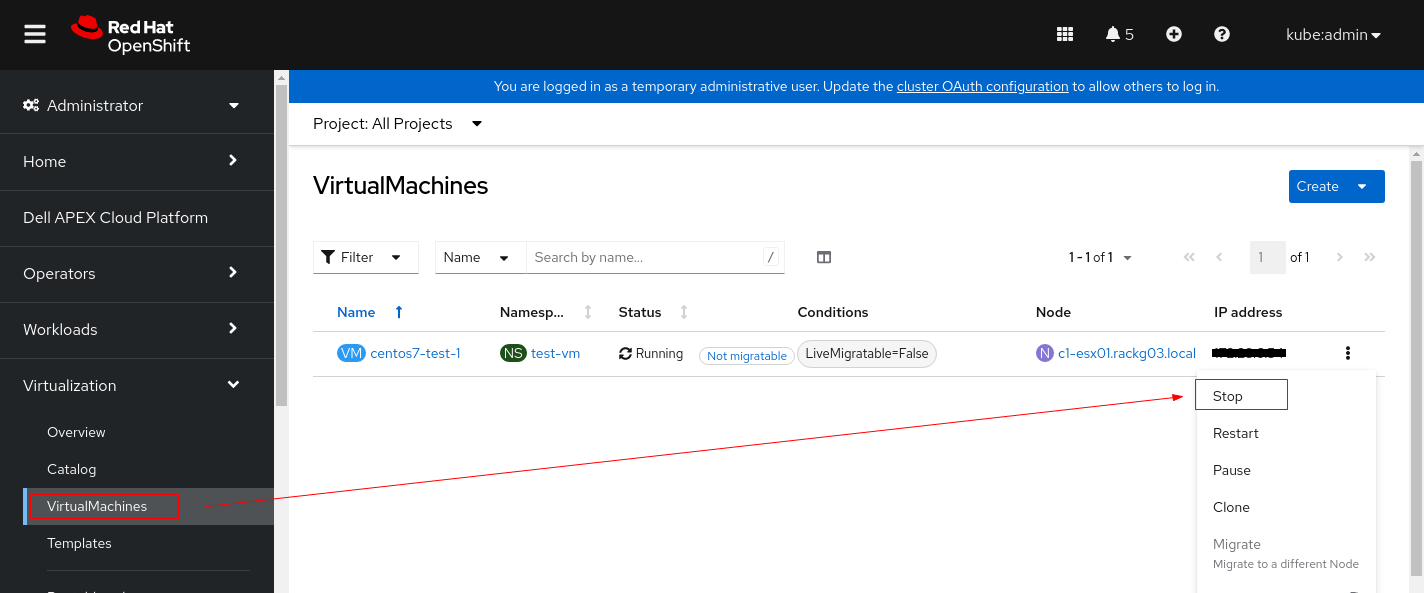
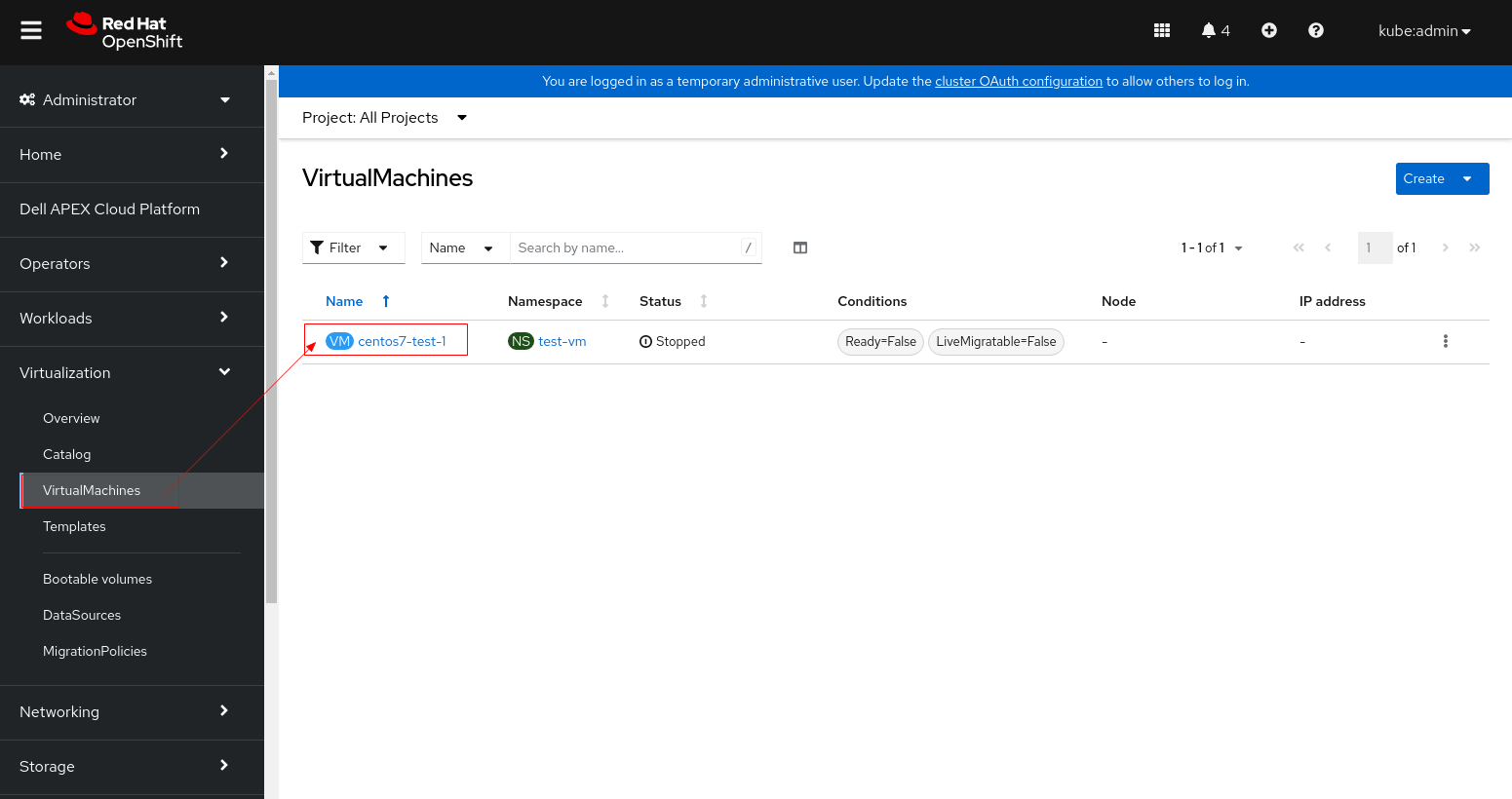
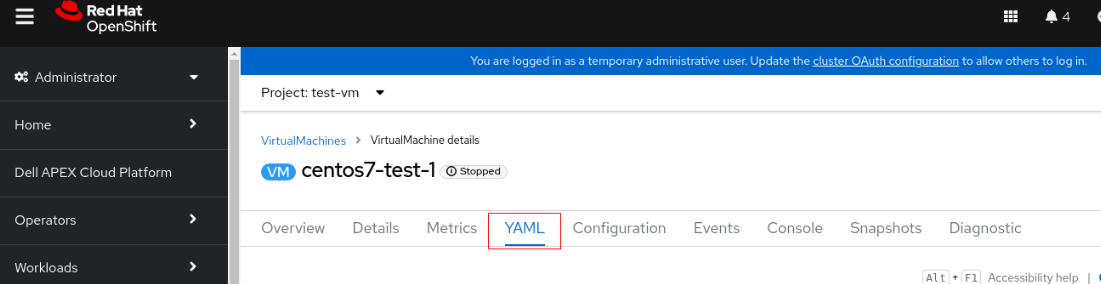
2. 상태가 "Ready,SchedulingDisabled"인 노드를 찾습니다.

3. 노드를 드레이닝하여 실행 중인 포드를 제거합니다.
4. 디버그 모드를 설정하고 노드를 재부팅합니다.
5. 재부팅 후 노드가 준비되면 예약 가능으로 표시합니다.
6. 노드가 예약 가능으로 표시되었는지 확인합니다.
- 1.1PV 설정을 변경하기 전에 VM 인스턴스를 중지합니다.
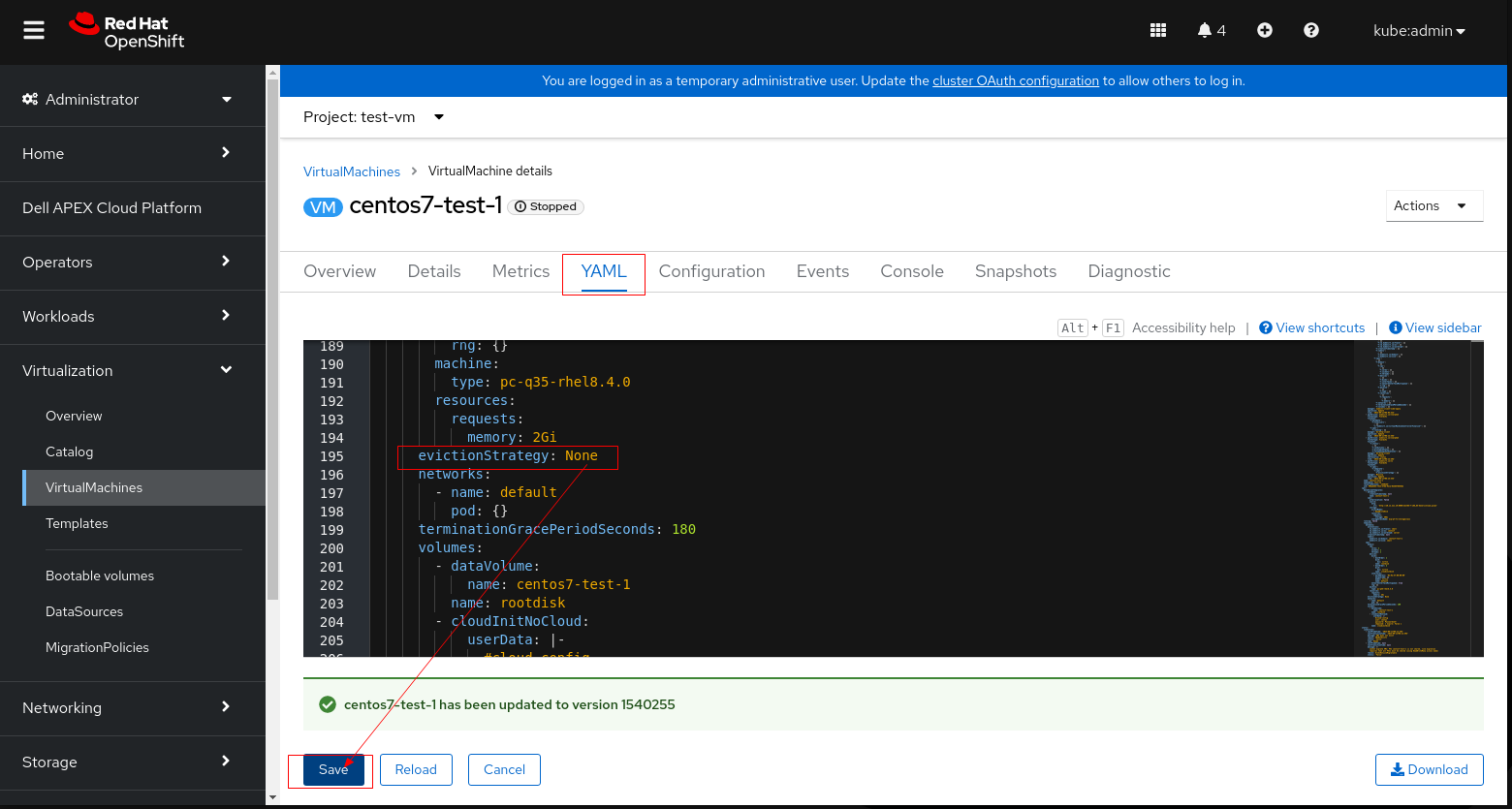
- 1.2 VM을 클릭하고 YAML 탭으로 전환
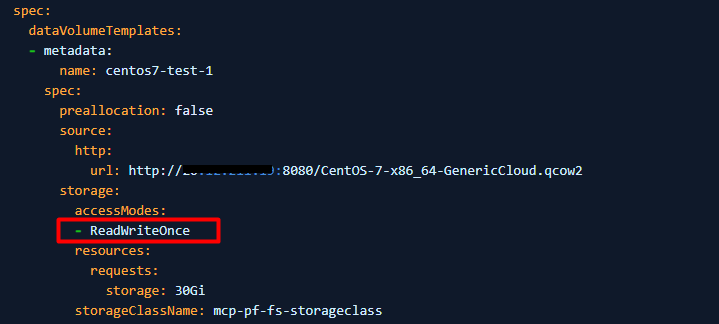
- 1.3 accessModes 를 "ReadWriteOnce"에서 "ReadWriteMany"로 변경
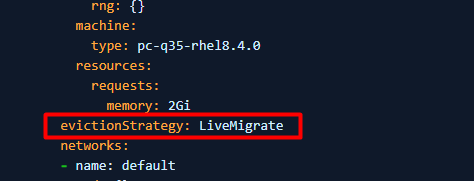
- 1.4 PV를 ReadWriteMany로 설정할 수 없는 경우(VM에서 ReadWriteMany를 사용할 수 없음) LiveMigrate에서 evictionStrategy를 None으로 설정합니다.
참고: 환경에 적용되는 1.3단계 또는 1.4단계를 수행합니다. 두 단계를 모두 수행할 필요는 없습니다.
- 1.5 저장을 클릭하고 VM을 재시작합니다.
2. 상태가 "Ready,SchedulingDisabled"인 노드를 찾습니다.
$ oc get node예:
3. 노드를 드레이닝하여 실행 중인 포드를 제거합니다.
$ oc adm <node name> --ignore-daemonsets --delete-emptydir-data --force예: oc adm drain c3-esx01.racka01.local --ignore-daemonsets --delete-emptydir-data --force
4. 디버그 모드를 설정하고 노드를 재부팅합니다.
$ oc debug node/<node name>

$ sh-4.4# chroot /host

$ sh-4.4# systemctl reboot
5. 재부팅 후 노드가 준비되면 예약 가능으로 표시합니다.
$ oc adm uncordon <node name>
6. 노드가 예약 가능으로 표시되었는지 확인합니다.
$ oc get node
Affected Products
APEX Cloud Platform for Red Hat OpenShiftArticle Properties
Article Number: 000216593
Article Type: Solution
Last Modified: 18 Sept 2026
Version: 4
Find answers to your questions from other Dell users
Support Services
Check if your device is covered by Support Services.