Openshift:節點未就緒或排程已停用的 OCP 升級後檢查錯誤
Summary: 由於 VM 設定了無法即時遷移的 ReadWriteOnce (RWO) 儲存磁碟區,導致節點未就緒或排程停用,OCP 升級後檢查錯誤。
This article applies to
This article does not apply to
This article is not tied to any specific product.
Not all product versions are identified in this article.
Symptoms
在 OCP 升級檢查後處理程序期間,可能會出現錯誤訊息,指出「無法執行 OCP 叢集的檢查後檢查。節點尚未就緒或排程已停用。」
Cause
設定了 ReadWriteOnce (RWO) 儲存磁碟區的一或多個 VM,無法在錯誤報告節點上即時遷移。
請查看以下 OpenShift 文件,以取得有關虛擬機器磁碟儲存磁碟區的詳細資訊。
Resolution
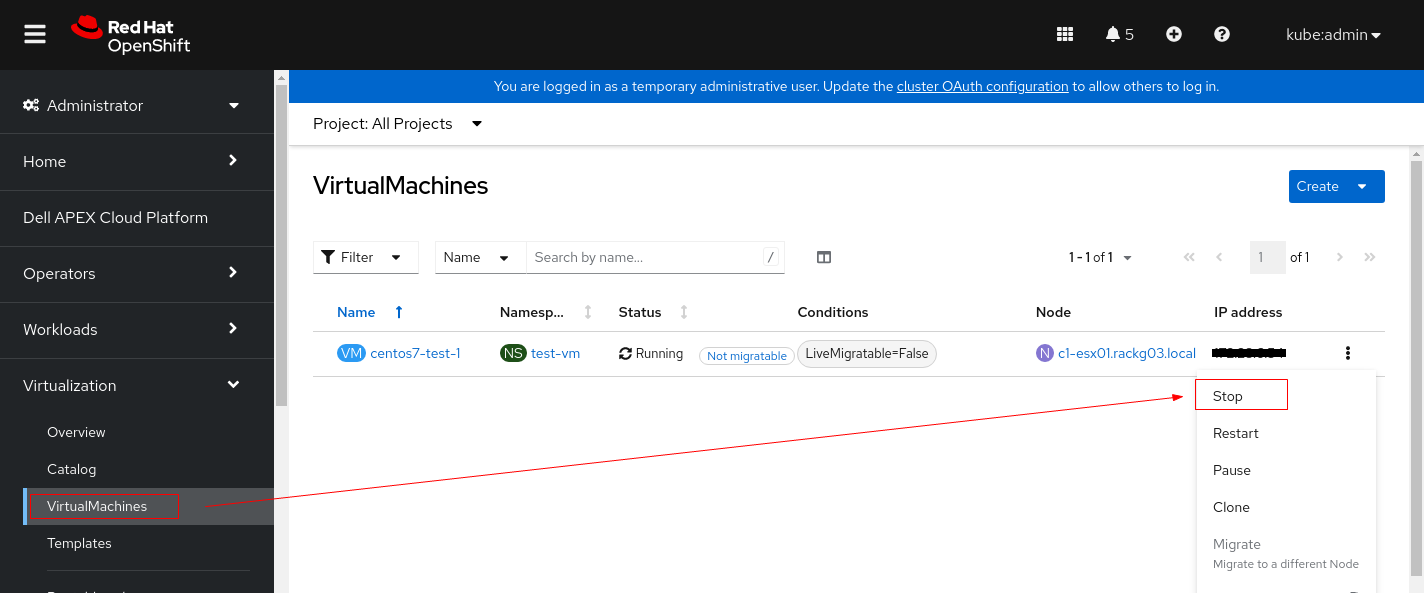
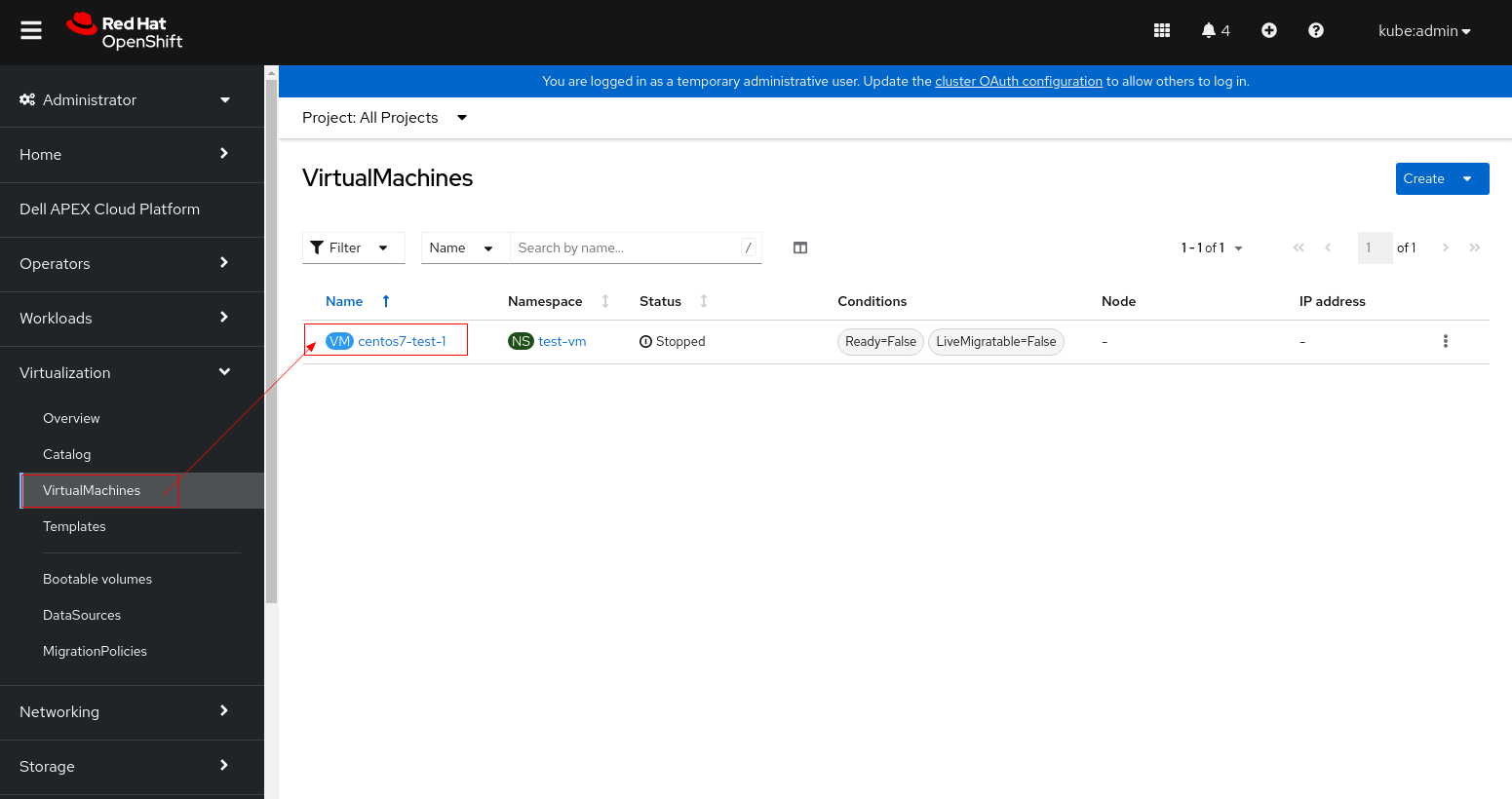
1.更改虛擬機 PV 設置。
2.尋找狀態為「Ready,SchedulingDisabled」的節點

3.排空節點以從中移除正在運行的 Pod。
4。設定偵錯模式,然後重新啟動節點。
5.節點在重新開機後準備就緒後,將其標記為可排程。
6.確認節點已成功標示為可排程。
- 1.1在更改其 PV 設置之前停止 VM 實例。
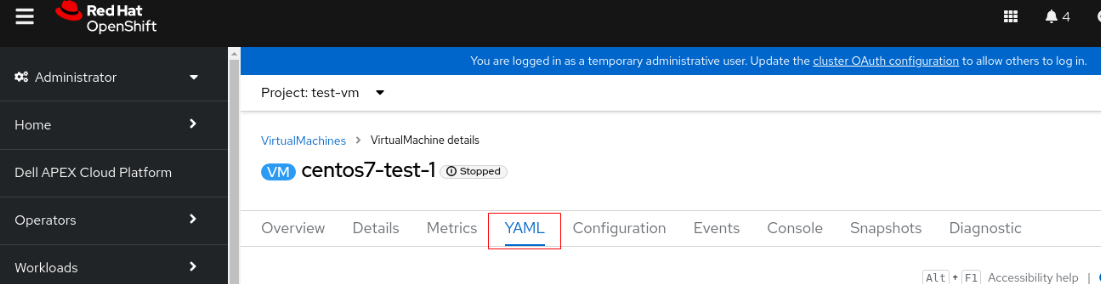
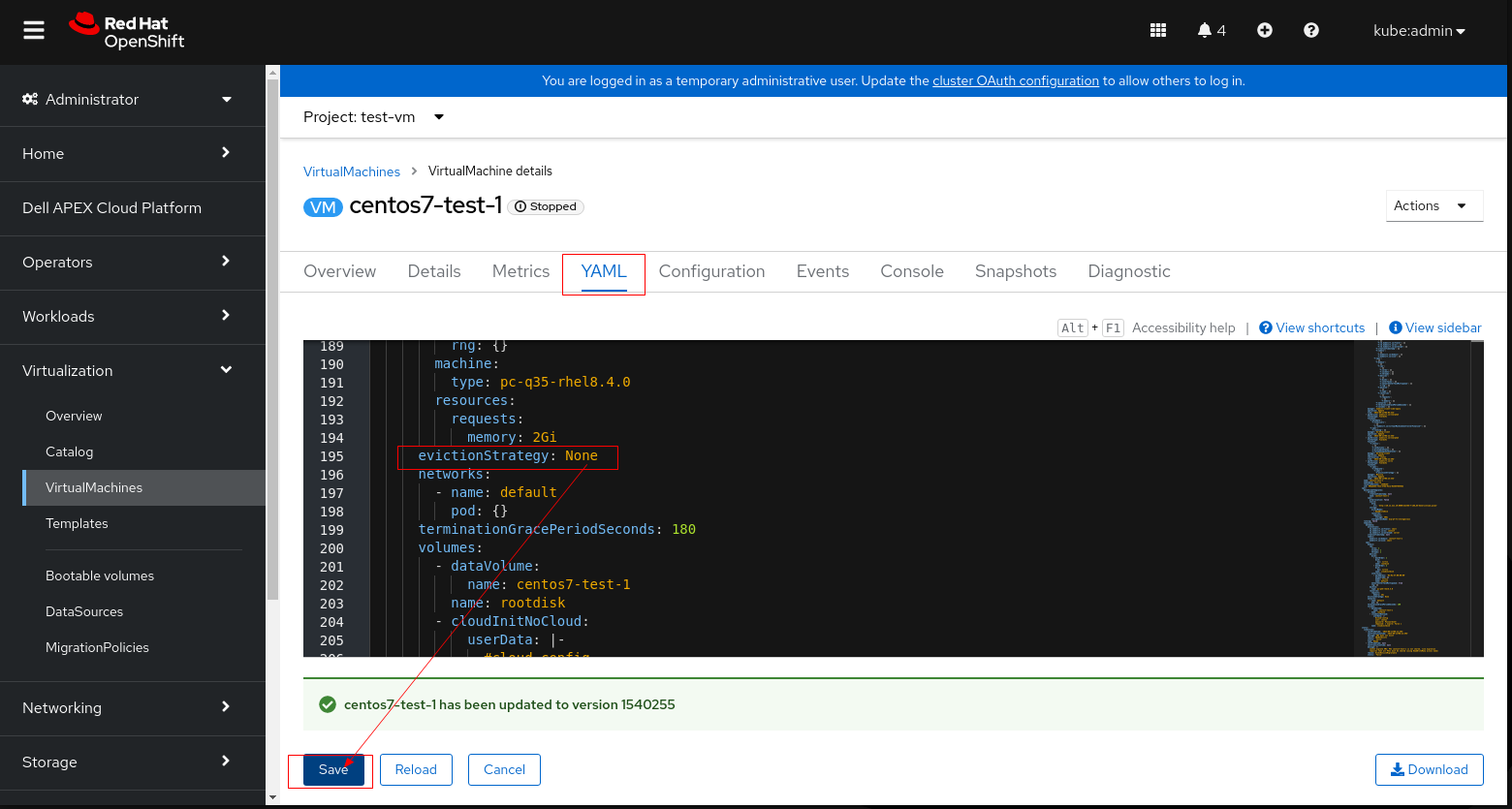
- 1.2 按一下 VM 並切換至 YAML 標籤
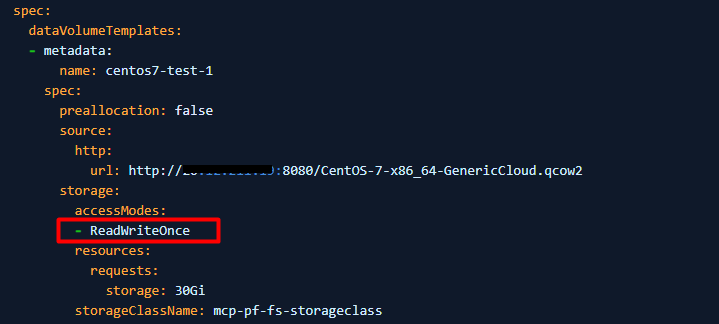
- 1.3 將存取模式 從「ReadWriteOnce」變更為「ReadWriteMany」
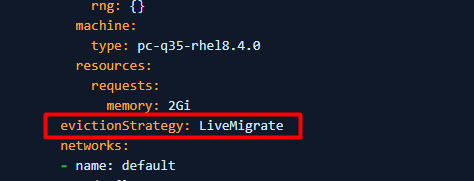
- 1.4 如果 PV 無法設定為 ReadWriteMany (VM 無法使用 ReadWriteTMany 啟動),則請將 LiveMigrate 的 evictionStrategy 設定為無
注意:請執行適用於您環境的步驟 1.3 或 1.4,不需要同時執行這兩個步驟。
- 1.5. 按一下「儲存」並重新啟動虛擬機器。
2.尋找狀態為「Ready,SchedulingDisabled」的節點
$ oc get node例如:
3.排空節點以從中移除正在運行的 Pod。
$ oc adm <node name> --ignore-daemonsets --delete-emptydir-data --force例如:oc adm drain c3-esx01.racka01.local --ignore-daemonsets --delete-emptydir-data --force
4。設定偵錯模式,然後重新啟動節點。
$ oc debug node/<node name>

$ sh-4.4# chroot /host

$ sh-4.4# systemctl reboot
5.節點在重新開機後準備就緒後,將其標記為可排程。
$ oc adm uncordon <node name>
6.確認節點已成功標示為可排程。
$ oc get node
Affected Products
APEX Cloud Platform for Red Hat OpenShiftArticle Properties
Article Number: 000216593
Article Type: Solution
Last Modified: 18 Sept 2026
Version: 4
Find answers to your questions from other Dell users
Support Services
Check if your device is covered by Support Services.