Dell APEX Cloud Platform:新增節點期間的網路驗證失敗
Summary: 如果是完整融合式叢集,如果使用者為流量設定超過 1 個儲存 VLAN ID,網路驗證將會失敗。
This article applies to
This article does not apply to
This article is not tied to any specific product.
Not all product versions are identified in this article.
Symptoms
驗證將失敗,並出現通知提示 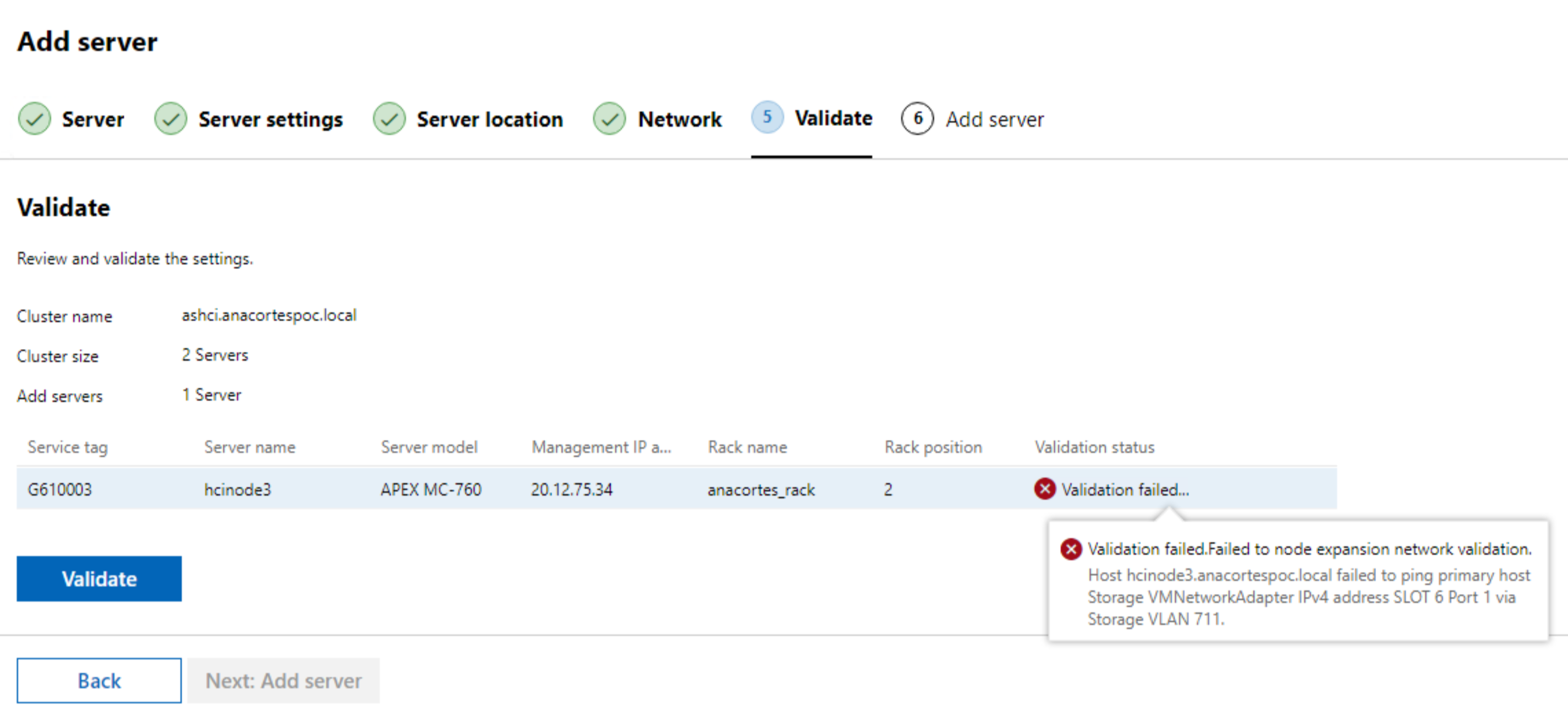
Cause
在完全融合的叢集中,如果使用者為流量設定了一個以上的儲存 VLAN ID
例如完全融合式叢集中的雙儲存 VLAN 組態:
- 在此叢集中,有兩個儲存 VLAN ID 711 和 712
- 但在新節點上,只有 VLAN 711 在驗證期間配置為儲存流量,則無法驗證 VLAN 712 網路連線。
Resolution
使用以下步驟略過驗證:
1.準備 JSON 裝載
使用 Chrome 開啟 WAC UI 介面,按一下 F12,然後驗證。在網路視窗中,尋找 "expansion api" 並獲取請求有效負載。
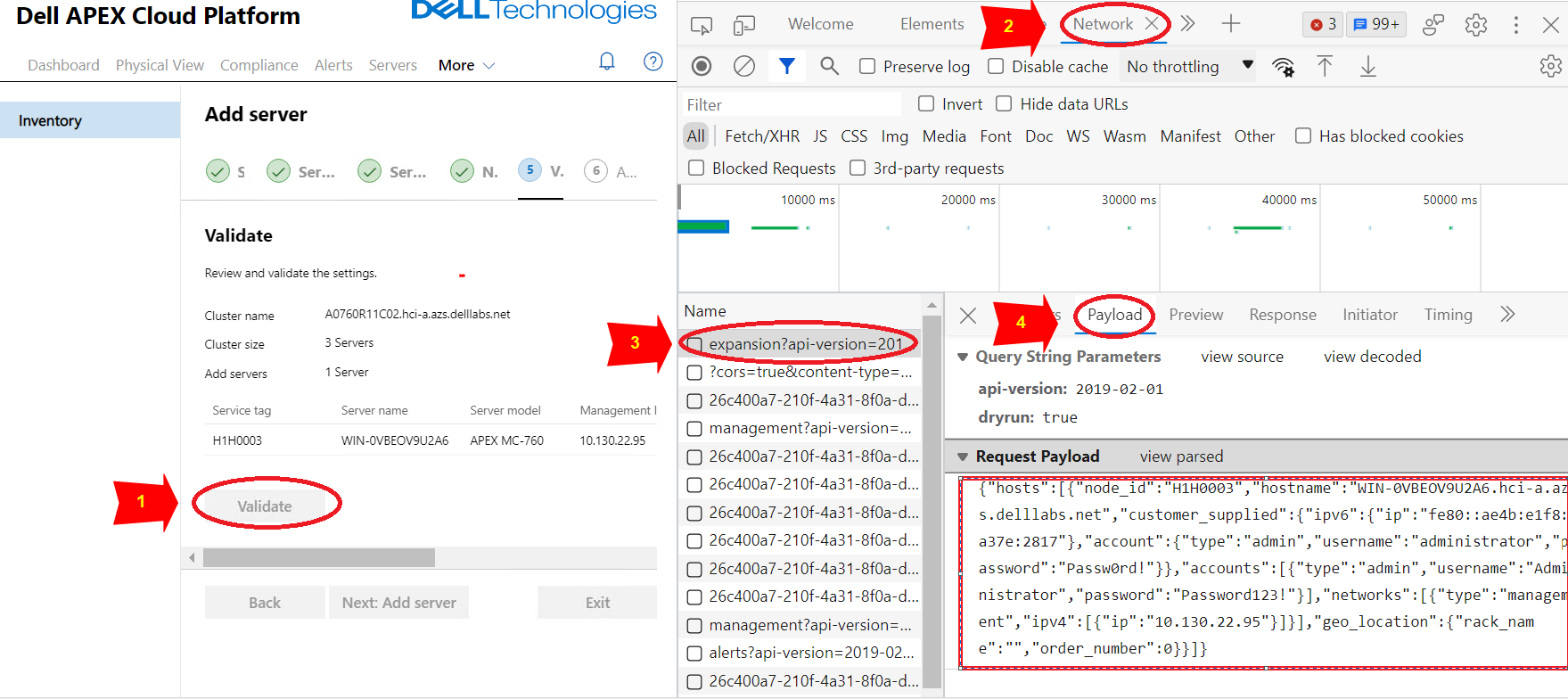
儲存裝載 JSON 到名為的檔案 payload.json.
JSON 有效負載內容範例:
{ “hosts”:[ { “node_id”:“H1H0003”, “主機名”:“WIN-0VBEOV9U2A6.hci-a.azs.delllabs.net”, “customer_supplied”:{ “ip ”:“fe80::ae4b:e1f8:a37e:2817” }, “account”:{ “type”:“admin”, “username”:“administrator”, “password”:“Passw0rd!” } }, “accounts”:[ { “type”:“admin”, “username”:“ Administrator”, “password”:“Password123!” } ], “網络”:[ { “類型”:“management”, “ipv4”:[ { “ip”:“10.130.22.95” } ] } ], “geo_location”:{ “rack_name”:“”, “order_number”:0 } } ] } |
2.呼叫節點擴充 API 取得授權的「存取權杖」
(下列 API 應在具有 APEX Cloud Platform Manager 網路存取權的位置叫用。)
a.呼叫私人 API(POST) 取得授權 的「存取權杖」 :
| curl -k -i -X POST https://< Manager_IP>/rest/apex-cp/v1/login -d '{“username”:“<management username>”,“password”:“<management password>”}' --header “Content-Type: application/json” |
結果範例:
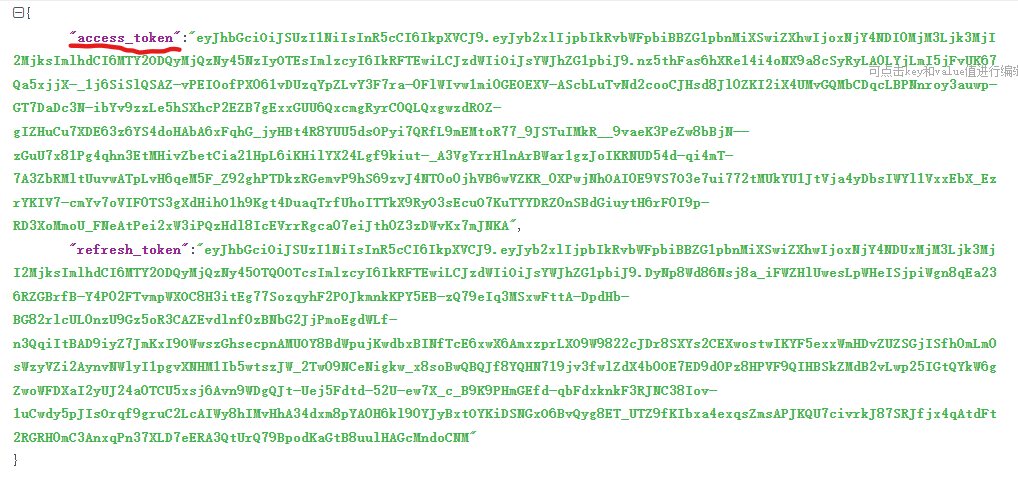
b.使用上一步的存取權杖呼叫私人 API(POST) 來新增節點
| curl -k -i -X POST “https://< Manager_IP>/rest/apex-cp/private/v1/cluster/expansion?dryrun=false” --header “Authorization:Bearer<access_token_value>“ --header ”Content-Type: application/json“ -d @</path/to/payload.json> |
3.監控節點新增狀態
在 WAC UI 上,我們可以看到工作進度:
a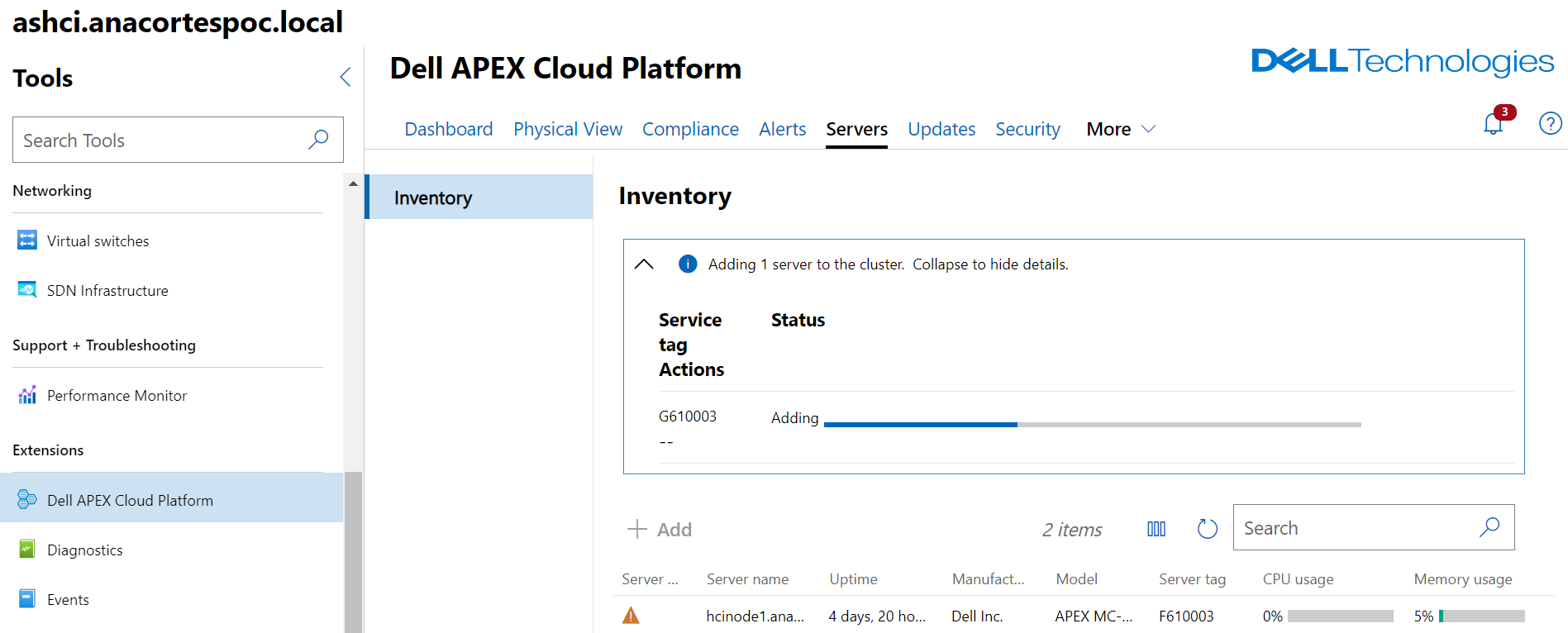
注意:此 KB 中的所有裝置資訊均來自實驗室。
Affected Products
Dell EMC Cloud For Microsoft Azure Stack, Integrated System for Microsoft Azure Stack Hub 13G, Integrated System for Microsoft Azure Stack Hub 14G, Dell Hybrid Cloud System for MicrosoftArticle Properties
Article Number: 000218071
Article Type: Solution
Last Modified: 24 Feb 2026
Version: 2
Find answers to your questions from other Dell users
Support Services
Check if your device is covered by Support Services.