Dell APEX 云平台:添加节点期间网络验证失败
Summary: 对于完全融合群集,如果用户为流量配置了多个存储 VLAN ID,则网络验证将失败。
This article applies to
This article does not apply to
This article is not tied to any specific product.
Not all product versions are identified in this article.
Symptoms
验证将失败,并将提示通知 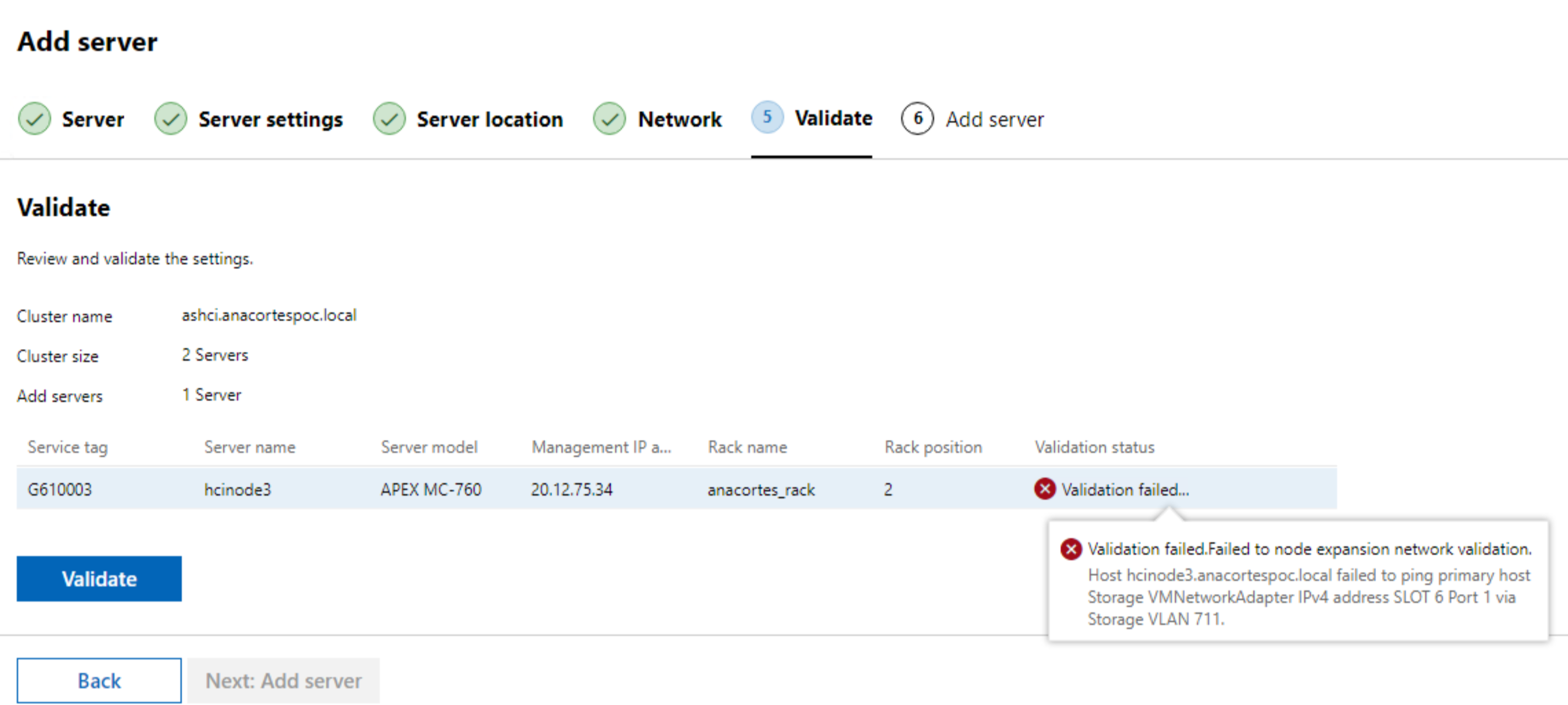
Cause
在完全融合群集中,如果用户为流量配置了多个存储 VLAN ID
例如,完全融合群集中的双存储 VLAN 配置:
- 在群集中,有两个存储 VLAN ID 711 和 712
- 但在新节点上,在验证期间仅为存储流量配置了 VLAN 711,然后它无法验证 VLAN 712 网络连接。
Resolution
使用以下步骤跳过验证:
1.准备 JSON 有效负载
使用 Chrome 打开 WAC UI 界面,单击 F12,然后进行验证。在网络窗口中,找到 "expansion api" 并获取请求有效负载。
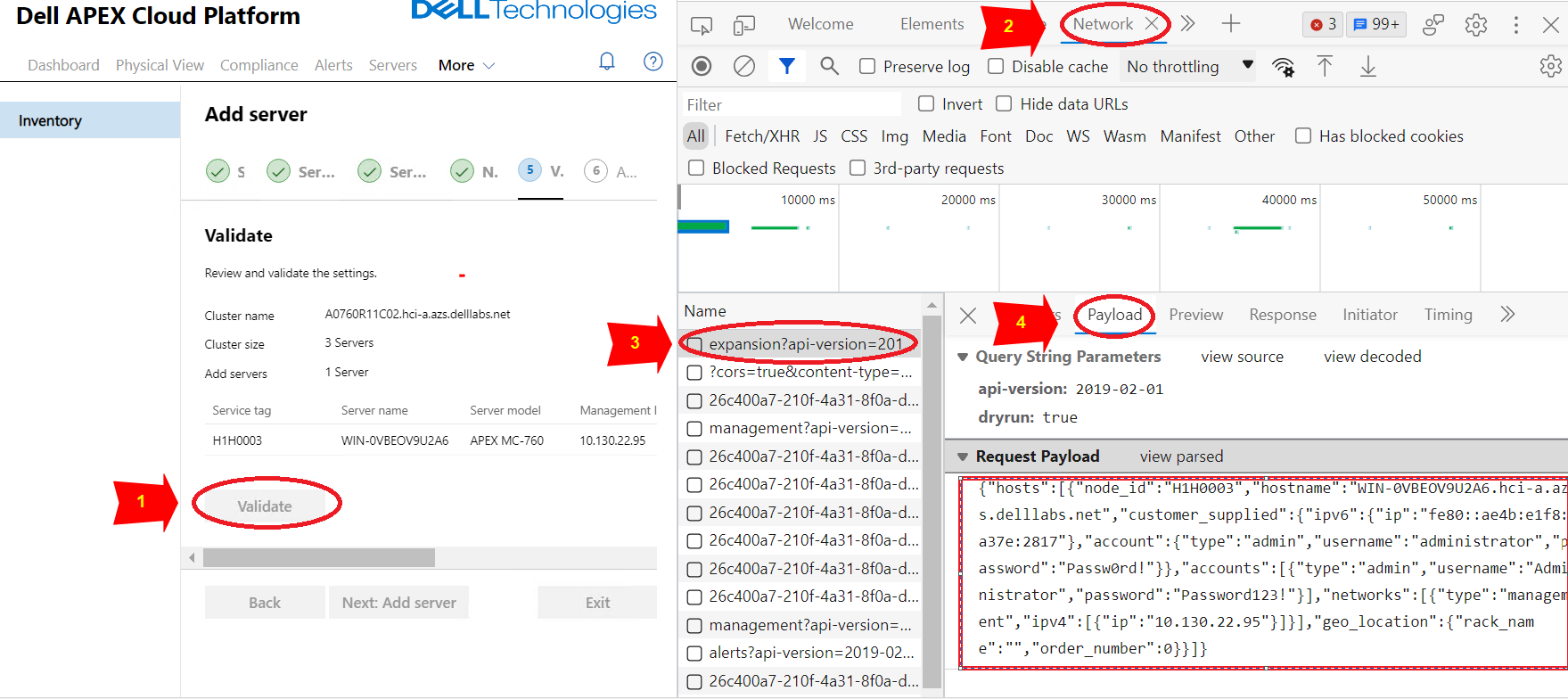
保存有效负载 JSON 到名为 payload.json.
JSON 有效负载内容示例:
{ “hosts”:[ { “node_id”:“H1H0003”, “hostname”:“WIN-0VBEOV9U2A6.hci-a.azs.delllabs.net”, “customer_supplied”:{ “ip ”:“fe80::ae4b:e1f8:a37e:2817” }, “account”:{ “type”:“admin”, “username”:“administrator”, “password”:“Passw0rd!” } }, “accounts”:[ { “type”:“admin”, “username”:“Administrator”, “password”:“Password123!” } ], “networks”:[ { “type”:“management”, “ipv4”:[ { “ip”:“10.130.22.95” } ] } ], “geo_location”:{ “rack_name”:“”, “order_number”:0 } } ] } |
2.调用节点扩展 API 获取“access token”进行授权
(应在可通过网络访问 APEX Cloud Platform Manager 的位置调用以下 API。)
a.调用私有 API(POST) 获取 “access token” 进行授权:
| curl -k -i -X POST https://< Manager_IP>/rest/apex-cp/v1/login -d '{“username”:“<management username>”,“password”:“<management password>”}' --header “Content-Type: application/json” |
结果示例:
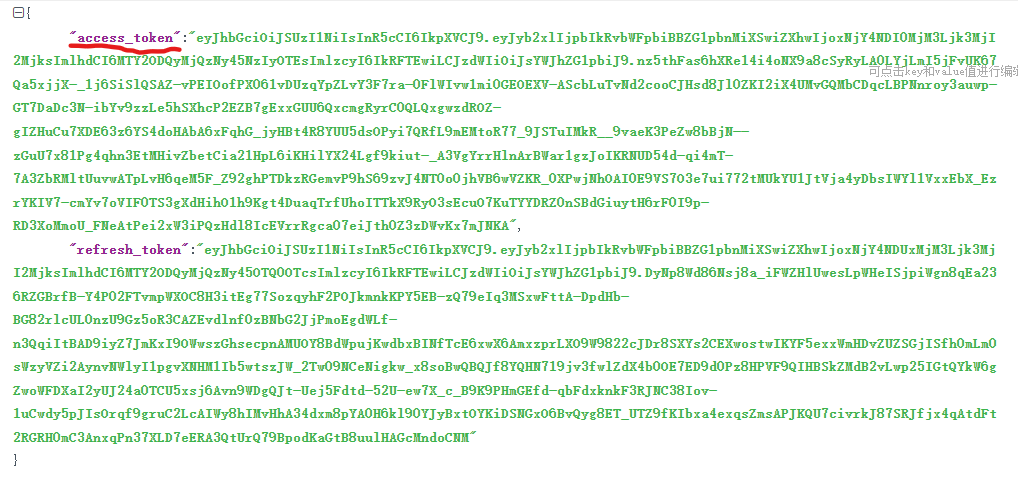
B。使用上一步中的访问令牌调用私有 API (POST) 以添加节点
| curl -k -i -X POST “https://< Manager_IP>/rest/apex-cp/private/v1/cluster/expansion?dryrun=false” --header “Authorization:Bearer<access_token_value>“ --header ”Content-Type: application/json“ -d @</path/to/payload.json> |
3.监视节点添加状态
在 WAC UI 上,我们可以看到作业进度:
a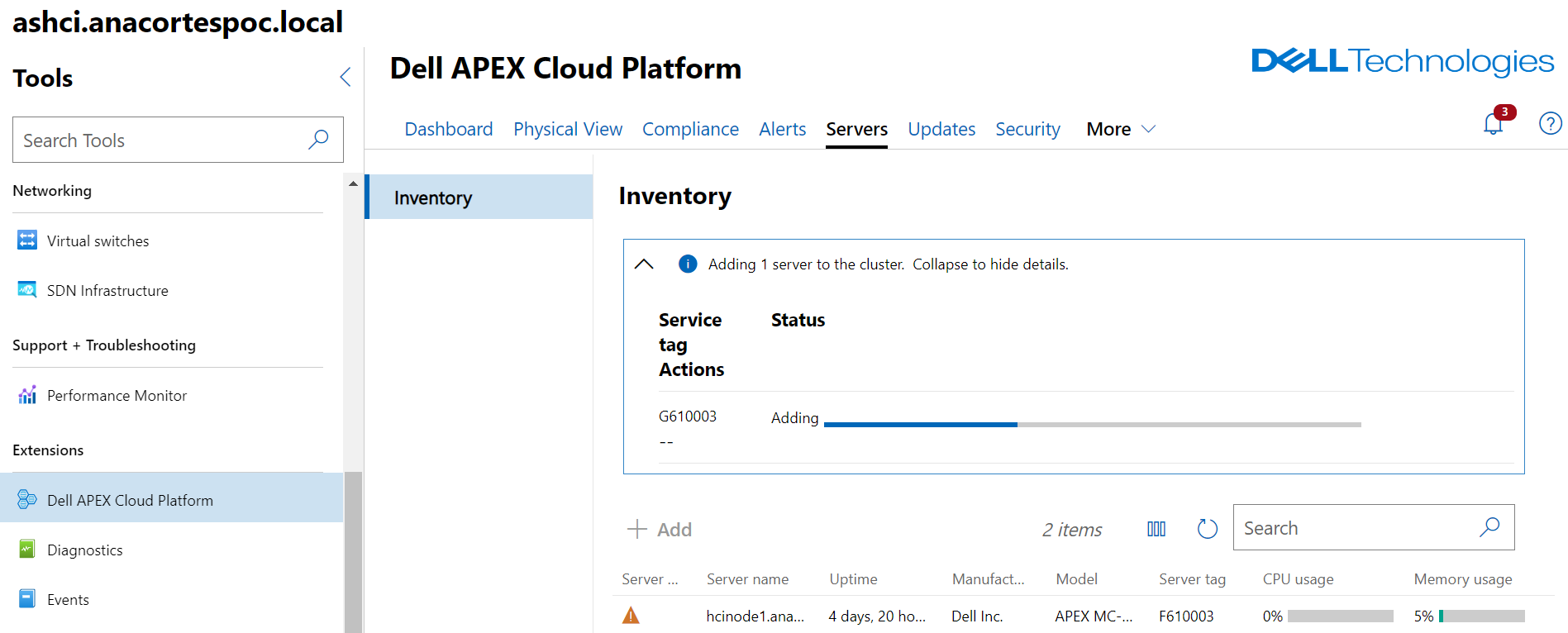
提醒:本知识库文章中的所有设备信息均来自 LAB。
Affected Products
Dell EMC Cloud For Microsoft Azure Stack, Integrated System for Microsoft Azure Stack Hub 13G, Integrated System for Microsoft Azure Stack Hub 14G, Dell Hybrid Cloud System for MicrosoftArticle Properties
Article Number: 000218071
Article Type: Solution
Last Modified: 24 Feb 2026
Version: 2
Find answers to your questions from other Dell users
Support Services
Check if your device is covered by Support Services.