「VxRail:再起動せずにvCenter Server Applianceのrootパスワードをリセットする
Summary: この記事では、VMware vCenter Server Appliance (VCSA) 6.7 U1、7.x、8.xで再起動せずに、紛失したrootパスワードをリセットする方法について説明します。
This article applies to
This article does not apply to
This article is not tied to any specific product.
Not all product versions are identified in this article.
Instructions
VMware vCenter Server Appliance(VCSA)6.7 U1では、SSOユーザーは SystemConfiguration.BashShellAdministrator Bashにアクセスして実行できる sudo パスワードなしで、ルートへのギャップを埋めます。デフォルトでは、ユーザーはアプライアンス シェルにログインし、シェルを有効にしてBashにアクセスする必要があります。
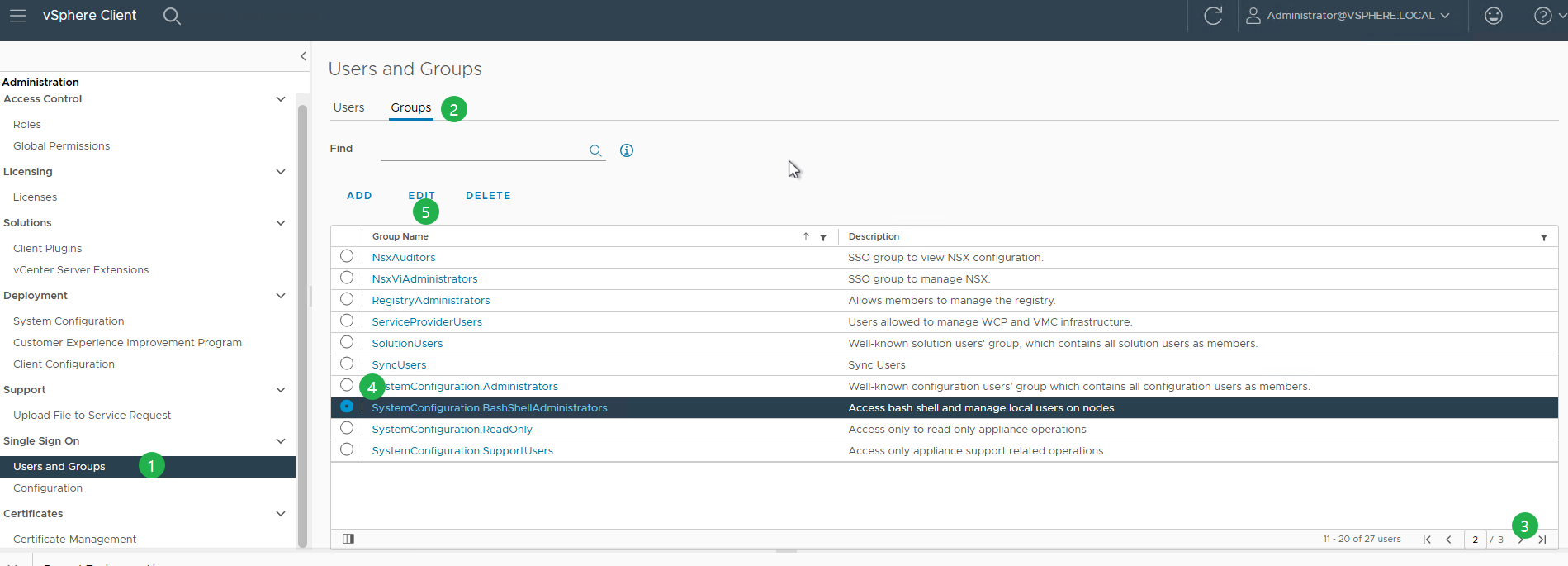
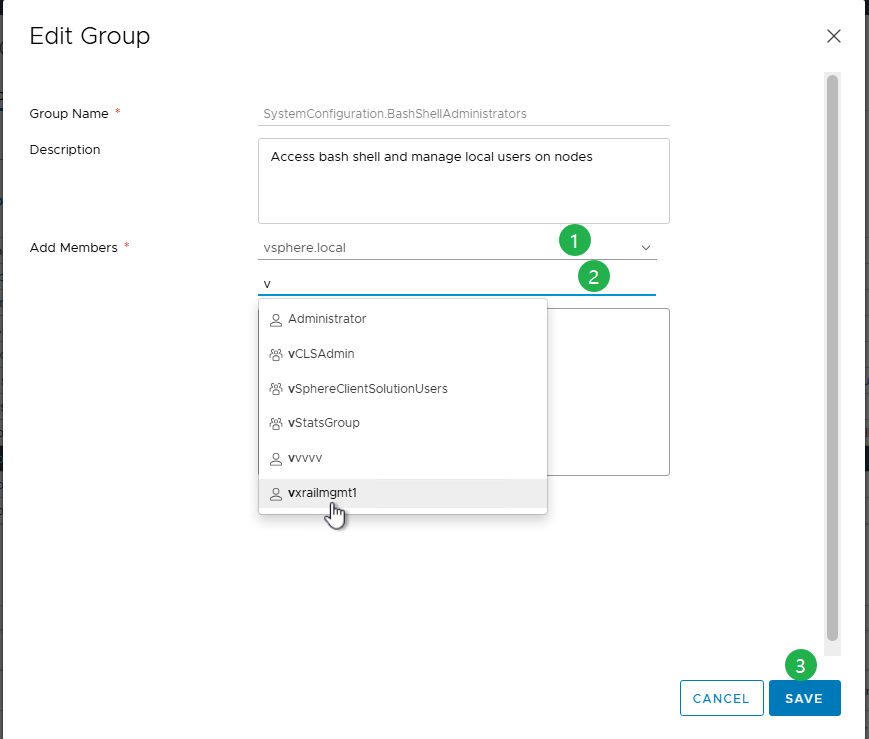
VCSAでrootパスワードをリセットするプロセス:
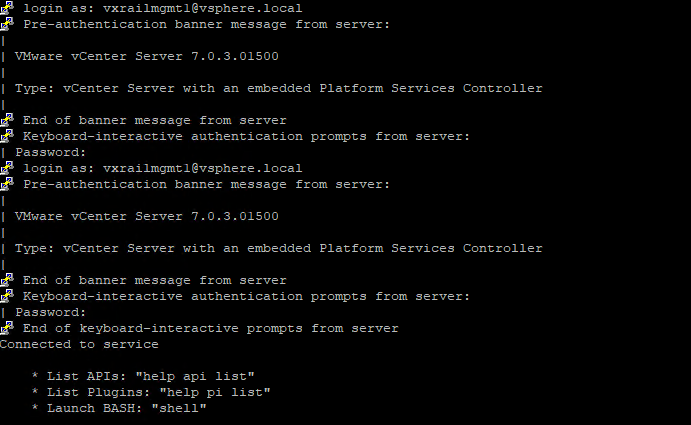
- SSH経由でVCSAに接続するには、次を使用してログインします。
administrator@vsphere.localこれは、vsphere.localはデフォルトのSSOドメインです。- SSHが無効になっている場合は、VAMI(
https://<vcenter_fqdn>:5480)を提供する必要があります。 - 次のユーザーとして認証できます。
administrator@vsphere.localまたはSSO管理者グループの他のメンバー。 - SSHおよびBashシェル アクセスを有効または無効にします。
- SSHが無効になっている場合は、VAMI(
- 初めてログインする場合は、まずシェルを有効にしてから、「shell」と入力してアクセスします。

shell.set --enable true
shell
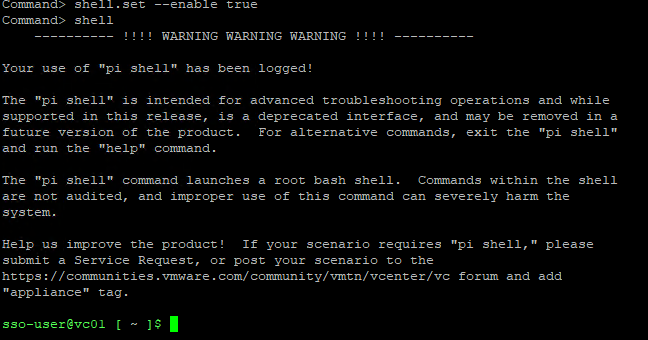
- シェルの中に入ると、
sso-userで、次のコマンドを実行してrootシェルに切り替えます。
sudo -i
- ログイン試行に複数回失敗したためにrootアカウントがロックされている場合は、次のコマンドを使用してロックを解除します。
pam_tally2 --user=root --reset

8.0 U2以降の場合:
/usr/sbin/faillock --user root --reset
注:
pam_tally2 はPhoton 4で非推奨になりましたので、 faillock を指定します。
- rootシェルに入ったら、passwdを実行してrootパスワードを変更します。
passwd
または、次のコマンドを使用します。
sudo passwd root

- パスワードを更新した後、新しい認証情報を使用してvCenter Server Applianceへのアクセスを確認します。
- 今後この問題が発生しないようにするには、次のコマンドを実行してrootパスワードを期限切れにならないように設定します。
chage -I -1 -m 0 -M 99999 -E -1 root or at the VAMI ( https://<vcenter_fqdn>:5480)
Additional Information
詳細については、Broadcomの記事「Reset the root password in vCenter Server Appliance without reboot/6.7u1/7.x/8.x (321369)」を参照してください。
Article Properties
Article Number: 000302492
Article Type: How To
Last Modified: 06 Apr 2026
Version: 3
Find answers to your questions from other Dell users
Support Services
Check if your device is covered by Support Services.