BIOS and Operating System Requirements to Meet Support Secured-core Personal Computing
Summary: The article provides information about what is the BIOS option setting on your personal computer. settings in the system BIOS must be configured to support Secured-Core PC, On Intel Whiskey Lake systems with Microsoft Windows 10 version 19H1 and beyond or for Intel Comet Lake systems with Windows 10 version 20H1 and beyond perform the following steps in the operating system. ...
This article applies to
This article does not apply to
This article is not tied to any specific product.
Not all product versions are identified in this article.
Instructions
Table of Contents:
What is Bios?
Refer to What is BIOS and How to Update the BIOS on Your Dell System
How to set
The following settings in the system BIOS must be configured to support Secured-Core personal computer.
- The Secure Boot - Secure Boot Enable setting must be ON and Microsoft UEFI CA option to OFF(Figure 1.)
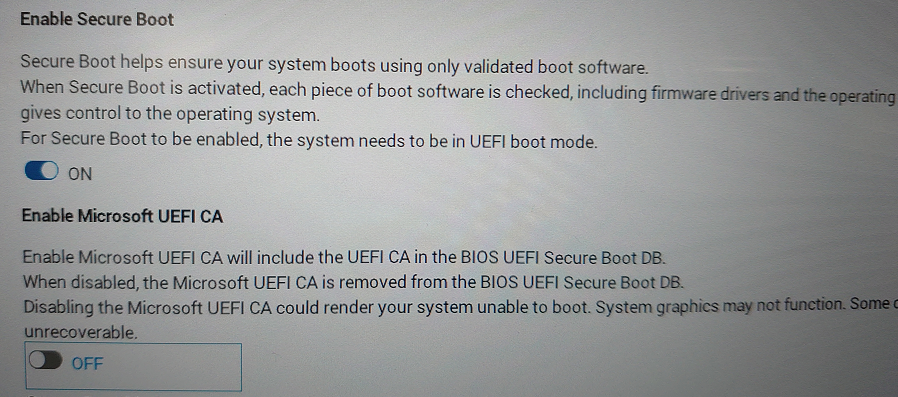
Figure 1. - Secure Boot Enable in BIOS - The System Management Mode (SMM) SMM Security Mitigation option must be selected in the Security, SMM Security Mitigation settings. (Figure 2.)
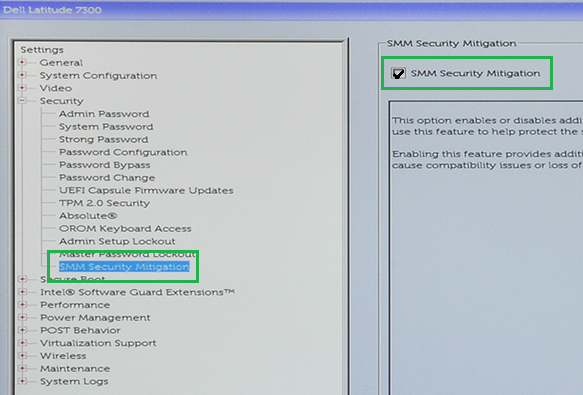
Figure 2. - SMM Security Mitigation Enable in BIOS - The VT for Direct I/O option must be selected in the Virtualization Support, VT for Direct I/O settings. (Figure 3.)
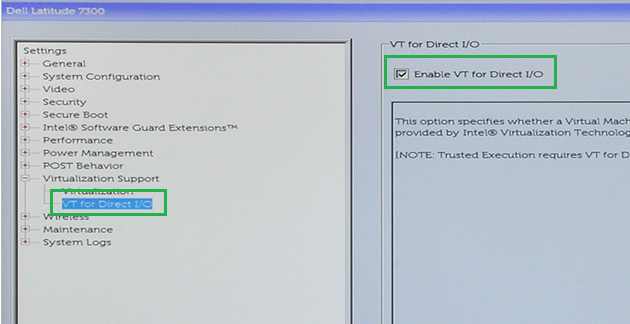
Figure 3. - VT for Direct I/O Enable in BIOS - The Trusted Execution option must be enabled in the Virtualization Support, Trusted Execution settings. (Figure 4.)
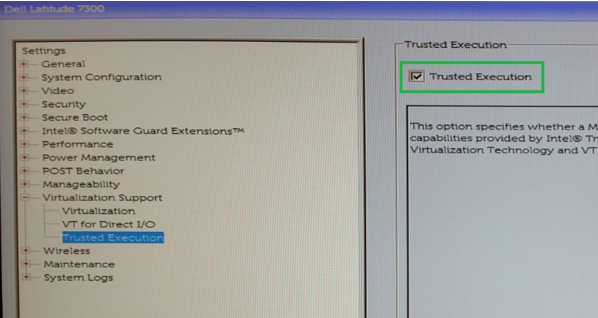
Figure 4. - Trusted Execution Enable in BIOS
Intel Whiskey Lake computers with Microsoft Windows 10 version 19H1 and beyond or for Intel Comet Lake computers with Windows 10 version 20H1 and beyond perform the following steps in the operating system.
- Under Settings, Update & Security, Windows Security, Device Security, Core isolation, Core isolation details. (Figure 5.)
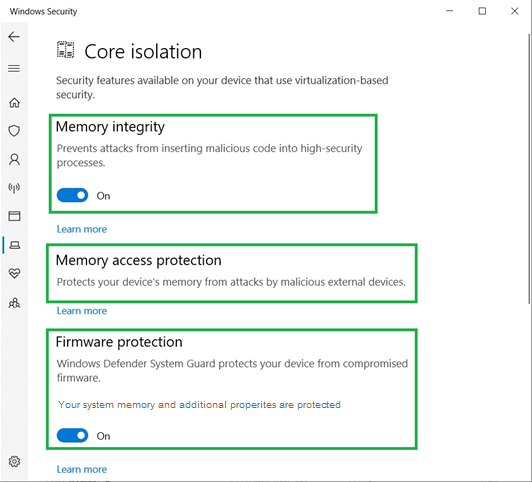
Figure 5. - Windows Core isolation settings- Set Memory integrity - ON
- Memory access protection then should be - Present
- Set Firmware protection - ON
- Once completed, Device security indicates: "Your device exceeds the requirements for enhanced hardware security." (Figure 6.)
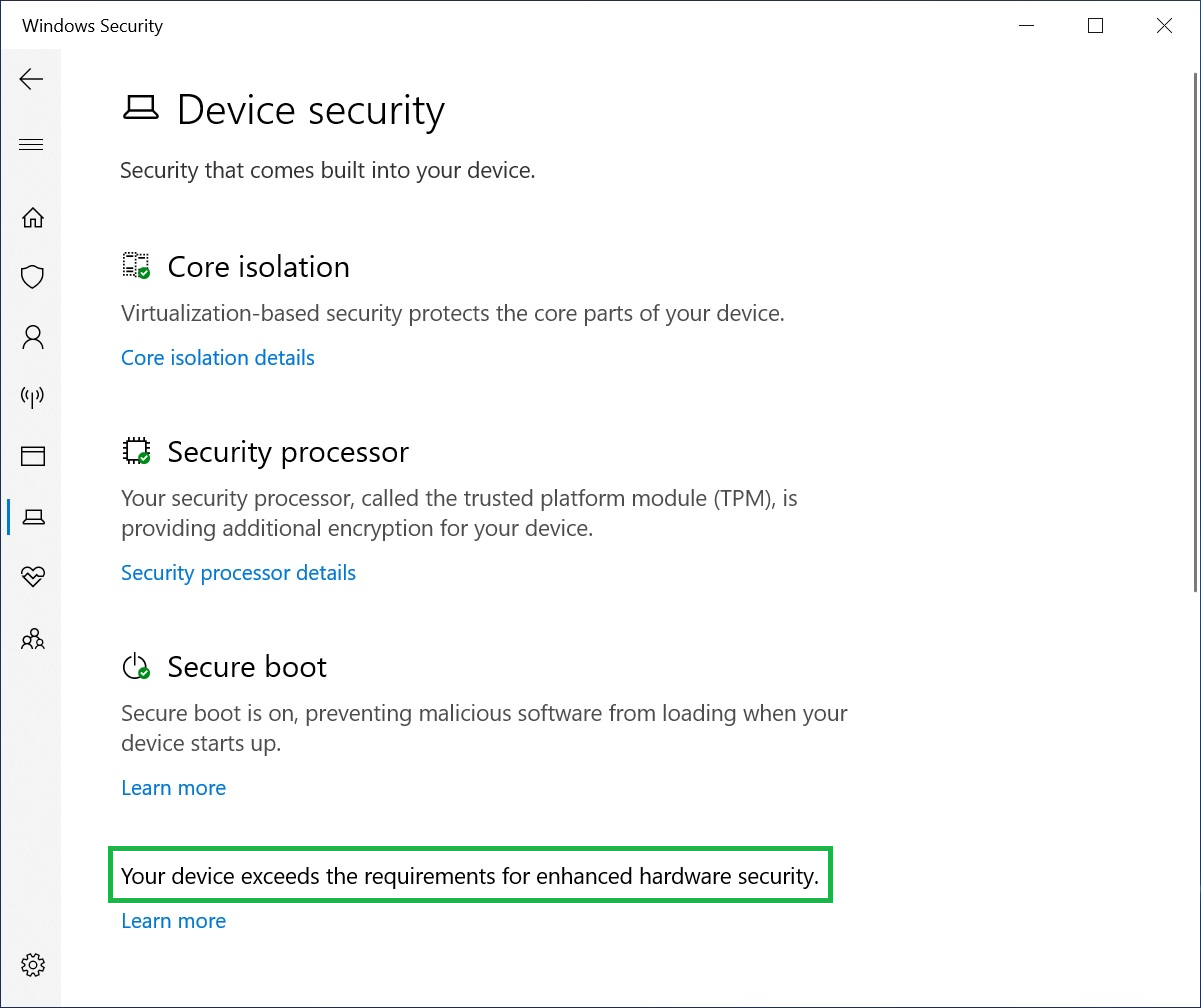
Figure 6. - Your device exceeds the requirements for enhanced hardware security.
Affected Products
Workstations, Fixed Workstations, Mobile WorkstationsArticle Properties
Article Number: 000124038
Article Type: How To
Last Modified: 27 Oct 2025
Version: 7
Find answers to your questions from other Dell users
Support Services
Check if your device is covered by Support Services.