Dell 透過 USB 復原:使用直接媒體磁碟機重新安裝作業系統
Summary: 使用 Direct Media USB 進行 Dell Recovery 和作業系統重新安裝的相關資訊。
This article applies to
This article does not apply to
This article is not tied to any specific product.
Not all product versions are identified in this article.
Symptoms
Cause
沒有可用的原因資訊。
Resolution
Dell Direct Media 線上說明
完成下列步驟以使用 Dell Direct Media。
步驟 1:將電源連接至您的 Dell 桌上型電腦或筆記型電腦,然後插入 Dell Direct Media USB 磁碟機。某些裝置可能需要 USB-C 轉接器。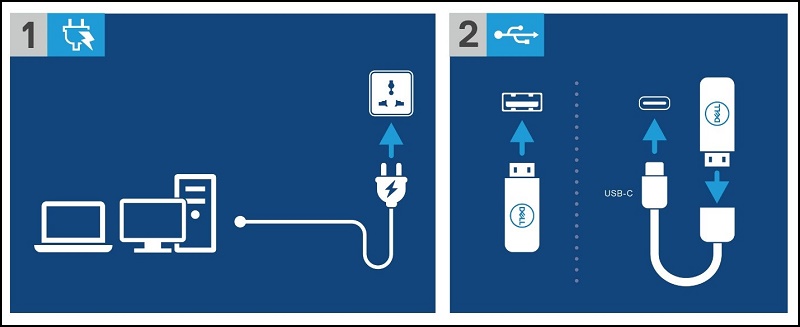
步驟 2:開啟 Dell 電腦或筆記型電腦電源,然後按下 F12 鍵,進入「一次性開機功能表」。選取「USB Storage Device」以開機至 Dell Direct Media USB 磁碟機
步驟 3:Dell 桌上型電腦或筆記型電腦會開機至 Dell Direct Media USB 磁碟機。按照螢幕上的指示操作,Windows 即會開始安裝。
Additional Information
Affected Products
Desktops & All-in-Ones, LaptopsArticle Properties
Article Number: 000129655
Article Type: Solution
Last Modified: 14 Jul 2025
Version: 10
Find answers to your questions from other Dell users
Support Services
Check if your device is covered by Support Services.