PowerFlex 3.6 GW/IM Web UI Fails To Load
Summary: The PowerFlex GW/IM fails to load with an error in the UI "ERR_SOCKET_NOT_CONNECTED" or "ERR_CONNECTION_REFUSED.", preventing users from running any actions.
This article applies to
This article does not apply to
This article is not tied to any specific product.
Not all product versions are identified in this article.
Symptoms
Incorrect configuration in the /opt/emc/scaleio/gateway/conf/server.xml file
grep "UpgradeProtocol" /opt/emc/scaleio/gateway/conf/server.xml
            <UpgradeProtocol className="org.apache.coyote.http2.Http2Protocol" overheadDataThreshold="0"/>
PowerFlex Gateway logs from catalina*.log may show similar errors like this:
19-Oct-2023 13:01:15.679 SEVERE [https-jsse-nio-443-exec-10] org.apache.tomcat.util.net.NioEndpoint$SocketProcessor.doRun Error running socket processor
        java.lang.UnsupportedOperationException: java.lang.reflect.InvocationTargetException
                at org.apache.tomcat.util.compat.Jre8Compat.getApplicationProtocol(Jre8Compat.java:149)
                at org.apache.tomcat.util.net.SecureNioChannel.handshake(SecureNioChannel.java:180)
                at org.apache.tomcat.util.net.NioEndpoint$SocketProcessor.doRun(NioEndpoint.java:1670)
                at org.apache.tomcat.util.net.SocketProcessorBase.run(SocketProcessorBase.java:52)
                at org.apache.tomcat.util.threads.ThreadPoolExecutor.runWorker(ThreadPoolExecutor.java:1191)
                at org.apache.tomcat.util.threads.ThreadPoolExecutor$Worker.run(ThreadPoolExecutor.java:659)
                at org.apache.tomcat.util.threads.TaskThread$WrappingRunnable.run(TaskThread.java:61)
                at java.base/java.lang.Thread.run(Thread.java:834)
        Caused by: java.lang.reflect.InvocationTargetException
                at java.base/jdk.internal.reflect.GeneratedMethodAccessor42.invoke(Unknown Source)
                at java.base/jdk.internal.reflect.DelegatingMethodAccessorImpl.invoke(DelegatingMethodAccessorImpl.java:43)
                at java.base/java.lang.reflect.Method.invoke(Method.java:566)
                at org.apache.tomcat.util.compat.Jre8Compat.getApplicationProtocol(Jre8Compat.java:147)
                ... 7 more
        Caused by: java.lang.UnsupportedOperationException
                at java.base/javax.net.ssl.SSLEngine.getApplicationProtocol(SSLEngine.java:1328)
                ... 11 more
The GW web UI may show the errors below: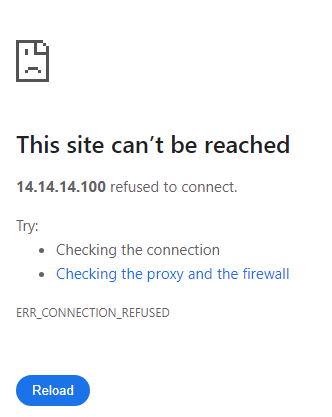
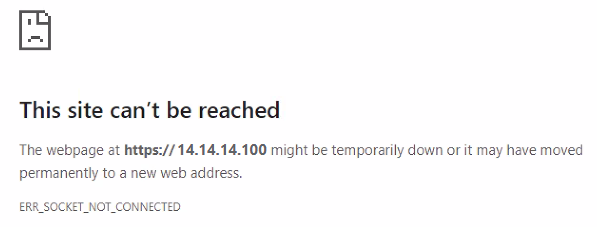
Cause
In this scenario, prior to running a PowerFlex Gateway (GW) upgrade, the user modified the GW's server.xml file to implement log rotation settings. However, after the upgrade, the web UI failed to load. It is important to note that the upgrade process does not overwrite the existing server.xml file with modifications. Instead, it creates a new file named 'server.xml.rpmnew'. This file is not used by the system; it is generated solely to preserve a copy of what a new server.xml would look like without overwriting the user-customized server.xml file. This approach ensures that custom settings in the original server.xml are maintained and not disrupted by the upgrade.
Resolution
Workaround
In the server.xml file located at /opt/emc/scaleio/gateway/conf/, an active (uncommented) line is identified as the source of the problem. To address this, simply add a comment marker to this line. After making this change, restart the Gateway service to apply the fix.
sed -i's/^\( *\)\(<UpgradeProtocol className="org.apache.coyote.http2.Http2Protocol" overheadDataThreshold="0"\/>\)$/ <!-- \2-->/'/opt/emc/scaleio/gateway/conf/server.xmlsystemctl restart scaleio-gateway.service
Additional Information
Impacted Versions
PowerFlex version 3.6.1 and below
Fixed In Version
PowerFlex version 3.6.2
Affected Products
PowerFlex rack, VxFlex Ready Nodes, PowerFlex custom node, PowerFlex appliance R650, PowerFlex appliance R6525, PowerFlex appliance R660, PowerFlex appliance R6625, Powerflex appliance R750, PowerFlex appliance R760, PowerFlex appliance R7625
, PowerFlex appliance R640, PowerFlex appliance R740XD, PowerFlex appliance R7525, PowerFlex appliance R840
...
Article Properties
Article Number: 000219429
Article Type: Solution
Last Modified: 10 Feb 2025
Version: 4
Find answers to your questions from other Dell users
Support Services
Check if your device is covered by Support Services.