PowerFlex: How to download the VMware ISO file
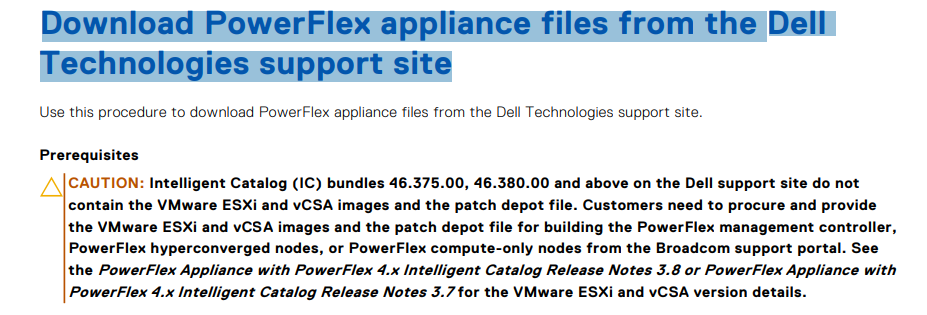
Summary: This article explains how to download VMware ISO and depot files needed with PowerFlex Intelligent Catalog (IC) 46.380 and later versions.
Instructions
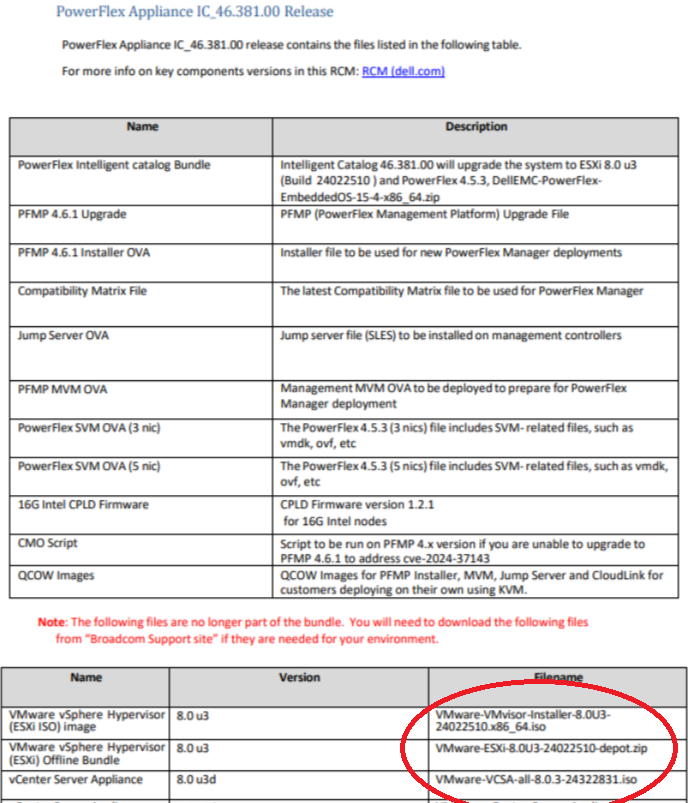
- The user must get the name of the VMware ISO file to be downloaded from the PowerFlex Readme notes.
Search for PowerFlex Appliance Release Notes IC XX.YY to find the relevant release notes.
The below example is for PowerFlex Appliance IC 46.381.00: Support for PowerFlex appliance Intelligent Catalog Software | Drivers & Downloads
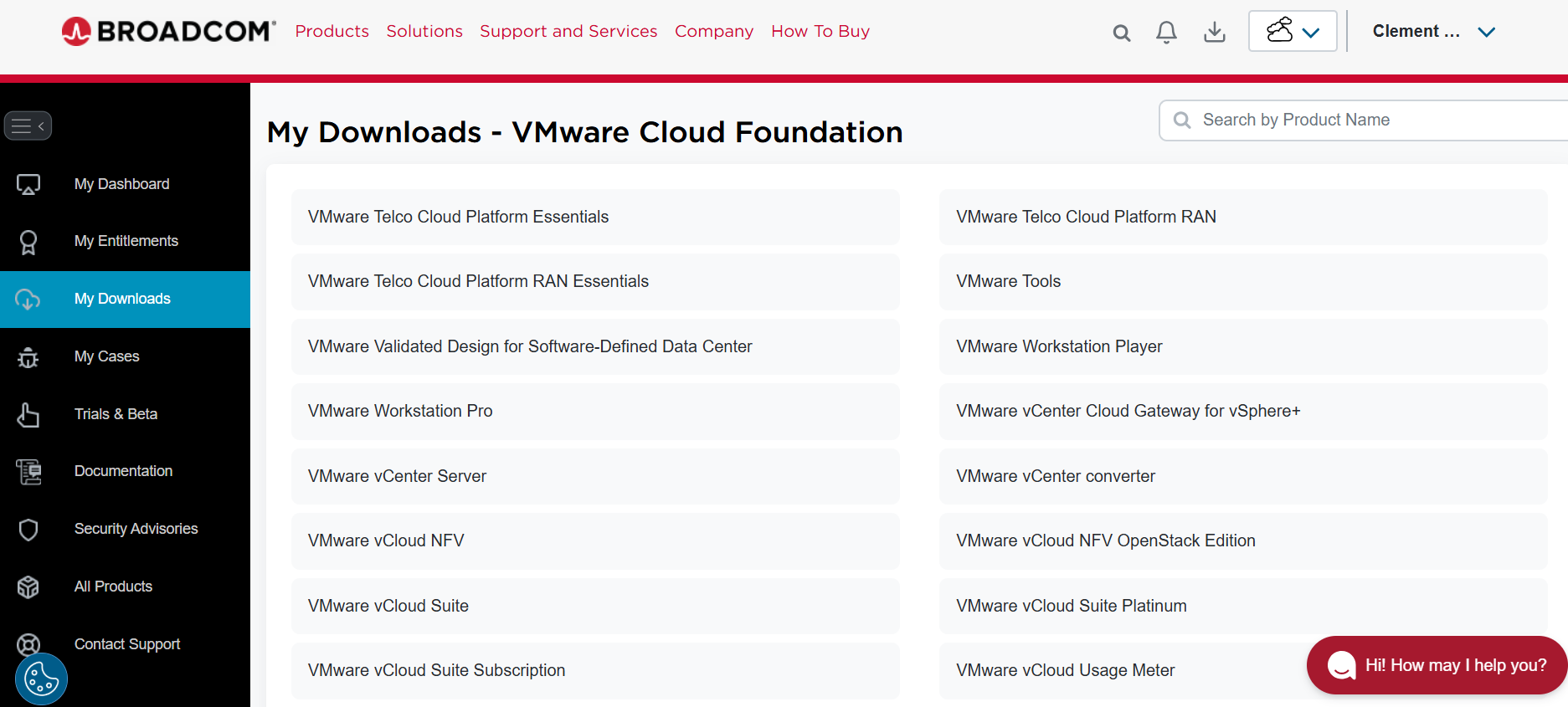
- Log in to the Broadcom website: https://support.broadcom.com/web/ecx
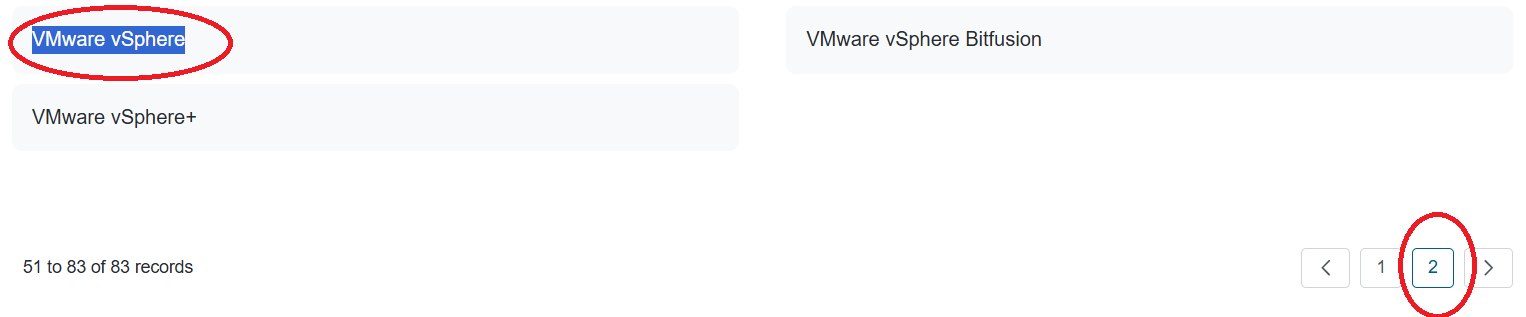
- Go to My downloads > page 2 >VMware vSphere > VMware vSphere Enterprise > 8.0 > VMware vSphere Hypervisor (ESXi) (View Group).
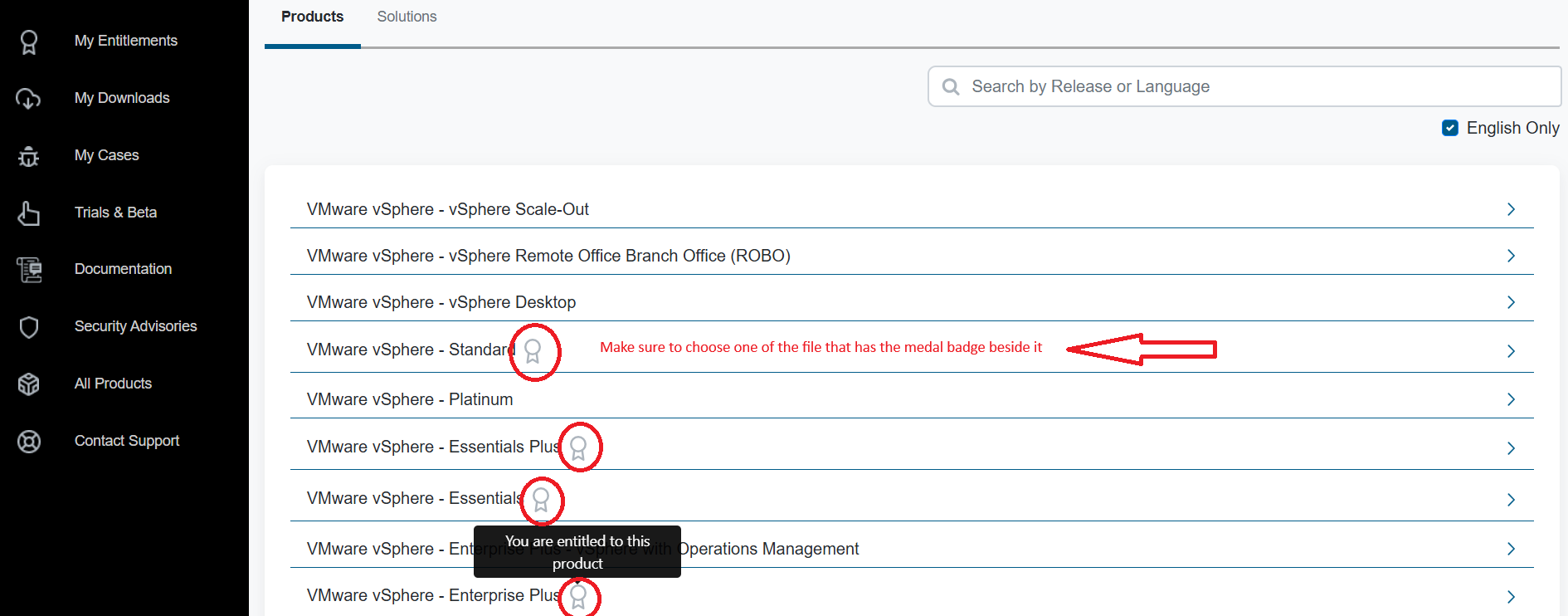
- Be sure to go to page 2 and then choose VMware vSphere Not vSphere+ as shown below
- According to the account linked to the username and password used to log in to the Broadcom page, you can find the entitled image to be downloaded. Be sure to download the image with the medal badge beside it as shows below.
If you cannot find the proper image listed under your account, this has to be addressed and resolved with the VMware Broadcom Account manager.
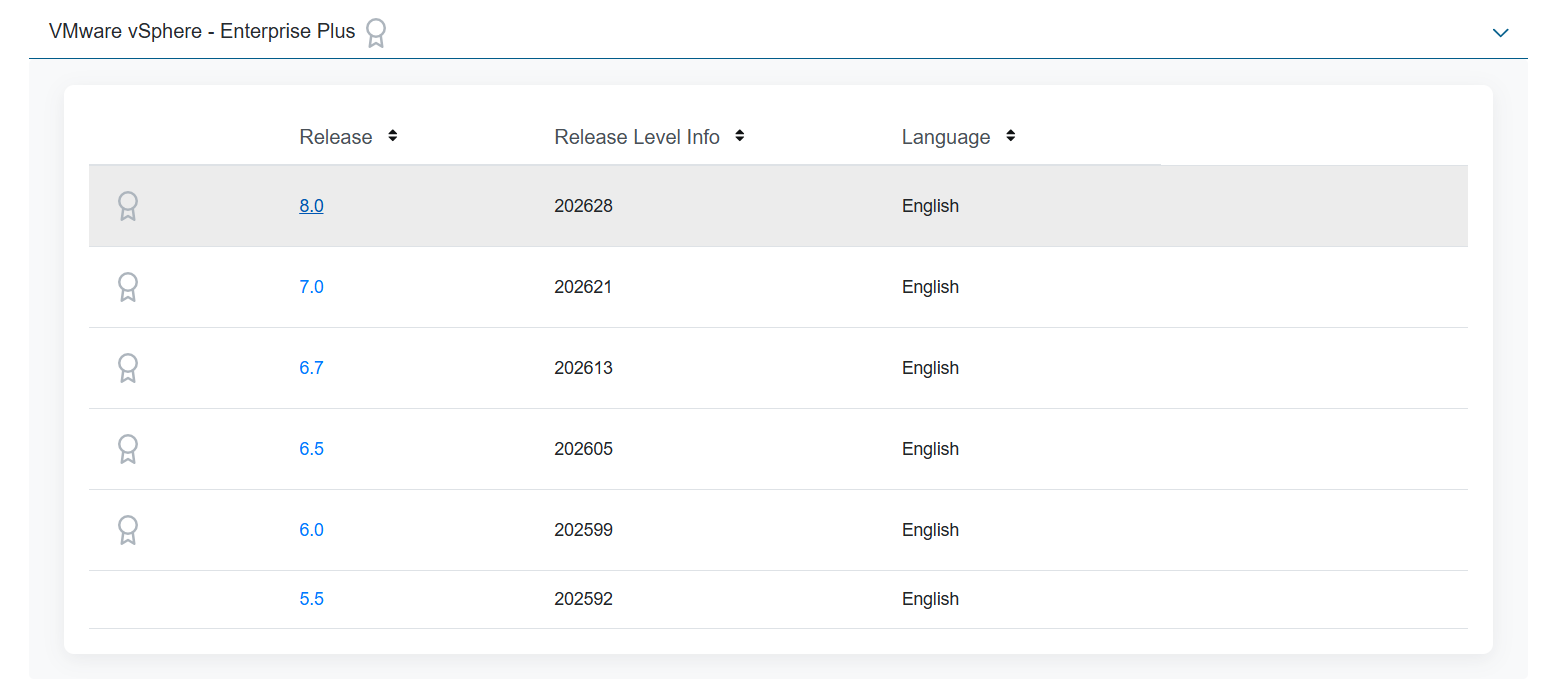
- Choose the correct image version to be downloaded.
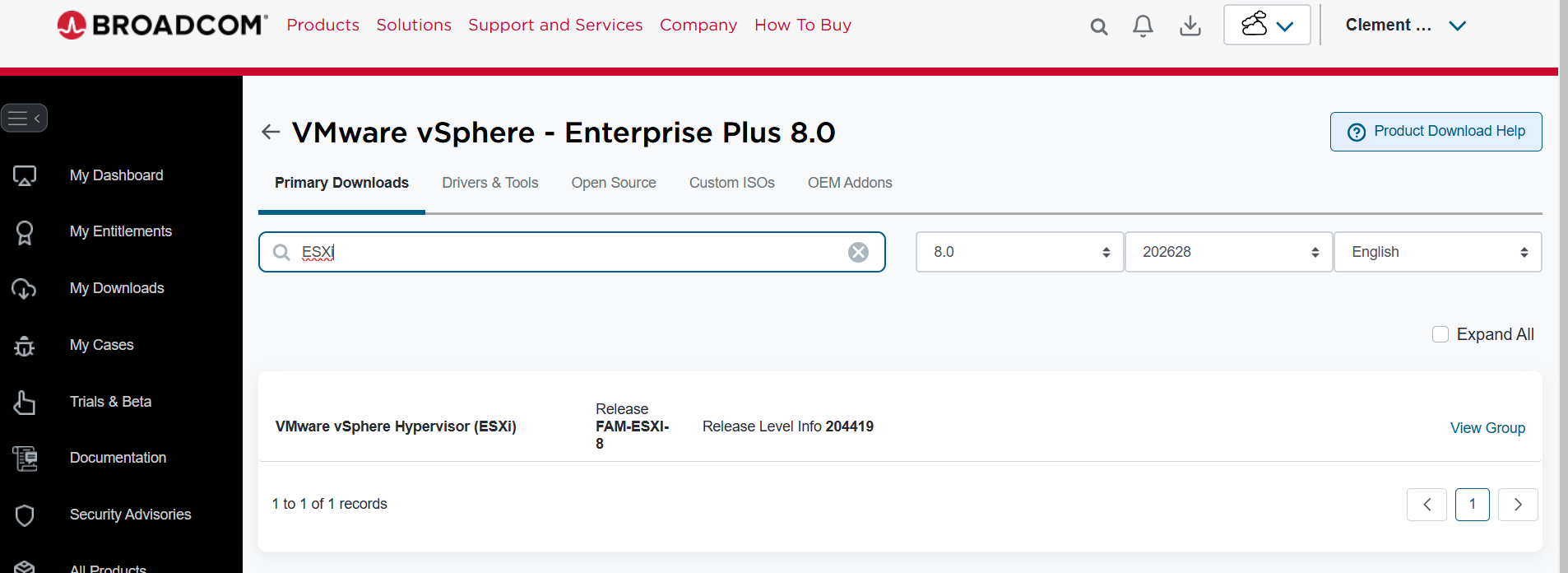
- Search for the keyword ESXi in the search box.
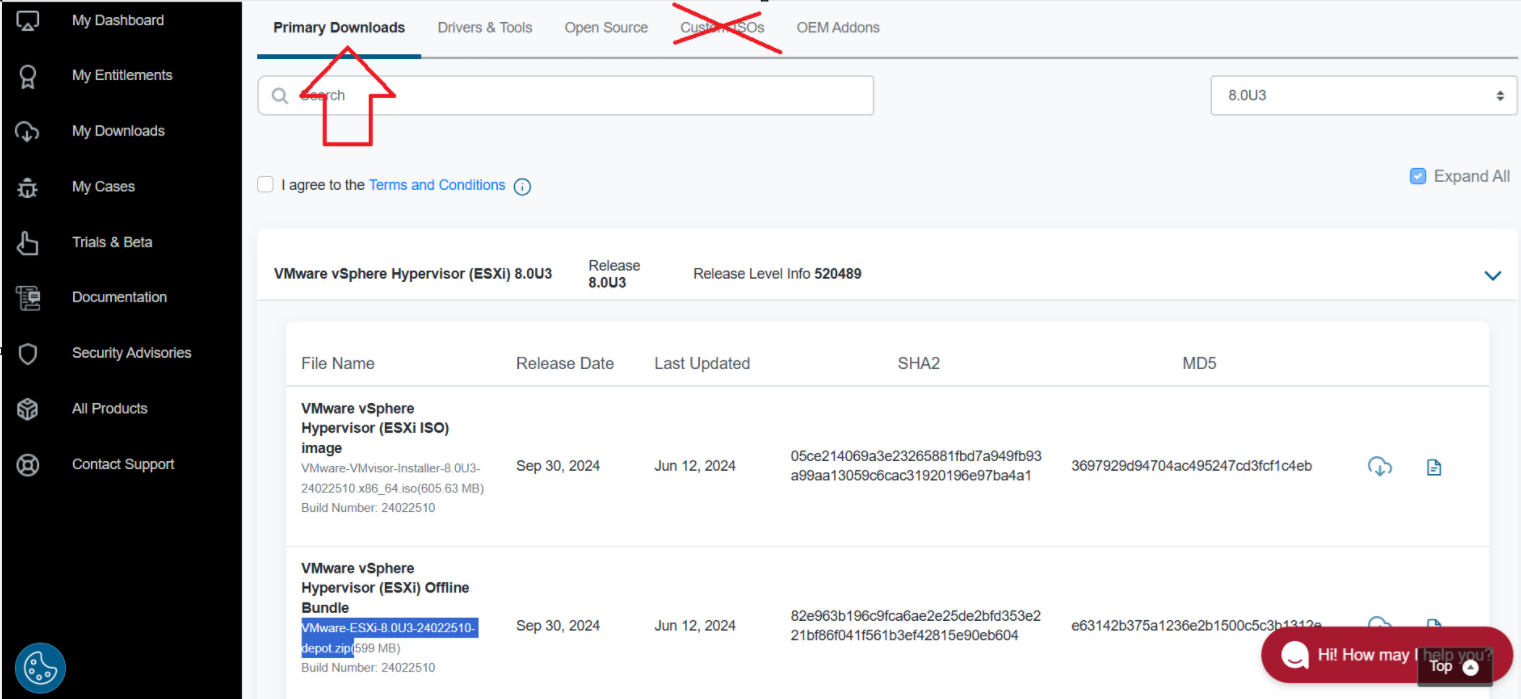
- Choose the Primary Downloads tab NOT custom ISOs.
For PowerFlex, the image needed is the standard image found in the primary downloads unlike the recommended Custom ISOs for PowerEdge without PowerFlex running on it.
Do not Use the procedure in the KB "VMware vSphere: How to Download and Use Dell Customized VMware ESXi Images for PowerEdge Servers" for PowerFlex => How to Download and Use Dell Customized VMware ESXi Images for PowerEdge Servers
- The Dell PowerFlex Appliance with PowerFlex 4.x Upgrade Guide covers the step-by-step step process to download the PowerFlex ESXi ISO and the patch depot file: