VxRail: How to Change Admin Password and Its Password Expiration Policy For NSX-T Manager
Summary: Instructions on how to change admin password and its password expiration policy for NSX-T Manager
This article applies to
This article does not apply to
This article is not tied to any specific product.
Not all product versions are identified in this article.
Instructions
By default, NSX-T Manager password expiration policy is configured to 90 days for its users. The same is valid for NSX-T Edges. If the password is already expired, when you try to log in on the NSX-T Manager (web UI) or through SSH, you will see the following message: Your password has expired.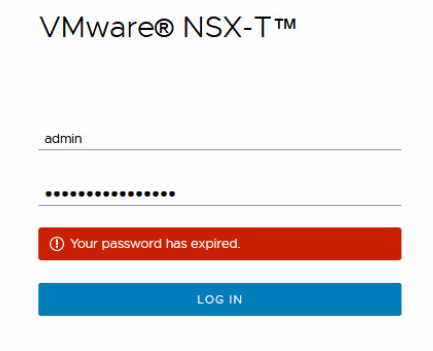
The same is seen on SSH:
admin@x.x.x.x's password:
You are required to change your password immediately (password aged)
WARNING: Your password has expired.
You must change your password now and login again!
Changing password for admin.
(current) UNIX password:
New password:
Retype new password:
Even if you change the password using the prompts on SSH session, it may ask to be changed again the next time you log in. The 'root' account should be working fine, but you will need the admin account to change the password.
- To change the 'admin' user password, log in with the admin account, change the password when asked to, and then use one of the following commands:
nsx> set user admin password <new_password> old-password <old_password>

nsx> set user admin password <new_password>
Current password:

nsx> set user admin
Current password:
New password:
Confirm new password:
- Then, if you want to change the password expiration policy or want to disable it, use the following commands:
To change password expiration:
nsx> set user <username> password-expiration 120
Note: <password-expiration> Number of days password valid after change (1 - 9999)

To disable password expiration:
nsx> clear user <username> password-expiration

To get the user current password expiration setting:
nsx> get user <username> password-expiration
Additional Information
NSX-T admin password expired (70691)
https://kb.vmware.com/s/article/70691

Affected Products
VxRail Appliance Family, VxRail Appliance SeriesArticle Properties
Article Number: 000020605
Article Type: How To
Last Modified: 11 Nov 2025
Version: 4
Find answers to your questions from other Dell users
Support Services
Check if your device is covered by Support Services.