Avamar: Wdrażanie pakietu KB: Nieprawidłowy parametr aplikacji pakietu podczas logowania do Avamar Installation Manager
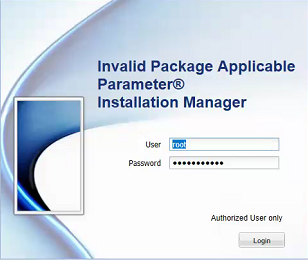
Summary: Logowanie do Avamar Installation Manager nie zgłasza błędu "Invalid Package Applicable parameter", gdy używane jest prawidłowe hasło.
This article applies to
This article does not apply to
This article is not tied to any specific product.
Not all product versions are identified in this article.
Symptoms
Logowanie do Avamar Installation Manager kończy się niepowodzeniem zgłaszania "Invalid Package Applicable parameter", gdy używane jest prawidłowe hasło:
Cause
Dokładna przyczyna nie jest znana, ale obejście problemu znajduje się w poniższej sekcji rozwiązania.
Resolution
1. Korzystając z PuTTY, nawiąż sesję SSH z węzłem Avamar Utility Node.
2. Zaloguj się jako administrator.
3. Uruchom następujące polecenie, aby ponownie uruchomić usługę avinstaller:
avinstaller.pl polecenia --restart
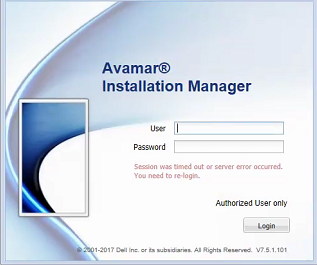
4. Po ponownym uruchomieniu usługi odśwież przeglądarkę internetową.
2. Zaloguj się jako administrator.
3. Uruchom następujące polecenie, aby ponownie uruchomić usługę avinstaller:
avinstaller.pl polecenia --restart
4. Po ponownym uruchomieniu usługi odśwież przeglądarkę internetową.
Affected Products
AvamarProducts
AvamarArticle Properties
Article Number: 000048112
Article Type: Solution
Last Modified: 20 Aug 2026
Version: 5
Find answers to your questions from other Dell users
Support Services
Check if your device is covered by Support Services.