ECS:Obs:エラー3000 (http 403)ポップアップ エラー ネームスペース管理者のIAMへのアクセス時のエラー
Summary: エラー3000(http 403)ポップアップ エラー ネームスペース管理者がOBS UIでIAMにアクセスする場合
This article applies to
This article does not apply to
This article is not tied to any specific product.
Not all product versions are identified in this article.
Symptoms
OBS 4.1、OBS 4.2、およびOBS 4.3では、ネームスペース管理者がOBS UI -> Manage -> Identity and Access Management (S3)にアクセスしようとすると、次のエラーが表示されます。
Error 3000 (http 403): This operation is forbidden for this resource using using the specified credentials. Insufficient permissions for user <namespace administrator>
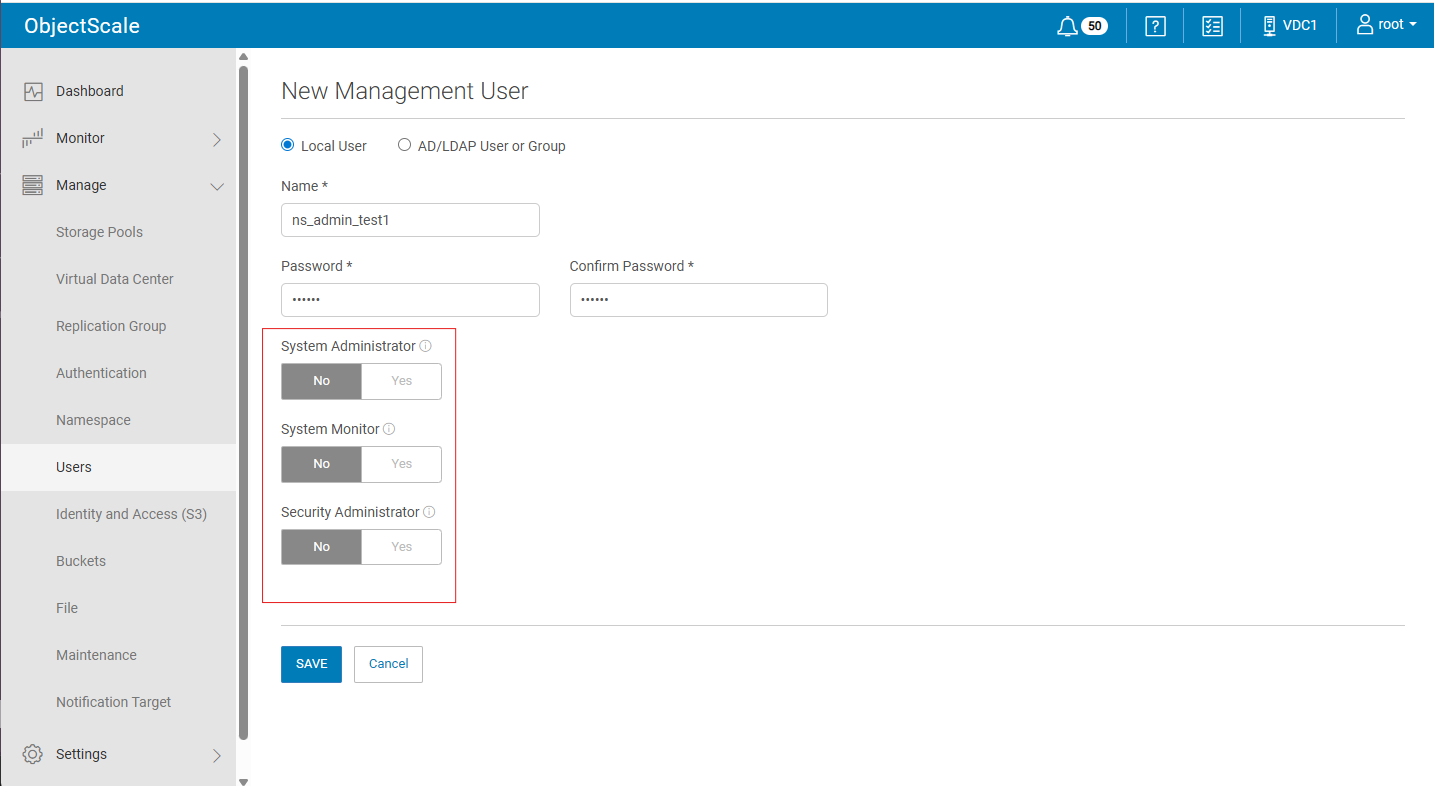
- 「System Administrator」、「System Monitor」、「Security Administrator」の有無にかかわらず、新しい管理ユーザーを作成する
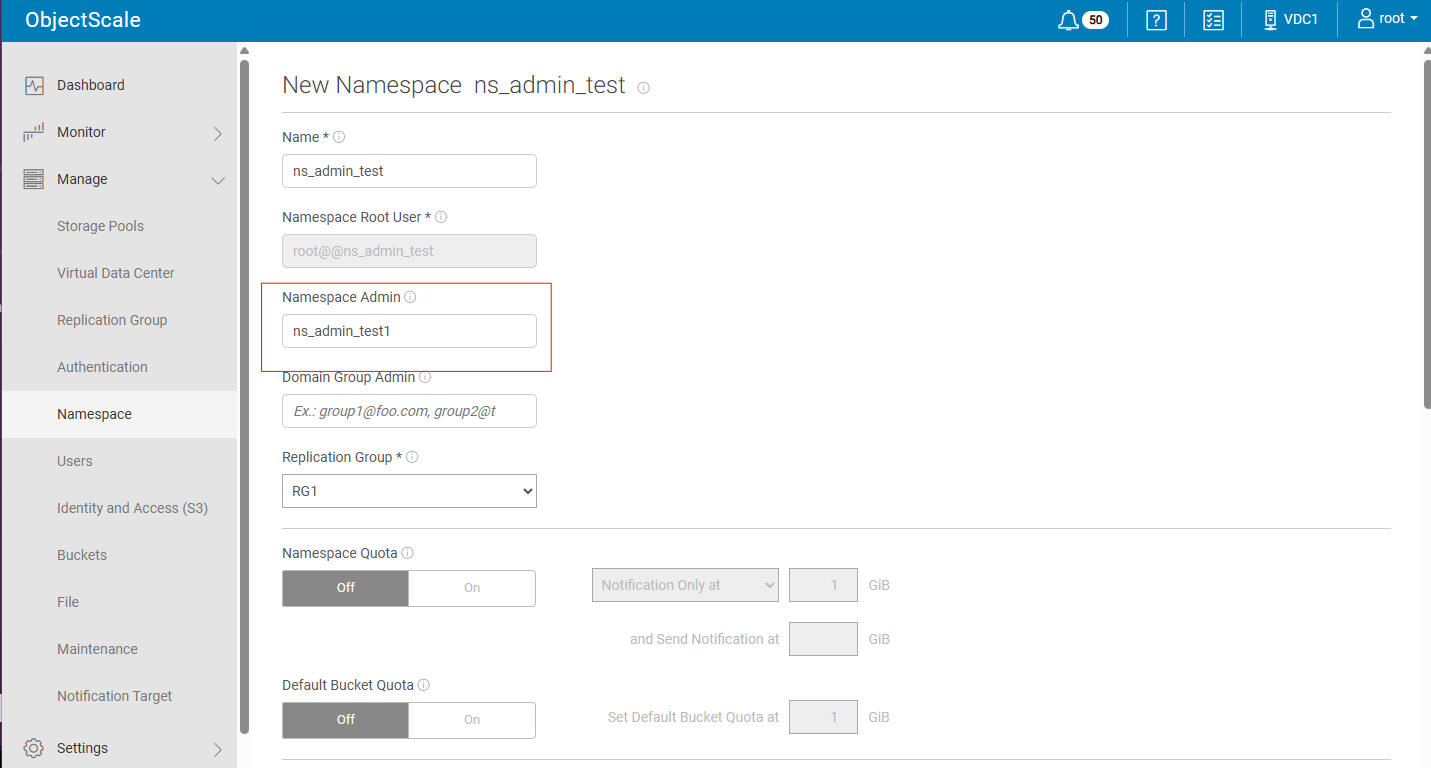
- 新しいネームスペースを作成し、ステップ1で作成した「ネームスペース管理者」を割り当てます。
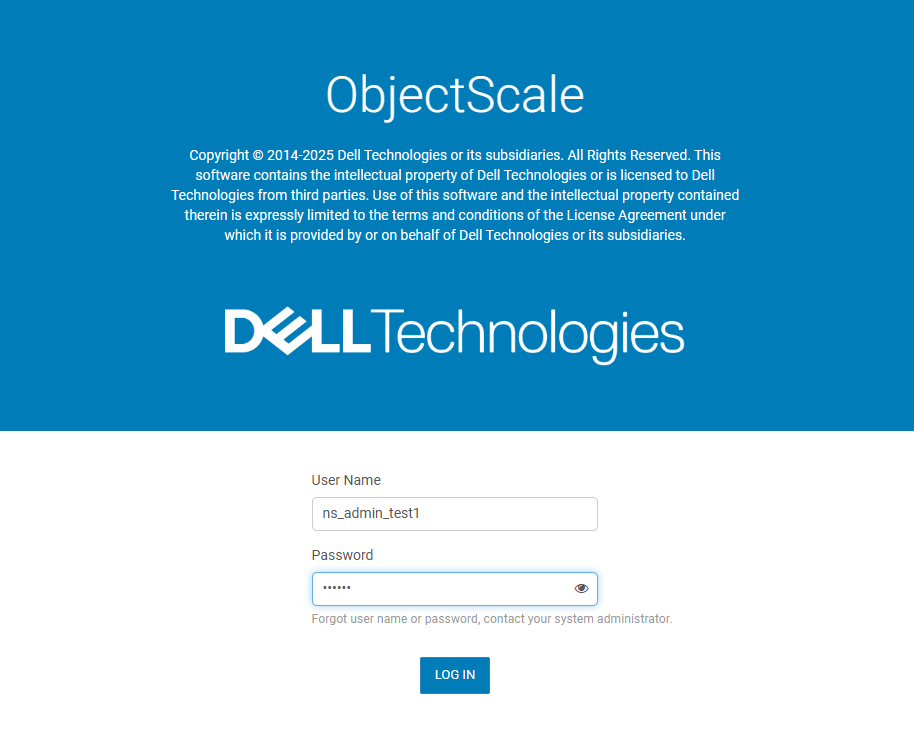
- ネームスペース管理者によるログアウトとログイン
- Manage ->Identity and Access Management (S3)をクリックすると、次のエラーが表示されます。
![4:[Manage -> Identity and and Access Management (S3)]をクリックすると、エラーがポップアップ表示されます](https://supportkb.dell.com/img/ka0Do000000y42SIAQ/ka0Do000000y42SIAQ_ja_5.jpeg)
Cause
OBS UIのコードの問題
Resolution
- 「x」をクリックして、エラー ウィンドウを閉じます。
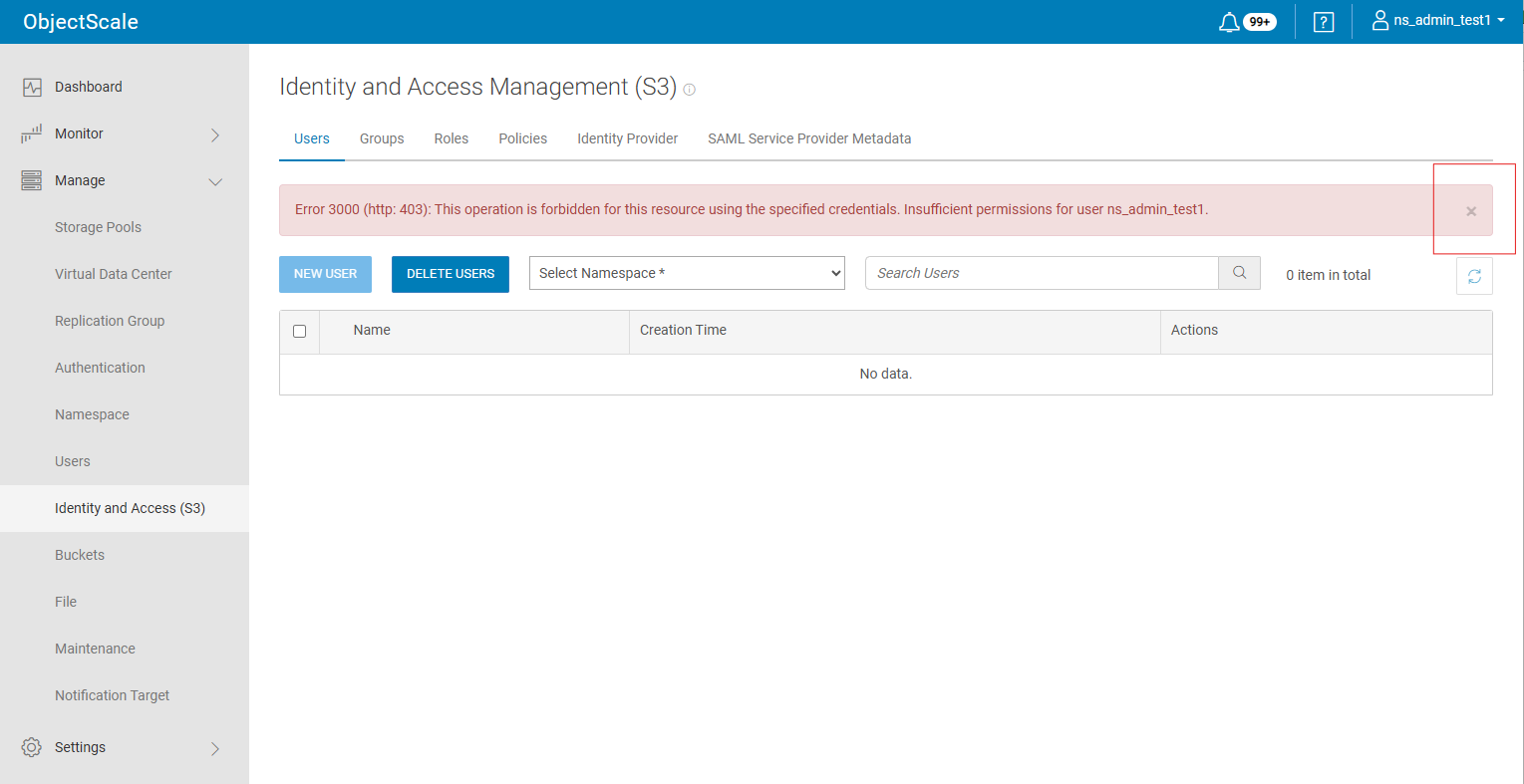
- IAMユーザーの作成を続行します。
この問題は OBS 4.4 で修正されています。
Affected Products
ObjectScale Software with Encryption, ObjectScale Software without Encryption, ObjectScale Appliance SeriesProducts
ObjectScale, ObjectScale Software Series, ObjectScale X560 Appliance, ObjectScale XF960 ApplianceArticle Properties
Article Number: 000469025
Article Type: Solution
Last Modified: 16 Jun 2026
Version: 1
Find answers to your questions from other Dell users
Support Services
Check if your device is covered by Support Services.