NetWorker: NMC 19.10 unable to browse save sets for last two weeks
Summary: NMC save set browse does not show the last two weeks when using NMC to browse. The NMC server is 19.10.0.0 ->19.10.0.4
This article applies to
This article does not apply to
This article is not tied to any specific product.
Not all product versions are identified in this article.
Symptoms
NetWorker Management Console (NMC) save set browse does not show the last two weeks.
When doing the following: NMC --> MEDIA --> SAVE SETS.
If the date range is two weeks or less, the error "No save sets were found that matched the specified query" is shown: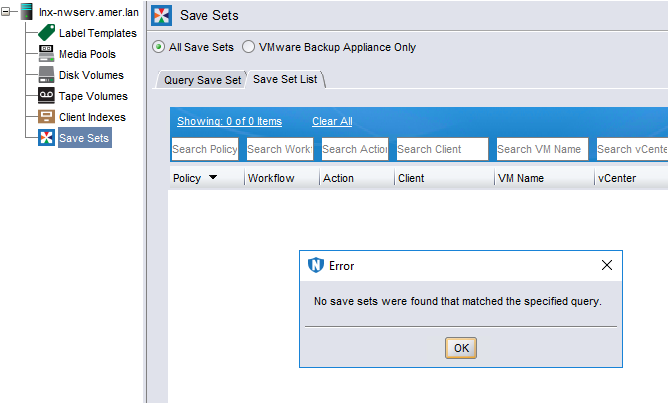
If the date range is over two weeks, it shows only the save sets two weeks or older.
Using mminfo can browse save sets without any problem.
The NMC server is 19.10.0.0 -> 19.10.0.4
Cause
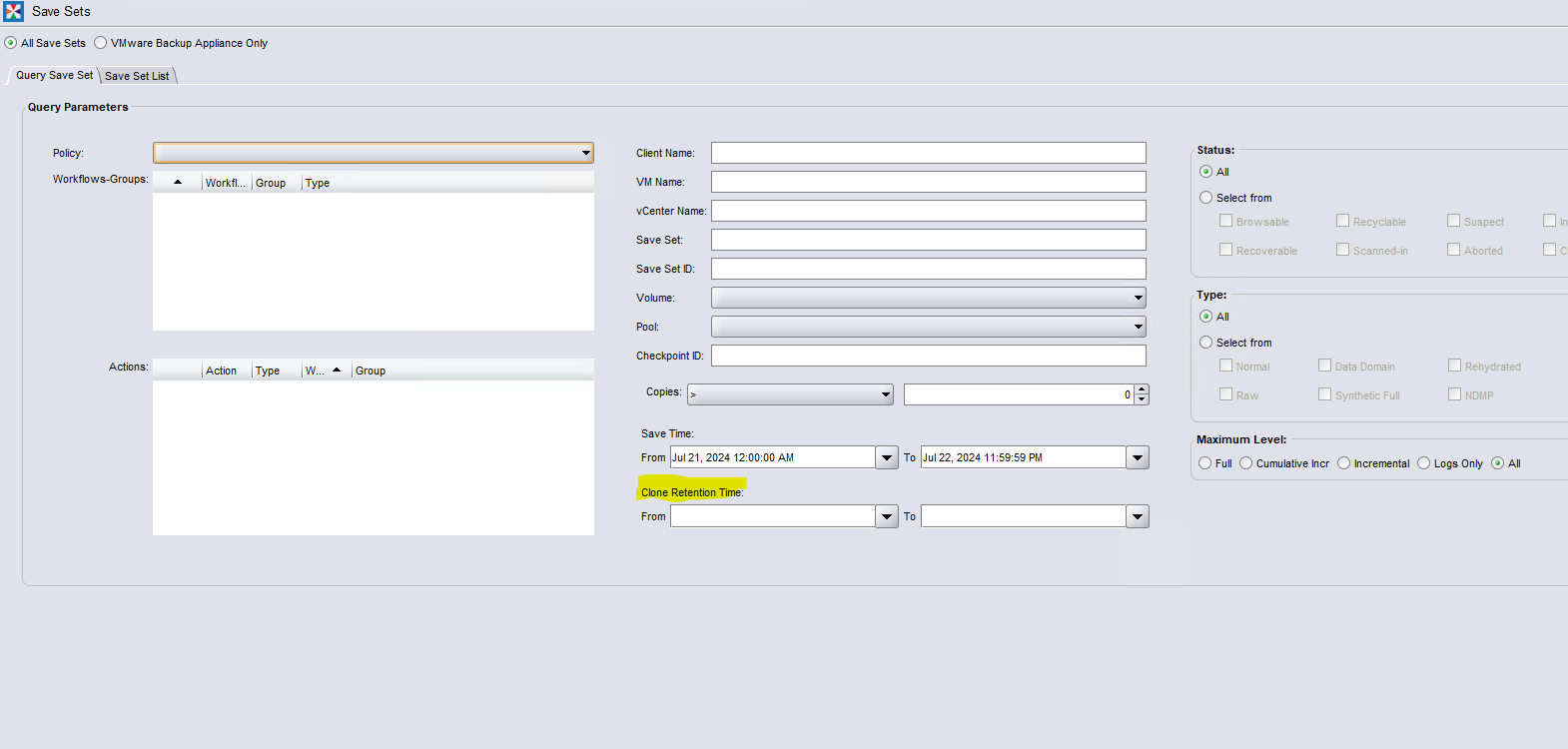
This issue happens when the "clone retention time" field is set. The query might not find the save sets with clone retention time set in between the times provided.
Code defect on 19.10.0.0 -> 19.10.0.4
Resolution
Upgrade NetWorker to NetWorker 19.10.0.5 (or later) for a code fix.
Workaround:
- Clear both Clone Retention Time fields, or change the values to a range for the save sets being searched.
- Re-run search.
Affected Products
NetWorker, NetWorker Management ConsoleProducts
NetWorker FamilyArticle Properties
Article Number: 000226390
Article Type: Solution
Last Modified: 02 Mar 2026
Version: 5
Find answers to your questions from other Dell users
Support Services
Check if your device is covered by Support Services.