NetWorker : Installation d’un NetWorker sur des systèmes d’exploitation Linux autonomes
Summary: Cet article fournit des informations sur l’installation de NetWorker sur les plates-formes Linux. Y compris des instructions détaillées et une vidéo de démonstration. Les informations contenues dans cet article s’appliquent uniquement aux hôtes Linux autonomes. Il ne couvre pas l’installation de NetWorker en tant que service de cluster. ...
This article applies to
This article does not apply to
This article is not tied to any specific product.
Not all product versions are identified in this article.
Instructions
Vidéo : Installez NetWorker Server sur un système d’exploitation Linux.
Regarder sur YouTube
Préparation
Remarque : Cet article de la base de connaissances fournit des informations générales sur les packages NetWorker pour les hôtes Linux et une présentation de leur installation. Pour plus d’informations sur les systèmes d’exploitation pris en charge et les dépendances mises à jour, reportez-vous au Guide d’installation spécifique à la version de NetWorker. Le Guide d’installation de NetWorker est disponible ici : https://www.dell.com/support/home/product-support/product/networker/docs. Pour les systèmes d’exploitation pris en charge, reportez-vous à la documentation NetWorker Compatibility Matrix . Le support NetWorker n’effectue pas d’installation, de mise à niveau ou de configuration de logiciels, sauf dans le cadre d’un plan d’action de dépannage. Pour obtenir de l’aide concernant les installations, la planification et les configurations, contactez votre équipe de compte du site Dell ou votre agent commercial pour faire appel aux services professionnels.
Si vous le souhaitez, le générateur de procédures SolVe peut être utilisé pour faciliter les processus d’installation/de mise à niveau.
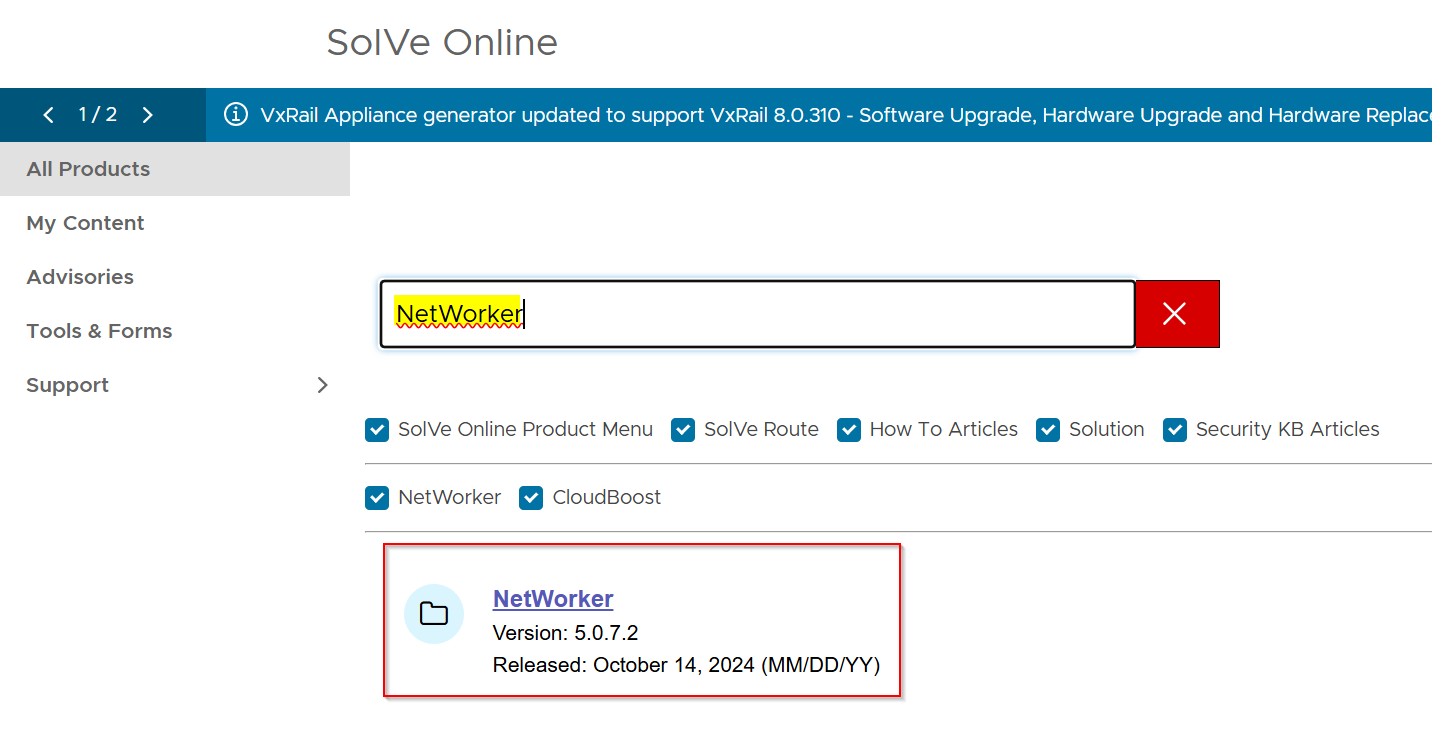
Le logiciel NetWorker est disponible sur le site de support Dell. Accédez à la page produit NetWorker : https://www.dell.com/support/home/product-support/product/networker/overview
L’onglet Présentation contient des informations importantes concernant la durée de vie des versions de NetWorker prises en charge.

Téléchargement de NetWorker
L’onglet Pilotes et téléchargements inclut des packages logiciels NetWorker pour chaque système d’exploitation pris en charge. Cet article de la base de connaissances explique comment installer Linux pour x64.
Remarque : Un compte de support Dell est requis pour télécharger NetWorker.

Le package est téléchargé en tant que nwVERSION_linux_architecture.tar.gz
Copiez le package NetWorker téléchargé sur l’hôte Linux : NetWorker (Linux) : Copier des fichiers vers ou depuis un serveur NetWorker Linux
Copiez le package NetWorker téléchargé sur l’hôte Linux : NetWorker (Linux) : Copier des fichiers vers ou depuis un serveur NetWorker Linux
Une fois le package copié sur l’hôte Linux, vous pouvez l’extraire à l’aide de la commande tar :
tar xvf PACKAGE
Le package compressé est extrait dans un nouveau dossier linux_architecture.
Exemple :
[root@lnx-srvr01 ~]# ls -l | grep linux
drwxr-xr-x 2 root games       4096 Oct  7 08:27 linux_x86_64
-rw-r--r-- 1 root root  2099640932 Oct 30 10:09 nw1911_linux_x86_64.tar.gz
Changez de répertoire pour accéder au dossier extrait à l’aide de la commande cd :
Par exemple :
[root@lnx-srvr01 ~]# cd linux_x86_64/
[root@lnx-srvr01 linux_x86_64]#
Packages NetWorker :
| Nom du package | Description |
lgtoclnt |
Logiciel client NetWorker. Requis pour effectuer des sauvegardes client de l’hôte Linux à partir d’un NetWorker Server. Les sauvegardes client sont tout type de sauvegarde où l’hôte Linux a été créé en tant qu’entrée client sur le NetWorker Server. Le package client est requis lors de l’installation du serveur NetWorker, du nœud de stockage et/ou du logiciel NetWorker Management Console (NMC) sur un hôte. |
lgtoxtdclnt |
Logiciel client NetWorker étendu. Prend en charge NetWorker Snapshot Management (NSM), l’intégration de clusters, l’intégration de scripts personnalisés et la prise en charge du module NetWorker. Les autres fonctionnalités sont détaillées dans le Guide d’installation de NetWorker. Les serveurs NetWorker nécessitent ce package. |
lgtobbb |
Permet d’effectuer des sauvegardes en mode bloc (BBB) sur l’hôte Linux. Requiert Linux Standard Base ( |
lgtoadpt |
Le package lgtoadpt est requis lorsque les clients NetWorker Module for Microsoft (NMM) se trouvent dans la zone de données NetWorker. |
lgtoauthc |
NetWorker Authentication Service (AUTHC). Requis par le service NetWorker Server pour fournir la fonctionnalité d’authentification avec les interfaces et API NetWorker. Nécessite l’environnement d’exécution NetWorker : NetWorker Runtime Environment (NRE) : Introduction et installation |
lgtonode |
Logiciel NetWorker Storage Node. Requis par le serveur NetWorker. Si vous le souhaitez, il peut être installé avec le logiciel client NetWorker pour fonctionner comme un nœud de stockage NetWorker autonome. Le nœud de stockage est enregistré dans un NetWorker Server existant et est utilisé pour monter les périphériques NetWorker. |
lgtoserv |
Logiciel NetWorker Server. Permet de configurer une zone de données de protection NetWorker. Nécessite lgtoclnt, lgtoxtdclnt, lgtoadpt, lgtoauthc, lgtonode. Nécessite l’environnement d’exécution NetWorker : NetWorker Runtime Environment (NRE) : Introduction et installation |
lgtonwuiserv |
NetWorker Web User Interface (NWUI) Server. Utilitaire de gestion Web. Ce package est utilisé lors de l’installation de NWUI sur un hôte NetWorker Server : NetWorker Management Web UI (NWUI) : Procédure d’installation Nécessite l’environnement d’exécution NetWorker : NetWorker Runtime Environment (NRE) : Introduction et installation |
lgtonwui |
NetWorker Web User Interface (NWUI). Utilitaire de gestion Web. Ce package est utilisé pour configurer le serveur NWUI sur un hôte Linux qui n’est pas le serveur NetWorker : NetWorker Management Web UI (NWUI) : Procédure d’installation Nécessite l’environnement d’exécution NetWorker : NetWorker Runtime Environment (NRE) : Introduction et installation |
lgtonmc |
NetWorker Management Console (NMC). Interface utilisateur de gestion basée sur Java. Peut être installé sur un serveur NetWorker ou un hôte autonome. Nécessite l’environnement d’exécution NetWorker : NetWorker Runtime Environment (NRE) : Introduction et installation |
lgtoman |
Pages de manuel de NetWorker. |
lgtofr |
Fournit un support en français. |
lgtoja |
Prend en charge le japonais. |
lgtoko |
Prend en charge le coréen. |
lgtozh |
Assure la prise en charge du chinois. |
Installation :
Le processus ci-dessous montre le processus d’installation de l’installation de Linux x64 en tant que NetWorker Server. Les exemples de commande suivants sont exécutés à partir du dossier contenant le package NetWorker extrait.
CentOS, Oracle Enterprise Linux, SuSE et Red Hat :
yum localinstall --nogpgcheck -y lgtoclnt*.rpm lgtoxtdclnt*.rpm lgtonode*.rpm lgtoserv*.rpm lgtoauthc*.rpm [optional_package1] [optional_package2]...
ou :
rpm -ivh lgtoclnt*.rpm lgtoxtdclnt*.rpm lgtonode*.rpm lgtoserv*.rpm lgtoauthc*.rpm [optional_package1] [optional_package2]...Exemple :
[root@lnx-srvr01 linux_x86_64]# yum localinstall --nogpgcheck -y lgtoclnt*.rpm lgtoxtdclnt*.rpm lgtonode*.rpm lgtoserv*.rpm lgtoauthc*.rpm
Updating Subscription Management repositories.
Last metadata expiration check: 0:28:11 ago on Wed 30 Oct 2024 10:40:28 AM EDT.
Dependencies resolved.
=================================================================================================================================================================================================================
 Package                                            Architecture                                  Version                                              Repository                                           Size
=================================================================================================================================================================================================================
Installing:
 lgtoauthc                                          x86_64                                        19.11.0.2-1                                          @commandline                                        288 M
 lgtoclnt                                           x86_64                                        19.11.0.2-1                                          @commandline                                         64 M
 lgtonode                                           x86_64                                        19.11.0.2-1                                          @commandline                                         37 M
 lgtoserv                                           x86_64                                        19.11.0.2-1                                          @commandline                                        237 M
 lgtoxtdclnt                                        x86_64                                        19.11.0.2-1                                          @commandline                                         69 M

Transaction Summary
=================================================================================================================================================================================================================
Install  5 Packages

Total size: 695 M
Installed size: 1.4 G
Downloading Packages:
Running transaction check
Transaction check succeeded.
Running transaction test
Transaction test succeeded.
Running transaction
  Preparing        :                                                                                                                                                                                         1/1
  Running scriptlet: lgtoclnt-19.11.0.2-1.x86_64                                                                                                                                                             1/5
Warning: The unit file, source configuration file or drop-ins of networker.service changed on disk. Run 'systemctl daemon-reload' to reload units.

  Installing       : lgtoclnt-19.11.0.2-1.x86_64                                                                                                                                                             1/5
  Running scriptlet: lgtoclnt-19.11.0.2-1.x86_64                                                                                                                                                             1/5
  Running scriptlet: lgtoxtdclnt-19.11.0.2-1.x86_64                                                                                                                                                          2/5
  Installing       : lgtoxtdclnt-19.11.0.2-1.x86_64                                                                                                                                                          2/5
  Running scriptlet: lgtoxtdclnt-19.11.0.2-1.x86_64                                                                                                                                                          2/5
  Running scriptlet: lgtonode-19.11.0.2-1.x86_64                                                                                                                                                             3/5
  Installing       : lgtonode-19.11.0.2-1.x86_64                                                                                                                                                             3/5
  Installing       : lgtoauthc-19.11.0.2-1.x86_64                                                                                                                                                            4/5
  Running scriptlet: lgtoauthc-19.11.0.2-1.x86_64                                                                                                                                                            4/5
  Running scriptlet: lgtoserv-19.11.0.2-1.x86_64                                                                                                                                                             5/5
  Installing       : lgtoserv-19.11.0.2-1.x86_64                                                                                                                                                             5/5
  Running scriptlet: lgtoserv-19.11.0.2-1.x86_64                                                                                                                                                             5/5

                *** NOTE ***

All installations of NetWorker 19.11.0 require the installation of the Dell EMC License Server software when a served license is used.
An unserved license does not require the Dell EMC License Server software.

Licensing changes in this version of NetWorker affect the upgrade process for all licensing models.

The Dell EMC License Server installation packages are available at the same download location as the installation packages for this version of NetWorker.

Refer to the "NetWorker 19.11.0 Licensing Guide" for information on supported environments, prerequisites, instructions, and operations of the Dell EMC License Server.

  Running scriptlet: lgtoauthc-19.11.0.2-1.x86_64                                                                                                                                                            5/5

Creating the installation log in /opt/nsr/authc-server/logs/install.log.

Performing initialization. Please wait...


NOTE: AUTHC existing configuration retained with following values.
      In case if any of configuration values needs changes, please
      re-run /opt/nsr/authc-server/scripts/authc_configure.sh

=============================
 Configuration Status (AUTHC)
=============================

Parameter            Retained   Value/Reason

Tomcat Port          Yes        9090
Java Path            Yes        /opt/nre/java/latest
CA CERT Path         Yes        /opt/nre/java/latest/lib/security/cacerts
KeyStore             Yes        /nsr/authc/conf/authc.keystore
Admin Password       Yes        /nsr/authc/data/authcdb.mv.db


  Running scriptlet: lgtoserv-19.11.0.2-1.x86_64                                                                                                                                                             5/5
  Verifying        : lgtoclnt-19.11.0.2-1.x86_64                                                                                                                                                             1/5
  Verifying        : lgtoxtdclnt-19.11.0.2-1.x86_64                                                                                                                                                          2/5
  Verifying        : lgtonode-19.11.0.2-1.x86_64                                                                                                                                                             3/5
  Verifying        : lgtoserv-19.11.0.2-1.x86_64                                                                                                                                                             4/5
  Verifying        : lgtoauthc-19.11.0.2-1.x86_64                                                                                                                                                            5/5
Installed products updated.

Installed:
  lgtoauthc-19.11.0.2-1.x86_64             lgtoclnt-19.11.0.2-1.x86_64             lgtonode-19.11.0.2-1.x86_64             lgtoserv-19.11.0.2-1.x86_64             lgtoxtdclnt-19.11.0.2-1.x86_64

Complete!
[root@lnx-srvr01 linux_x86_64]#
Autres commandes :
- Répertoriez les packages NetWorker installés :
rpm -qa --last | grep lgto
- Désinstallez les packages NetWorker :
rpm -e package1 package2 ...
Debian et Ubuntu :
dpkg -i lgtoclnt*.deb lgtoxtdclnt*.deb lgtonode*.deb lgtoserv*.deb lgtoauthc*.deb [optional_package1] [optional_package2]...
Exemple :
root@lnx-srvr03:~/linux_x86_64# dpkg -i lgtoclnt*.deb lgtoxtdclnt*.deb lgtonode*.deb lgtoserv*.deb lgtoauthc*.deb
Selecting previously unselected package lgtoclnt.
(Reading database ... 236523 files and directories currently installed.)
Preparing to unpack lgtoclnt_19.11.0.2_amd64.deb ...
Unpacking lgtoclnt (19.11.0.2) ...
Selecting previously unselected package lgtoxtdclnt.
Preparing to unpack lgtoxtdclnt_19.11.0.2_amd64.deb ...
Unpacking lgtoxtdclnt (19.11.0.2) ...
Selecting previously unselected package lgtonode.
Preparing to unpack lgtonode_19.11.0.2_amd64.deb ...
Unpacking lgtonode (19.11.0.2) ...
Selecting previously unselected package lgtoserv.
Preparing to unpack lgtoserv_19.11.0.2_amd64.deb ...
Unpacking lgtoserv (19.11.0.2) ...
Selecting previously unselected package lgtoauthc.
Preparing to unpack lgtoauthc_19.11.0.2_amd64.deb ...
Unpacking lgtoauthc (19.11.0.2) ...
Setting up lgtoclnt (19.11.0.2) ...
Setting up lgtoxtdclnt (19.11.0.2) ...
Setting up lgtonode (19.11.0.2) ...
Setting up lgtoauthc (19.11.0.2) ...

NOTE: To complete configuration execute the following script as root:
              /opt/nsr/authc-server/scripts/authc_configure.sh

Setting up lgtoserv (19.11.0.2) ...

                *** NOTE ***

All installations of NetWorker XDEB_VERSIONX require the installation of the Dell EMC License Server software when a served license is used.
An unserved license does not require the Dell EMC License Server software.

Licensing changes in this version of NetWorker affect the upgrade process for all licensing models.

The Dell EMC License Server installation packages are available at the same download location as the installation packages for this version of NetWorker.

Refer to the "NetWorker XDEB_VERSIONX Licensing Guide" for information on supported environments, prerequisites, instructions, and operations of the Dell EMC License Server.


Processing triggers for man-db (2.12.0-4build2) ...
Processing triggers for libc-bin (2.39-0ubuntu8.3) ...
Autres commandes :
- Répertoriez les packages NetWorker installés :
dpkg -l | grep lgto
- Désinstallez NetWorker :
dpkg -r package1 pakage2 ..
Scripts post-installation :
Remarque : L’installation de packages tels que lgtoauthc, lgtonmc, lgtonwuiserv ou lgtonwui nécessite des scripts de post-installation. Le résultat de l’installation indique tous les scripts post-installation qui doivent être exécutés.
Script de configuration de l’authentification NetWorker (AUTHC) : /opt/nsr/authc-server/scripts/authc_configure.sh
- Configure la base de données AUTHC et les fichiers système : /nsr/authc et /opt/nsr/authc-server
- Configure le magasin de clés et le mot de passe AUTHC.
- Définit les ports utilisés par le service AUTHC (9090 par défaut).
- Configure le compte d’utilisateur et le mot de passe NetWorker Administrator par défaut.
Script de configuration NetWorker Web User Interface (NWUI) : /opt/nwui/scripts/nwui_configure.sh
- Configure la base de données NWUI et les fichiers système : /nsr/nwui et /opt/nwui
- Configure le magasin de clés et le mot de passe NWUI.
- Définit les ports utilisés par le service NWUI (par défaut 9095 et 5435)
- Définit le serveur d’authentification utilisé par NWUI.
- Définit le NetWorker Server géré par NWUI.
Script de configuration de NetWorker Management Console (NMC) : /opt/lgtonmc/bin/nmc_config
- Configure la base de données NMC et les fichiers système : /opt/nsr/nmc et /opt/lgtonmc
- Configure le certificat utilisé par NMC.
- Définit les ports utilisés par le serveur NMC (par défaut 9000, 9001 et 5432)
- Définit le serveur AUTHC utilisé pour l’authentification NMC
Exemple :
[root@lnx-srvr01 linux_x86_64]# /opt/nsr/authc-server/scripts/authc_configure.sh

Specify the directory where the Java Standard Edition Runtime Environment (JRE) software is installed [/opt/nre/java/latest]:

The installation process will install an Apache Tomcat instance.
For optimum security, EMC NetWorker Authentication Service will
use a non-root user (nsrtomcat) to start the Apache Tomcat instance.
If your system has special user security requirements, ensure that proper
operational permissions are granted to this non-root user (nsrtomcat).
Please refer to NetWorker Installation Guide.

The Apache Tomcat will use "lnx-srvr01.networker.lan" as the host name.
The Apache Tomcat will use "9090" as the port number.

The NetWorker Authentication Service requires a keystore file to configure encryption and to provide SSL support.

EMC recommends that you specify a keystore password that has a minimum of six characters.

The installation process will create a new keystore file.

Specify the keystore password:
Confirm the password:

The NetWorker Authentication Service defines automatically an administrator user account
named administrator in the NetWorker Authentication Service local database.
This account is specific to the administration of the NetWorker Authentication Service, and
is not related to other administrator accounts on this system.

********************************************************************************************
Password criteria: Minimum required characters - 9 and Maximum allowed characters - 126
Minimum [alphabetic - 2, Uppercase - 1, Lowercase - 1, Numeric - 1, Special character - 1]
********************************************************************************************

Specify an initial password for administrator:
Confirm the password:

Creating the installation log in /opt/nsr/authc-server/logs/install.log.

Performing initialization. Please wait...


The installation completed successfully.

[root@lnx-srvr01 linux_x86_64]#
Gestion des services :
Les services NetWorker peuvent être arrêtés et démarrés à l’aide de systemd. Par exemple :
systemctl [ stop | start | restart ] networker
ou :
service networker [ stop | start | restart ]
NetWorker peut également être arrêté à l’aide de la commande suivante :
nsr_shutdown
Remarque : La commande
nsr_shutdown Le script et le service « NetWorker » ne s’appliquent qu’aux services NetWorker client, storage-node et server. NetWorker Web User Interface (NWUI) utilise son propre service (nwui) qui est contrôlé indépendamment des services NetWorker. Le serveur NetWorker Management Console utilise son propre service (gst), qui est contrôlé indépendamment des services NetWorker.
Additional Information
NetWorker : Méthodes d’identification de la version
du logiciel NetWorkerNetWorker : Fichiers journaux et emplacements
Processus et ports NetWorker
NetWorker Management Web UI (NWUI) : Procédure d’installation
NetWorker Runtime Environment (NRE) : Introduction et installation
Affected Products
NetWorker, NetWorker SeriesProducts
NetWorker SeriesArticle Properties
Article Number: 000022426
Article Type: How To
Last Modified: 01 Oct 2025
Version: 11
Find answers to your questions from other Dell users
Support Services
Check if your device is covered by Support Services.