How to Obtain the VMware Carbon Black Cloud Endpoint Activation Code
Summary: Learn how to obtain an activation code for VMware Carbon Black Cloud Endpoint for Windows, Mac, or Linux by following these step-by-step instructions.
This article applies to
This article does not apply to
This article is not tied to any specific product.
Not all product versions are identified in this article.
Symptoms
The VMware Carbon Black Cloud Endpoint activation code is used to manually install the sensor to the VMware Carbon Black Cloud.
This article discusses how to obtain the activation code.
Affected Products:
- VMware Carbon Black Cloud Endpoint
Affected Operating Systems:
- Windows
- Mac
- Linux
Cause
Not applicable
Resolution
- In a web browser, go to [REGION].conferdeploy.net.
Note: [REGION] = Region of tenant
- Americas = https://defense-prod05.conferdeploy.net/
- Europe = https://defense-eu.conferdeploy.net/
- Asia Pacific = https://defense-prodnrt.conferdeploy.net/
- Australia and New Zealand = https://defense-prodsyd.conferdeploy.net

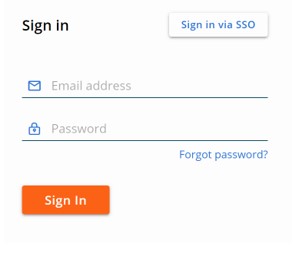
- Sign In to the VMware Carbon Black Cloud.
- In the left menu pane, click ENDPOINTS.
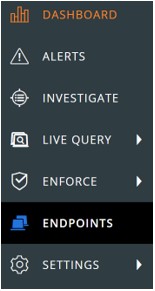
Note: The layout in the example may differ slightly from your environment.
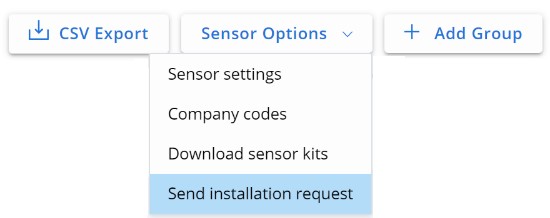
- In the upper right, select Sensor Options and then click Send installation request.
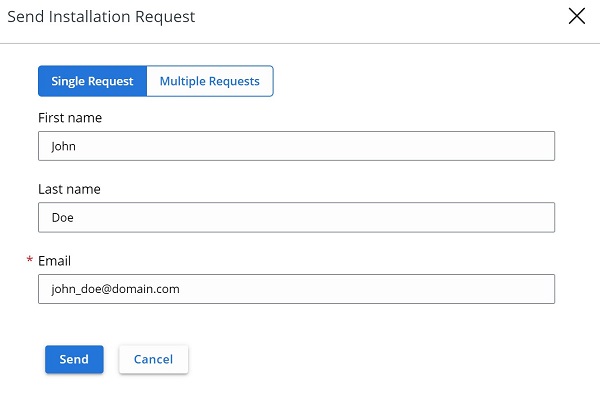
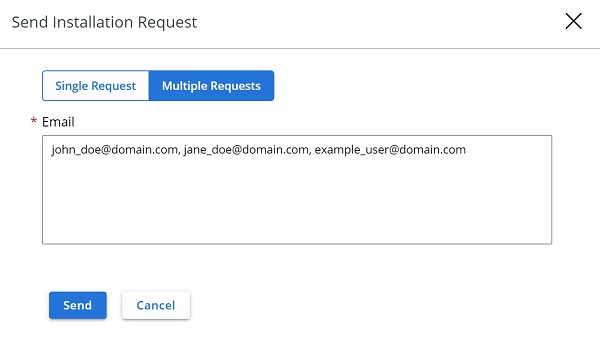
- In the Send Installation Request menu select either:
- Single Request and then go to Step 6, or,
- Multiple Requests and then go to Step 7.

- In the Single Request tab:
- Optionally, populate the user's First name.
- Optionally, populate the user's Last name.
- Populate users' Email.
- Click Send.
- Go to Step 8.
- In the Multiple Requests tab:
- Populate each user's Email separated by a comma.
- Click Send.
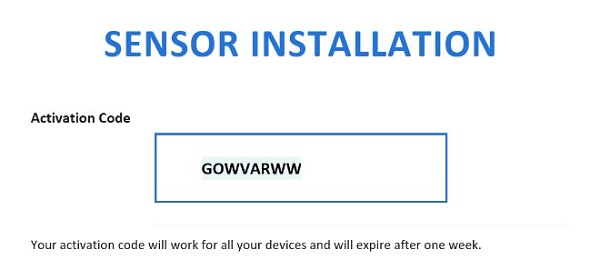
- In the user's Email, document the Activation Code.
Note:
- The email is sent from noreply@carbonblack.com.
- The Activation Code expires after one week.
- The Activation Code can be resent from VMware Carbon Black Cloud, Endpoints, User, and then Take Action.
- The example in the screenshot will differ in your environment.
To contact support, reference Dell Data Security International Support Phone Numbers.
Go to TechDirect to generate a technical support request online.
For additional insights and resources, join the Dell Security Community Forum.
Affected Products
VMware Carbon BlackArticle Properties
Article Number: 000126084
Article Type: Solution
Last Modified: 19 Apr 2026
Version: 12
Find answers to your questions from other Dell users
Support Services
Check if your device is covered by Support Services.