Затримка системи 3DMark на зовнішній док-станції з графічним процесором
Summary: 3DMark спричиняє затримку системи на системах Alienware.
This article applies to
This article does not apply to
This article is not tied to any specific product.
Not all product versions are identified in this article.
Symptoms
У цій статті розповідається про те, як вирішити проблему 3DMark, яка спричиняє затримку системи. Це відбувається під час використання зовнішнього графічного підсилювача Alienware Graphics Amplifier (AGA) або іншої моделі Thunderbolt External Graphics Dock на Alienware Area 51m R2.
Cause
Інформація про причини недоступна.
Resolution
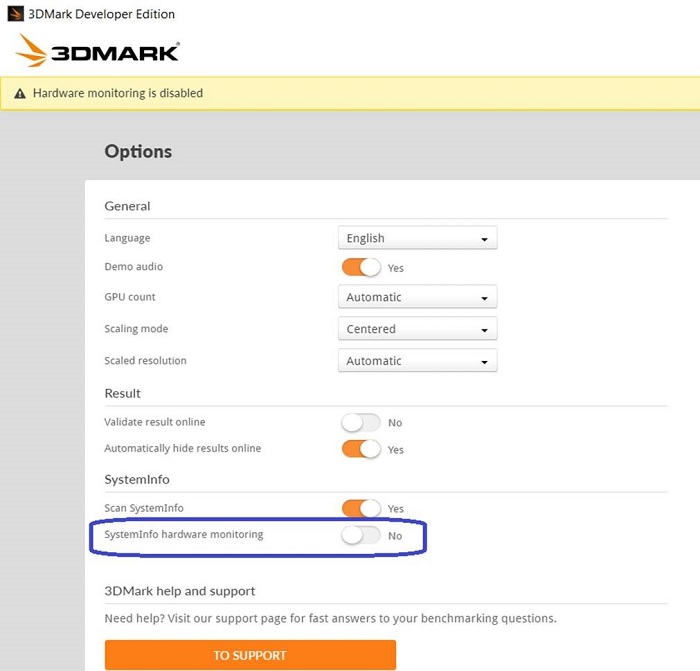
Для безперебійної роботи на зовнішньому дисплеї вимкніть опції Systeminfo Hardware Monitoring in 3DMark, як показано на малюнку нижче.
Affected Products
Alienware Area-51m R2Article Properties
Article Number: 000130690
Article Type: Solution
Last Modified: 29 Aug 2025
Version: 5
Find answers to your questions from other Dell users
Support Services
Check if your device is covered by Support Services.