AppSync:从 AppSync UI 收集代理日志失败,并显示“Exception Occurred:SmbAuthException,消息:登录失败: 未知用户”
Summary: 从 AppSync UI 自动收集 Windows 代理主机的 AppSync 代理日志失败。 但是,您会看到服务器日志收集成功。
This article applies to
This article does not apply to
This article is not tied to any specific product.
Not all product versions are identified in this article.
Symptoms
从 AppSync UI 收集日志时,它会抛出 SMB 身份验证错误。
您会在 AppSync 服务器日志中看到以下内容:
但是,用户确认用户名和密码正确无误,并具有相应的权限。
您会在 AppSync 服务器日志中看到以下内容:
<TimeStamp> INFO [EJB default - 3] [com.emc.archway.service.hostservice.HostServiceBean] [UDP-DAS-10] [] 7adf3a3e-f01a-4076-b352-a23198c6ee1a->>> userName === <UserName>  domain == xxxxxx
<TimeStamp> INFO [EJB default - 3] [com.emc.archway.service.hostservice.HostServiceBean] [UDP-DAS-10] [] 7adf3a3e-f01a-4076-b352-a23198c6ee1a->>> SMB URL formed to create the session is : smb://<Agent Host FQDN>/Admin$/AppSync-logs/appsyncHostPlugin_<HostName>_<TimeStamp>.zip
<TimeStamp> ERROR [EJB default - 3] [com.emc.archway.commands.logCollection.CollectLogsCommandBean] [UDP-DAS-10] [] 7adf3a3e-f01a-4076-b352-a23198c6ee1a->>> Exception Occurred: LogCollectionFailedException, Message: SmbAuthException, Message: Logon failure: unknown user name or bad password
Cause
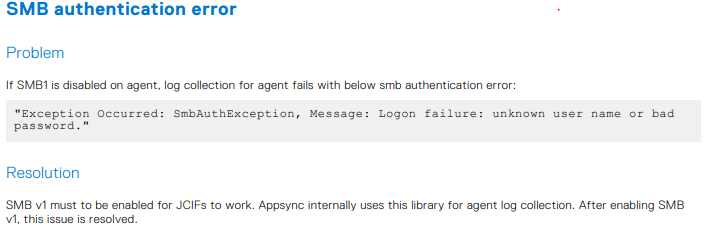
SMB1 在代理程序主机上处于禁用状态。AppSync 在内部使用此库进行代理日志收集。
因此,需要执行此作,并且也记录在《AppSync 4.6 用户指南》第 348 页的“故障处理”部分中。
Resolution
Additional Information
如果启用了 SMB1,则此 Powershell 命令将显示 true:
Get-SmbServerConfiguration | Select EnableSMB1Protocol
Products
AppSyncArticle Properties
Article Number: 000211362
Article Type: Solution
Last Modified: 10 Oct 2025
Version: 2
Find answers to your questions from other Dell users
Support Services
Check if your device is covered by Support Services.