Connectrix: Web Tools, Element-Manager, zeigt den Integritätsstatus des Ports im Dashboard für FOS-Versionen nach 9.x nicht an
Summary: Dieses Problem tritt in Web Tools, Element Manager von Switches mit Firmware nach 9.x auf, bei denen Portintegritätsdaten nicht angezeigt werden, obwohl die Ports online sind.
This article applies to
This article does not apply to
This article is not tied to any specific product.
Not all product versions are identified in this article.
Symptoms
Portintegrität zeigt keine Daten an: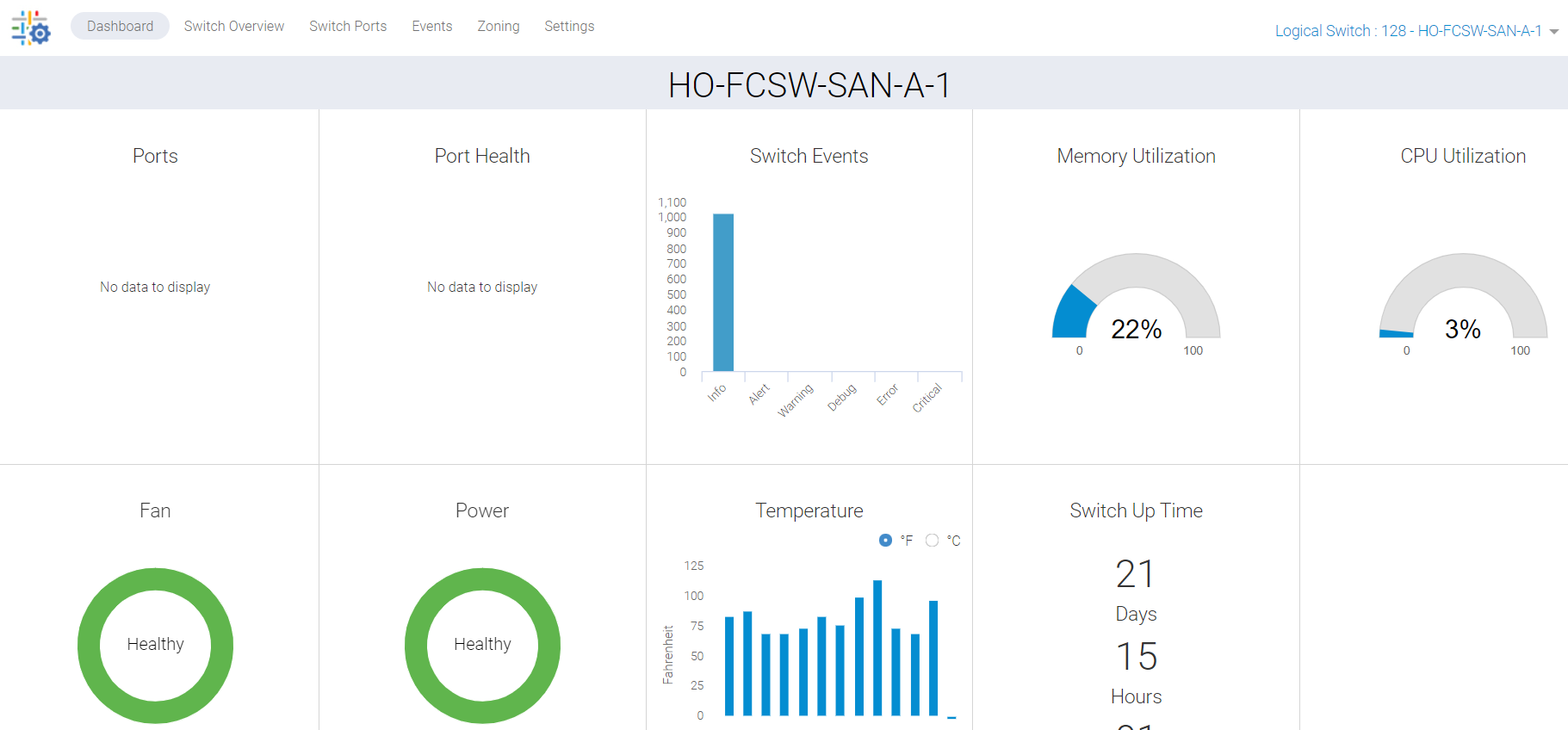
Abbildung 1: Screenshot des Portzustands ohne Daten
Cause
Für dieses Problem gibt es folgende Gründe:
- Ports werden auf der Registerkarte "Overview" des Switches nicht grün angezeigt, daher wird der Portintegritätsstatus nicht im Dashboard aufgeführt
- Synchronisierungsfehler aufgrund eines nicht mehr reagierenden Hintergrundprozesses
Resolution
Wir müssen diese Daten aktualisieren, und es gibt zwei Aktionspläne:
PLAN 1:
Zum Durchführen dieser Aktivität auf dem Switch ist Root-Zugriff erforderlich. Starten Sie die HTTP-Services für Webtools neu.
SAN-SWITCH1:root> /fabos/libexec/webdconfigure
http attributes (yes, y, no, n): [no] y

HTTP Restart (yes, y, no, n): [no] y
HTTP enabled (yes, y, no, n): [yes] y
ErrorLog Enabled (yes, y, no, n): [no]
AccessLog Enabled (yes, y, no, n): [no]
SSLLog Enabled (yes, y, no, n): [no]
HTTP Port: (1..60000) [80]
Secure HTTP Port: (1..60000) [443]
HTTP IsAlive Check Enabled (yes, y, no, n): [yes]
HTTP Max HeapSize: (256..1024) [512]

webtools attributes (yes, y, no, n): [no]
cal attributes (yes, y, no, n): [no]
Oder
PLAN 2:
Führen Sie den folgenden Befehl aus:
Departmental model: #hareboot

Director class model: #hafailover
Affected Products
Connectrix B-Series Fabric OS 9.X, Connectrix B-Series SoftwareArticle Properties
Article Number: 000201036
Article Type: Solution
Last Modified: 17 Dec 2024
Version: 5
Find answers to your questions from other Dell users
Support Services
Check if your device is covered by Support Services.