Connectrix: Web Tools, Element Manager, non mostra lo stato di integrità della porta nel dashboard per le versioni FOS successive alla 9.x
Summary: Questo problema si verifica negli strumenti web, Element Manager degli switch con firmware successivo alla versione 9.x, in cui i dati sullo stato delle porte non vengono visualizzati anche se le porte sono online. ...
This article applies to
This article does not apply to
This article is not tied to any specific product.
Not all product versions are identified in this article.
Symptoms
Stato della porta senza dati: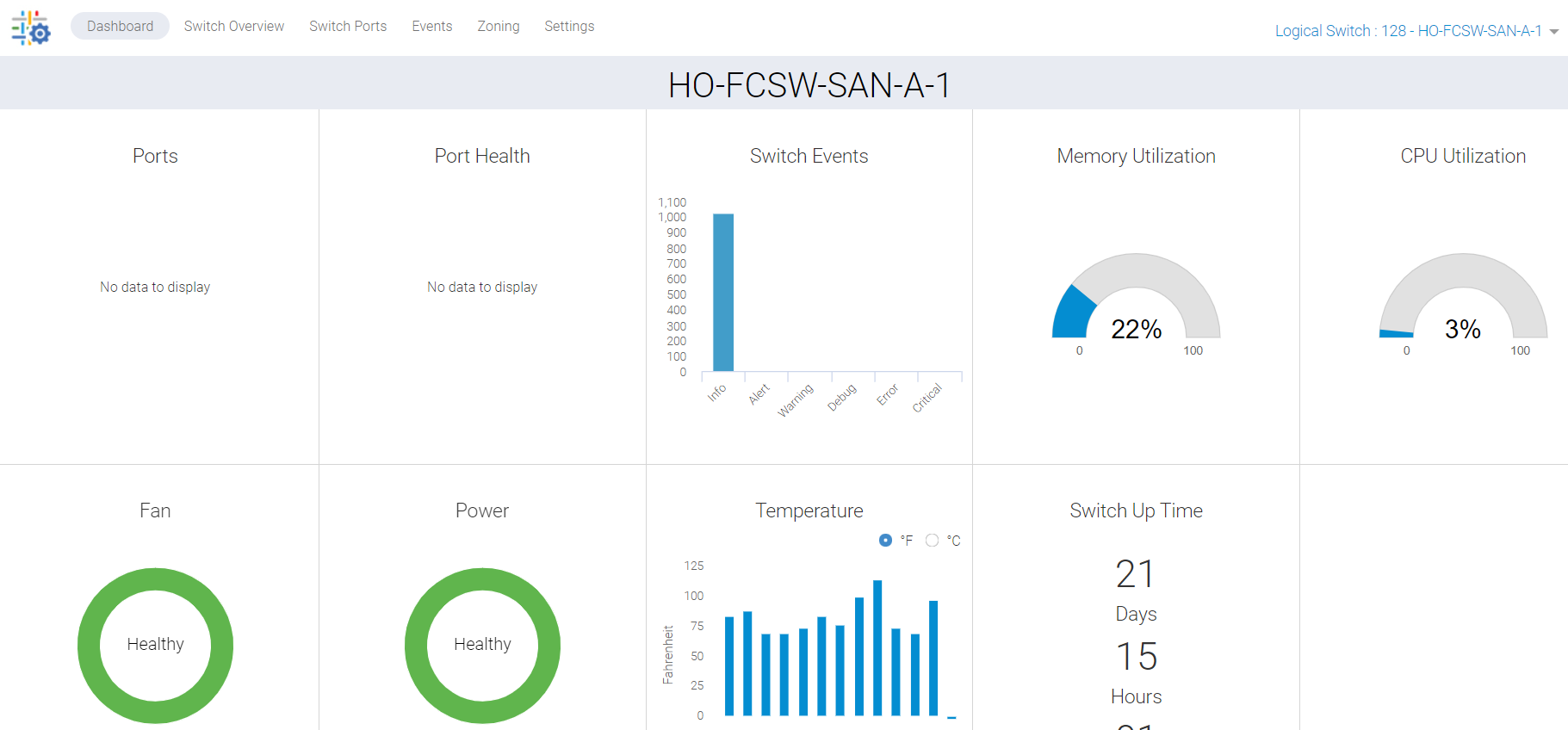
Figura 1: Schermata dell'integrità della porta che non mostra dati
Cause
Questo problema è dovuto ai seguenti motivi:
- Le porte non sono visualizzate in verde nella scheda Overview dello switch e pertanto lo stato di integrità delle porte non viene elencato nel dashboard
- Sincronizzazione mancata a causa di un processo bloccato in background
Resolution
Dobbiamo aggiornare questi dati e ci sono due piani d'azione:
PIANO 1:
Per eseguire questa attività sullo switch è necessario l'accesso root. Riavviare i servizi HTTP per gli strumenti web.
SAN-SWITCH1:root> /fabos/libexec/webdconfigure
http attributes (yes, y, no, n): [no] y

HTTP Restart (yes, y, no, n): [no] y
HTTP enabled (yes, y, no, n): [yes] y
ErrorLog Enabled (yes, y, no, n): [no]
AccessLog Enabled (yes, y, no, n): [no]
SSLLog Enabled (yes, y, no, n): [no]
HTTP Port: (1..60000) [80]
Secure HTTP Port: (1..60000) [443]
HTTP IsAlive Check Enabled (yes, y, no, n): [yes]
HTTP Max HeapSize: (256..1024) [512]

webtools attributes (yes, y, no, n): [no]
cal attributes (yes, y, no, n): [no]
Oppure
PIANO 2:
Eseguire il seguente comando:
Departmental model: #hareboot

Director class model: #hafailover
Affected Products
Connectrix B-Series Fabric OS 9.X, Connectrix B-Series SoftwareArticle Properties
Article Number: 000201036
Article Type: Solution
Last Modified: 17 Dec 2024
Version: 5
Find answers to your questions from other Dell users
Support Services
Check if your device is covered by Support Services.