Connectrix: 웹 툴, 요소 관리자, 9.x 이후 FOS 버전의 대시보드에 포트의 상태가 표시되지 않음
Summary: 이 문제는 포트가 온라인 상태이지만 포트 상태 데이터가 표시되지 않는 9.x 이후 펌웨어가 있는 스위치의 웹 툴, Element 관리자에서 발생합니다.
This article applies to
This article does not apply to
This article is not tied to any specific product.
Not all product versions are identified in this article.
Symptoms
포트 상태에 데이터가 표시되지 않음: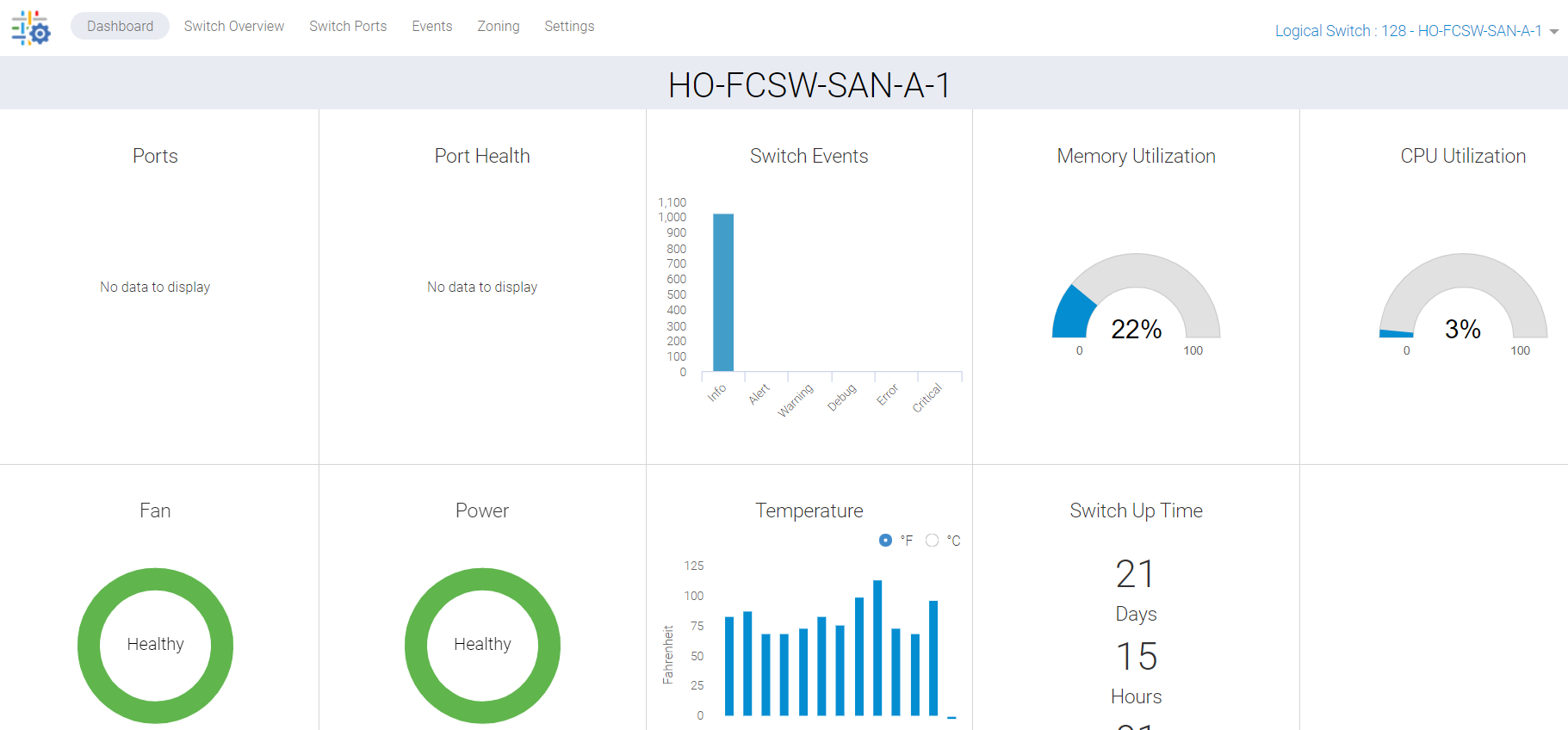
그림 1: 데이터가 표시되지 않는 포트 상태 스크린샷
Cause
이 문제는 다음과 같은 이유로 인해 발생합니다.
- 스위치 개요 탭에서 포트가 녹색으로 표시되지 않아 대시보드에 포트 상태가 나열되지 않음
- 백그라운드로 중단된 프로세스로 인한 동기화 누락
Resolution
이 데이터를 새로 고쳐야 하며 다음과 같은 두 가지 실행 계획이 있습니다.
계획 1 :
스위치에서 이 작업을 수행하려면 루트 액세스 권한이 필요합니다. 웹 툴에 대한 HTTP 서비스를 다시 시작합니다.
SAN-SWITCH1:root> /fabos/libexec/webdconfigure
http attributes (yes, y, no, n): [no] y

HTTP Restart (yes, y, no, n): [no] y
HTTP enabled (yes, y, no, n): [yes] y
ErrorLog Enabled (yes, y, no, n): [no]
AccessLog Enabled (yes, y, no, n): [no]
SSLLog Enabled (yes, y, no, n): [no]
HTTP Port: (1..60000) [80]
Secure HTTP Port: (1..60000) [443]
HTTP IsAlive Check Enabled (yes, y, no, n): [yes]
HTTP Max HeapSize: (256..1024) [512]

webtools attributes (yes, y, no, n): [no]
cal attributes (yes, y, no, n): [no]
또는
계획 2 :
다음 명령을 수행합니다.
Departmental model: #hareboot

Director class model: #hafailover
Affected Products
Connectrix B-Series Fabric OS 9.X, Connectrix B-Series SoftwareArticle Properties
Article Number: 000201036
Article Type: Solution
Last Modified: 17 Dec 2024
Version: 5
Find answers to your questions from other Dell users
Support Services
Check if your device is covered by Support Services.