Connectrix:Web 工具、Element Manager、未在 9.x 之後 FOS 版本的儀表板下顯示連接埠的健全狀況狀態
Summary: 在具有 9.x 版韌體的 Web 工具和 Element Manager 的 Web 工具上會出現此問題,其中即使連接埠處於線上狀態,卻不會顯示連接埠健全狀況資料。
This article applies to
This article does not apply to
This article is not tied to any specific product.
Not all product versions are identified in this article.
Symptoms
連接埠執行狀況未顯示任何資料: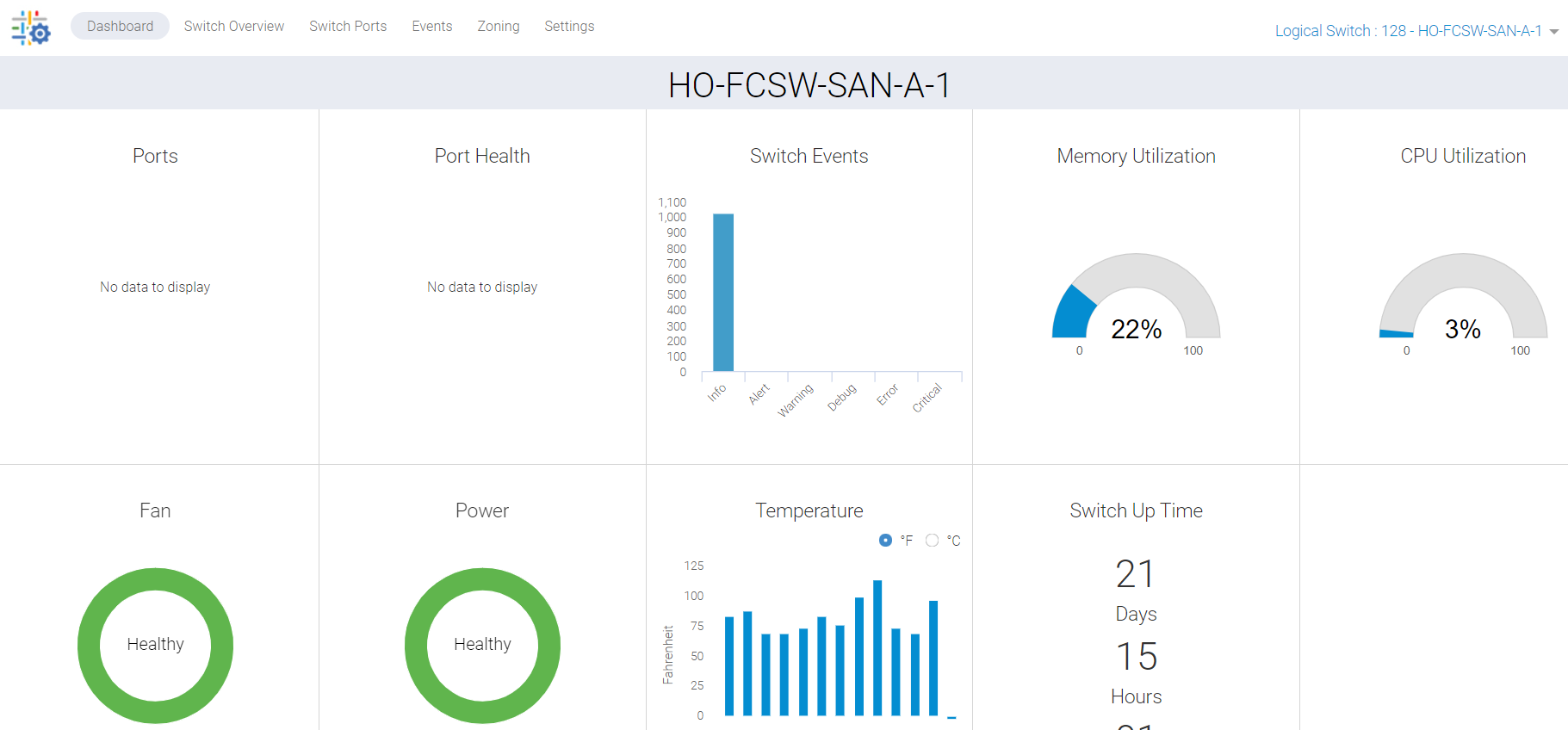
圖 1:連接埠執行狀況螢幕擷取畫面,未顯示任何資料
Cause
此問題是由於以下原因造成的:
- 交換器概觀標籤上的連接埠未顯示綠色,因此未在儀表板下列出連接埠健全狀況
- 由於背景停滯程序導致無法同步
Resolution
我們必須刷新這些數據,並且有兩個行動計劃:
計劃1:
需要 root 存取才能在交換器上執行此活動。重新啟動 Web 工具的 HTTP 服務。
SAN-SWITCH1:root> /fabos/libexec/webdconfigure
http attributes (yes, y, no, n): [no] y

HTTP Restart (yes, y, no, n): [no] y
HTTP enabled (yes, y, no, n): [yes] y
ErrorLog Enabled (yes, y, no, n): [no]
AccessLog Enabled (yes, y, no, n): [no]
SSLLog Enabled (yes, y, no, n): [no]
HTTP Port: (1..60000) [80]
Secure HTTP Port: (1..60000) [443]
HTTP IsAlive Check Enabled (yes, y, no, n): [yes]
HTTP Max HeapSize: (256..1024) [512]

webtools attributes (yes, y, no, n): [no]
cal attributes (yes, y, no, n): [no]
或
計劃2:
執行下列命令:
Departmental model: #hareboot

Director class model: #hafailover
Affected Products
Connectrix B-Series Fabric OS 9.X, Connectrix B-Series SoftwareArticle Properties
Article Number: 000201036
Article Type: Solution
Last Modified: 17 Dec 2024
Version: 5
Find answers to your questions from other Dell users
Support Services
Check if your device is covered by Support Services.