Connectrix:Web 工具、元素管理器,在 9.x 之后的 FOS 版本的控制面板下未显示端口的运行状况
Summary: 此问题出现在具有 9.x 之后固件的交换机的 Web 工具、Element Manager 上,尽管端口处于联机状态,但不显示端口运行状况数据。
This article applies to
This article does not apply to
This article is not tied to any specific product.
Not all product versions are identified in this article.
Symptoms
未显示任何数据的端口运行状况: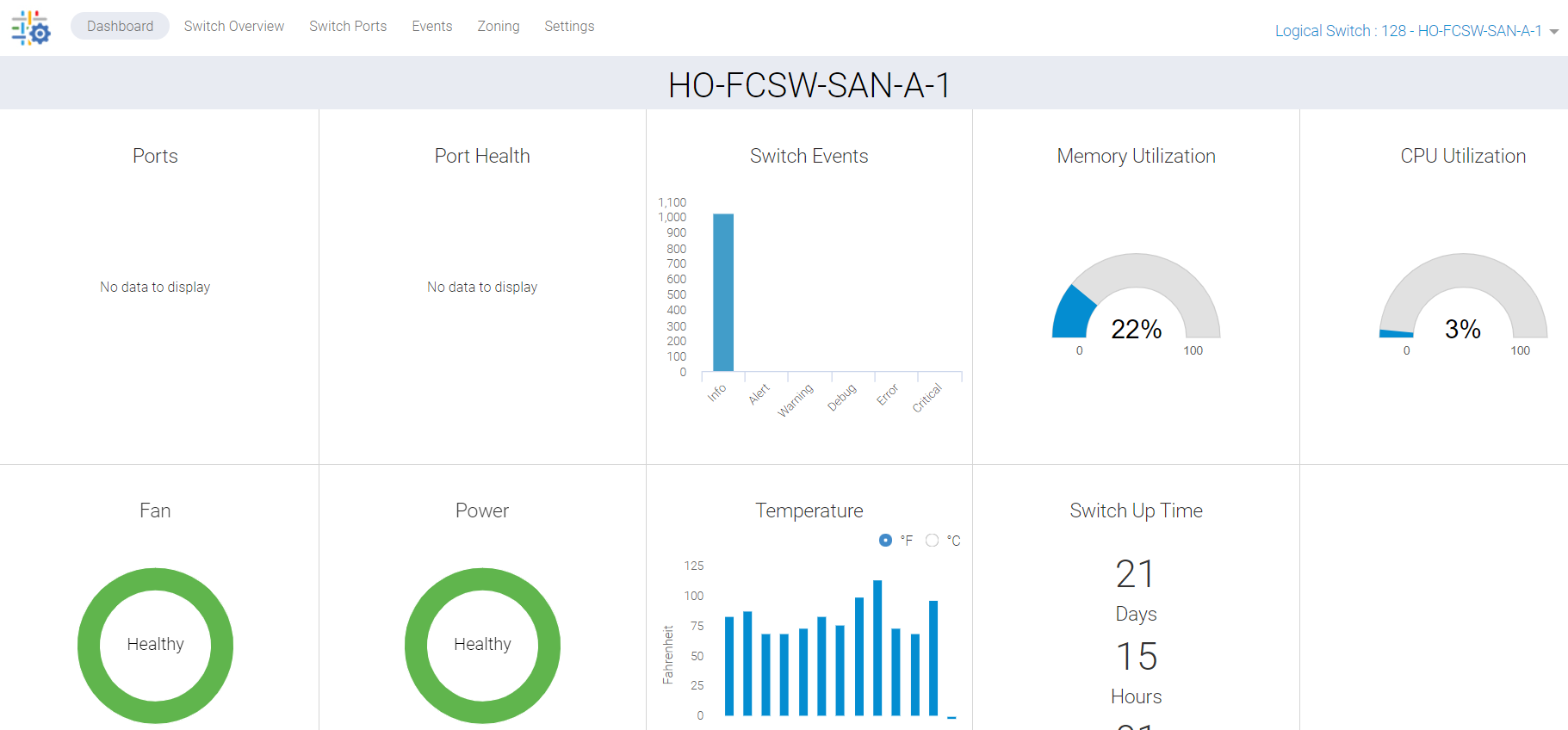
图 1:端口运行状况的屏幕截图显示无数据
Cause
此问题是由于以下原因造成的:
- 端口在交换机的“Overview”选项卡上未显示绿色,因此不会在控制面板下列出端口运行状况
- 由于后台进程卡住导致同步未命中
Resolution
我们必须刷新此数据,并且有两个行动计划:
计划 1:
在交换机上执行此活动需要根访问权限。重新启动适用于 Web 工具的 HTTP 服务。
SAN-SWITCH1:root> /fabos/libexec/webdconfigure
http attributes (yes, y, no, n): [no] y

HTTP Restart (yes, y, no, n): [no] y
HTTP enabled (yes, y, no, n): [yes] y
ErrorLog Enabled (yes, y, no, n): [no]
AccessLog Enabled (yes, y, no, n): [no]
SSLLog Enabled (yes, y, no, n): [no]
HTTP Port: (1..60000) [80]
Secure HTTP Port: (1..60000) [443]
HTTP IsAlive Check Enabled (yes, y, no, n): [yes]
HTTP Max HeapSize: (256..1024) [512]

webtools attributes (yes, y, no, n): [no]
cal attributes (yes, y, no, n): [no]
或
计划 2:
执行以下命令:
Departmental model: #hareboot

Director class model: #hafailover
Affected Products
Connectrix B-Series Fabric OS 9.X, Connectrix B-Series SoftwareArticle Properties
Article Number: 000201036
Article Type: Solution
Last Modified: 17 Dec 2024
Version: 5
Find answers to your questions from other Dell users
Support Services
Check if your device is covered by Support Services.