OptiPlex 7780:電腦視覺指南
Summary: 下列文章提供 OptiPlex 7780 多合一 (AIO) 桌上型電腦的視覺指南。它列出電腦的外接式埠和功能。
This article applies to
This article does not apply to
This article is not tied to any specific product.
Not all product versions are identified in this article.
Symptoms
Cause
前視圖
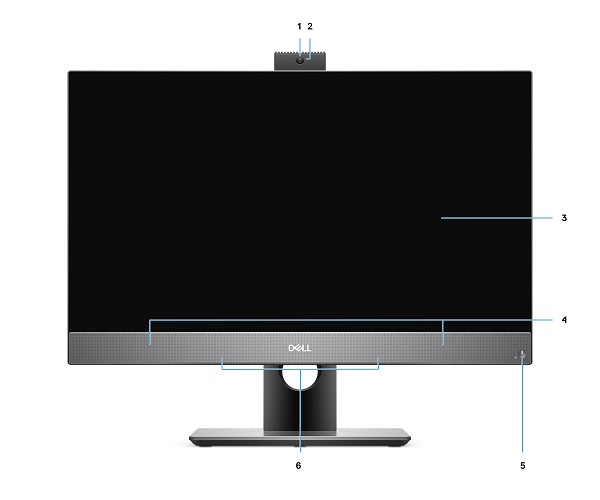
(圖.1前視圖)
| 1 | Full HD 網路攝影機 | 2 | 相機狀態 LED |
| 3 | 顯示器 | 4 | 喇叭 |
| 5 | 電源按鈕和電源狀態 LED | 6 | 陣列麥克風 |
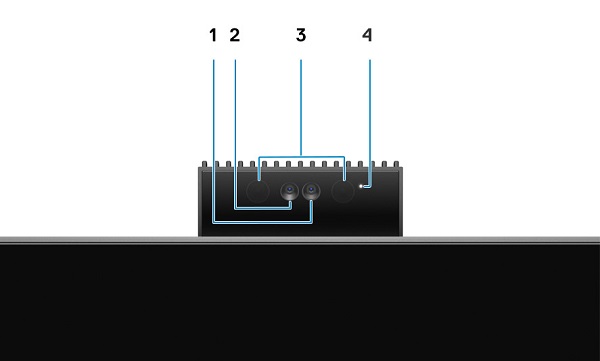
(圖.2 伸縮式攝影機視圖)
| 1 | 相機 | 2 | 紅外線攝影機 |
| 3 | 紅外線發射器 | 4 | 相機狀態 LED |
Resolution
後視圖
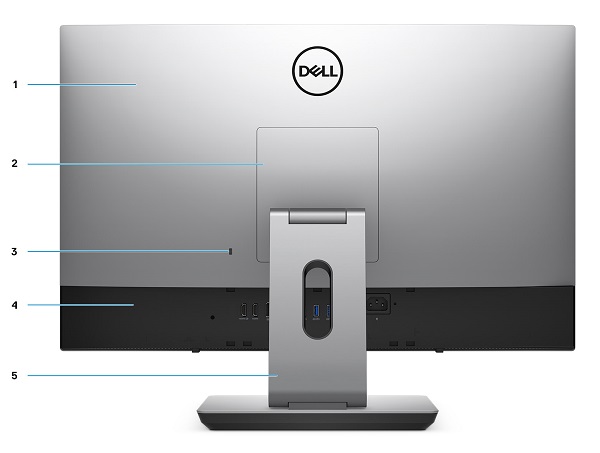
(圖.3後視圖)
| 1 | 背蓋 | 2 | 底座護蓋 |
| 3 | Kensington 安全纜線插槽 | 4 | 底蓋 |
| 5 | 底座 |
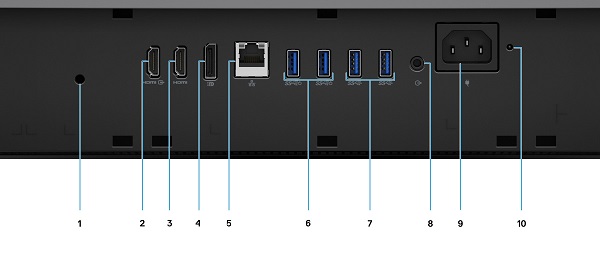
(圖.4後埠視圖)
| 1 | 纜線蓋螺絲孔 | 2 | HDMI 輸入連接器 |
| 3 | HDMI 輸出連接器
|
4 | DP++ 1.4/HDCP 2.3 連接器 |
| 5 | 乙太網路 (NIC) 連接器 (10/100/1000 Mbps) | 6 | USB 3.2 Gen 2 Type-A 連接器 (支援 Smart Power On x2) |
| 7 | USB 3.2 Gen 2 Type-A 連接器 x2 | 8 | 訊號線輸出音訊連接器 |
| 9 | 電源連接器 | 10 | PSU 狀態 LED |
下視圖
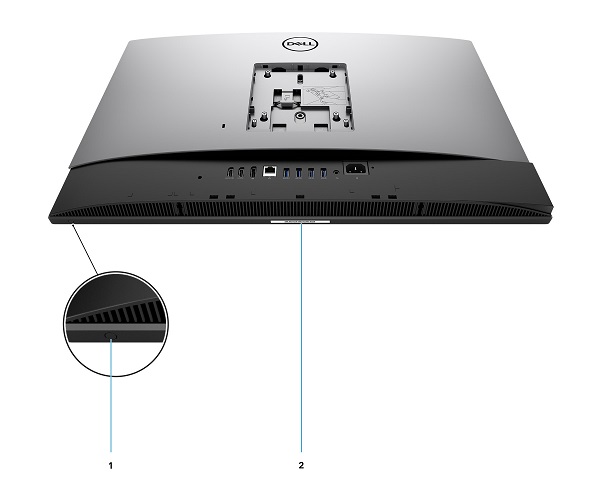
(圖.5底視圖)
| 1 | 顯示器內建自我測試按鈕 | 2 | 產品服務編號位置 |
左側視圖

(圖.6左側視圖)
| 1 | SD 4.0 讀卡機 | 2 | USB 3.2 Gen 2 Type-C 連接器 |
| 3 | 通用音效連接器 | 4 | USB 3.2 Gen1 Type-A 連接器,含 PowerShare |
右側視圖
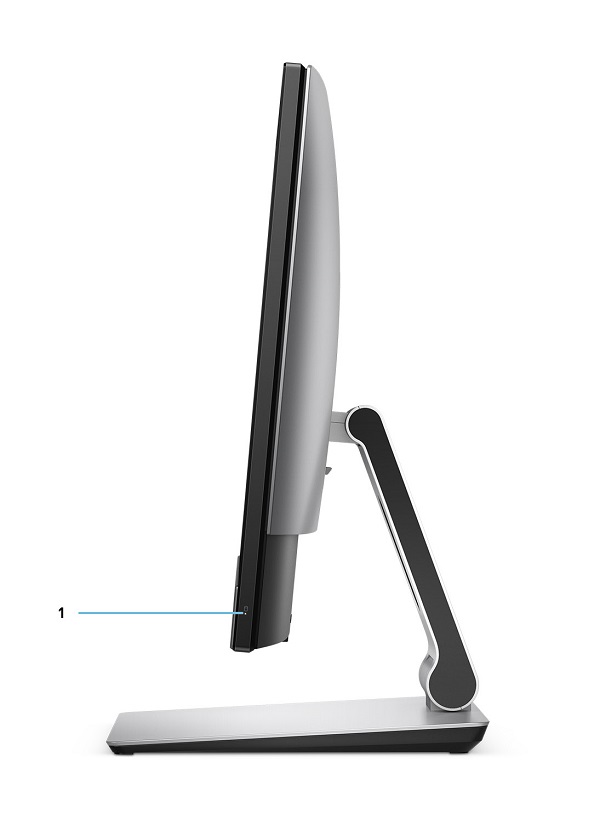
(圖.7右側視圖)
| 1 | 硬碟狀態 LED |
Additional Information
Affected Products
OptiPlex 7780 All-In-OneArticle Properties
Article Number: 000130107
Article Type: Solution
Last Modified: 26 Jun 2023
Version: 5
Find answers to your questions from other Dell users
Support Services
Check if your device is covered by Support Services.