IDPA: 로그 번들을 생성하고 다운로드하는 방법
Summary: 이 문서에서는 IDPA(Integrated Data Protection Appliance)의 ACM(Appliance Configuration Manager)에서 로그 번들을 수집하는 방법에 대해 설명합니다. 로그 번들은 문제 해결 및 지원 진단에 필수적입니다.
This article applies to
This article does not apply to
This article is not tied to any specific product.
Not all product versions are identified in this article.
Instructions
로그 번들을 생성합니다.
1. 다음 URL에 액세스하여 브라우저에서 ACM의 UI를 엽니다.
https://<acm_ip_or_fqdn>:85432. 대시보드 오른쪽 상단에 있는 로그 생성 아이콘 아래의 컨텍스트 메뉴에서 "Create log bundle"을 선택합니다.
3. 로그를 수집할 단일 구성 요소를 선택하거나 "선택"을 선택합니다. All"을 사용하여 모든 구성 요소에서 로그를 수집합니다.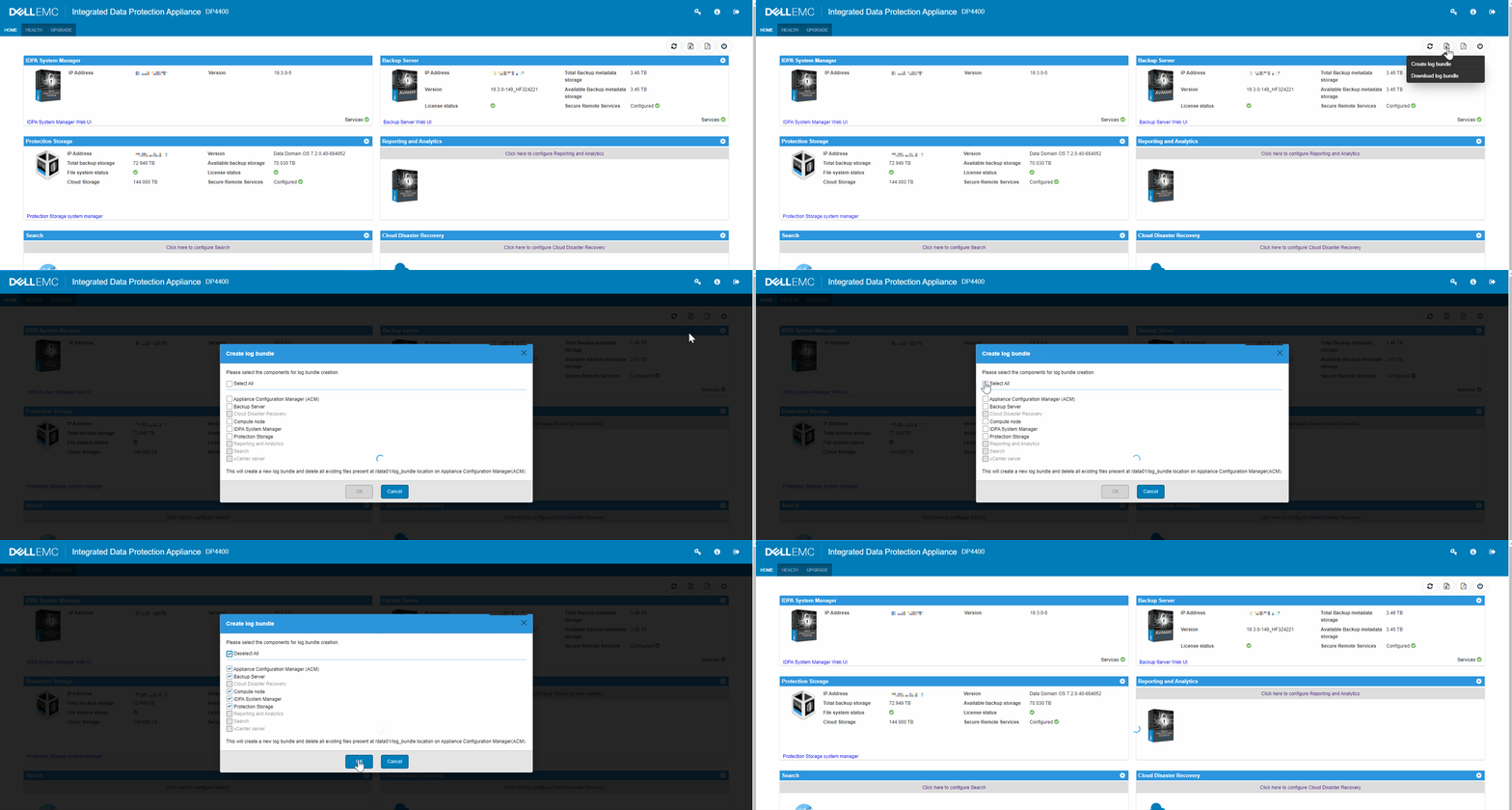
4. "OK"를 선택하여 로그 번들을 생성합니다.
참고: 구성 요소 선택 목록에서 "모두 선택"을 선택하면 로그 번들을 생성하는 데 상당한 시간이 걸릴 수 있습니다.
로그 번들 다운로드
1. 다음 URL에 액세스하여 브라우저에서 ACM의 UI를 엽니다.
https://<acm_ip_or_fqdn>:85432. 대시보드 오른쪽 상단에 있는 로그 생성 아이콘 아래의 컨텍스트 메뉴에서 "Download log bundle"을 선택합니다.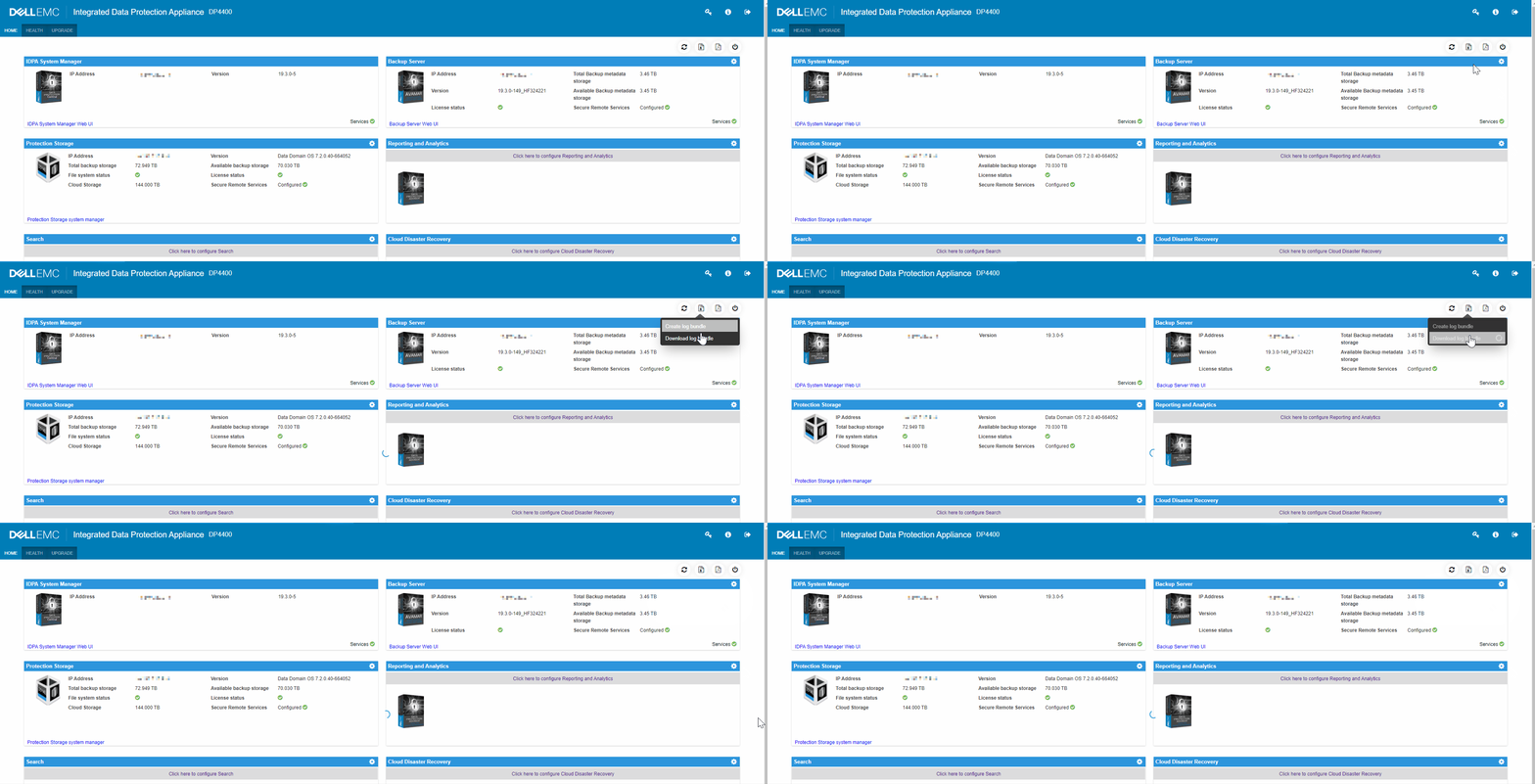
Additional Information
TSR(하드웨어) 로그 번들이 요청된 경우 다음 문서를 참조하십시오. Data Domain: TSR 로그를
수집하는 방법IDPA 로그 및 번들에 대한 비디오.
Affected Products
Integrated Data Protection Appliance FamilyProducts
PowerProtect DP4400, PowerProtect Data Protection Software, Integrated Data Protection Appliance Family, PowerProtect Data Protection Hardware, Integrated Data Protection Appliance SoftwareArticle Properties
Article Number: 000011126
Article Type: How To
Last Modified: 26 Sept 2025
Version: 9
Find answers to your questions from other Dell users
Support Services
Check if your device is covered by Support Services.