How to receive Dell Technical Advisories and Dell Security Advisories
Summary: How to receive Dell Technical Advisories (DTA) and Dell Security Advisories (DSA).
This article applies to
This article does not apply to
This article is not tied to any specific product.
Not all product versions are identified in this article.
Instructions
Dell releases important Technical Advisories (DTA) and Security Advisories (DSA) regarding its products. It is important that you subscribe to DTA and DSA notifications for the products you use.
To subscribe to DTA and DSA notifications, you must have a Dell Support Account. If you do not have a Dell Support Account but support Dell products, see How to Register for Access to Dell Technologies Online Support or Upgrade an Existing Account
To enable DTA and DSA notifications for your account, follow these steps:
-
Log in to https://www.dell.com/support/
- In the upper right corner click your account name, then click My Account.
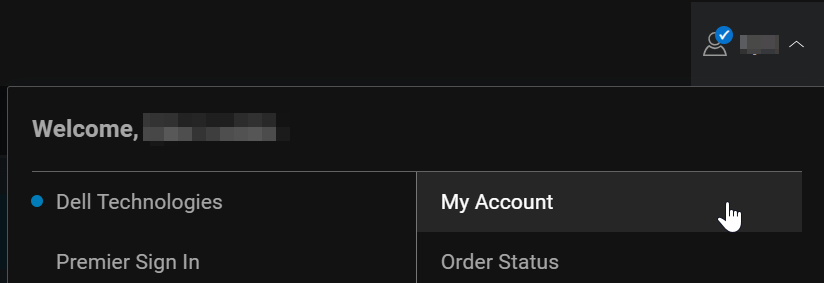
-
Under the Welcome tab, click Manage Communications:
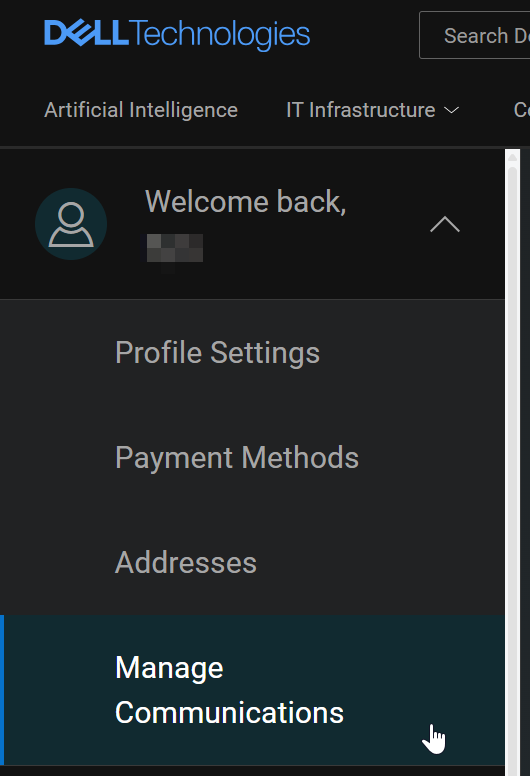
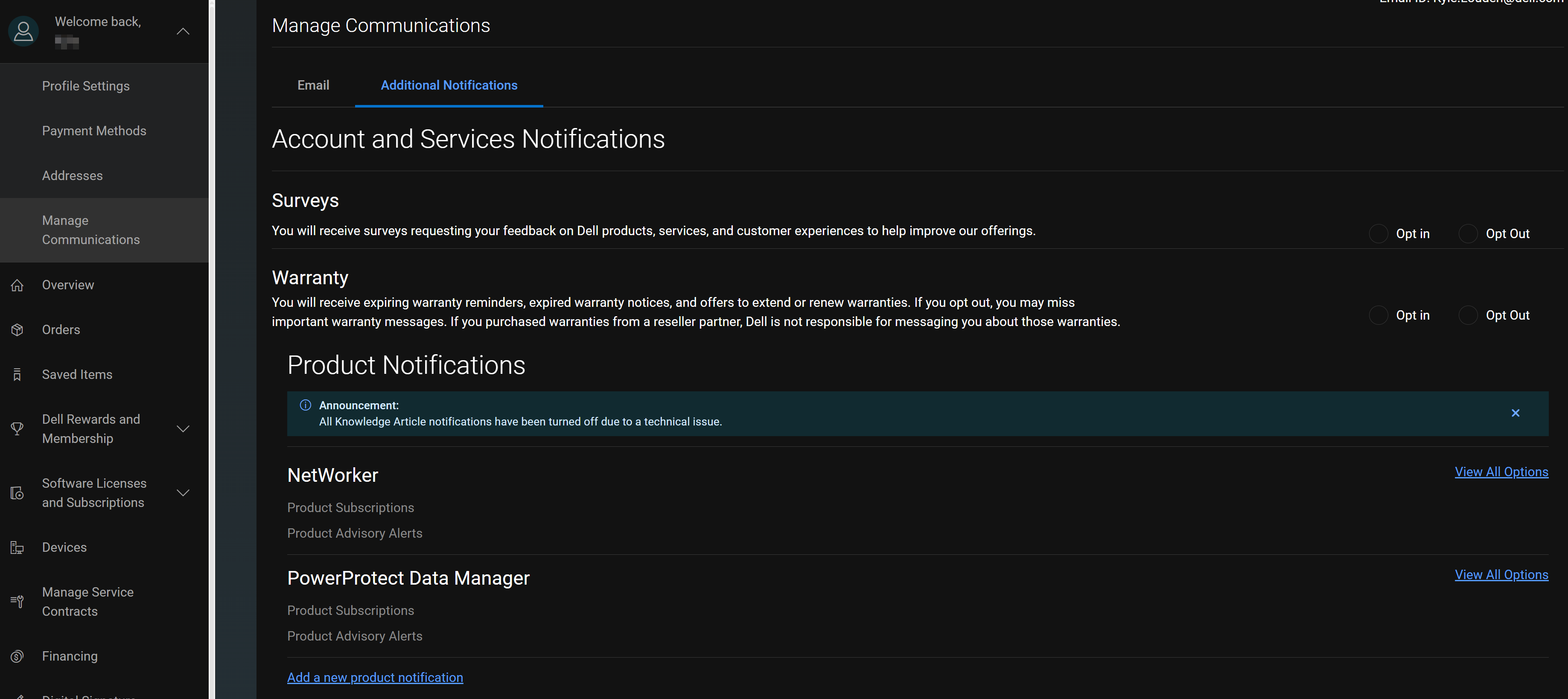
- In the Manage Communications window, click Additional Notifications, you see any Product Notifications that you have already subscribed to. To add notifications, click Add a new product notification.
- Select Product Advisory Alerts:
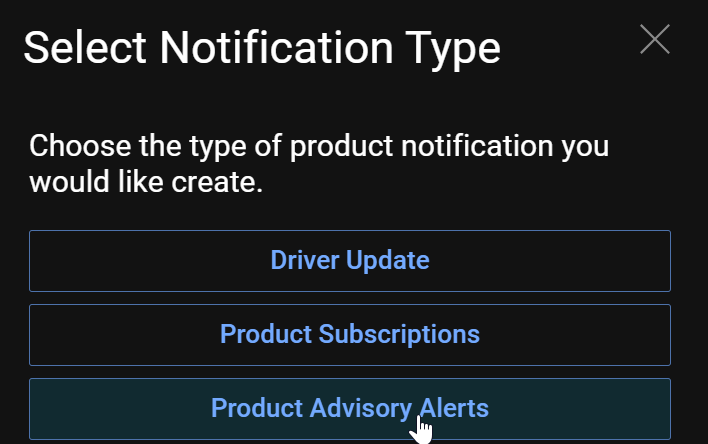
- In the User Settings and Preferences, click Manage Subscriptions > Product Advisories. Add the Dell products that you would like to subscribe to by clicking Add Alert.
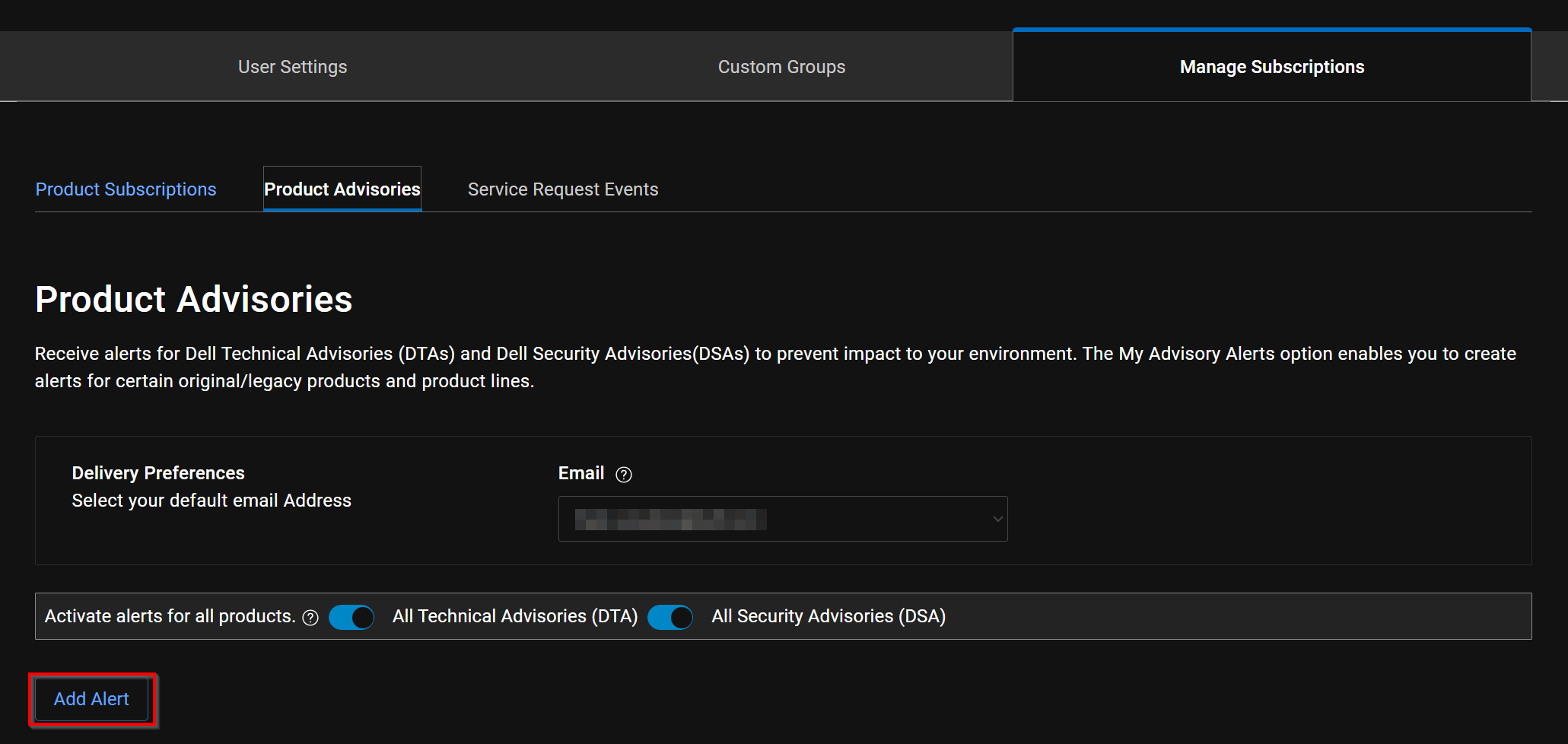
- Search for the Dell product in the search field, then click Add Product:
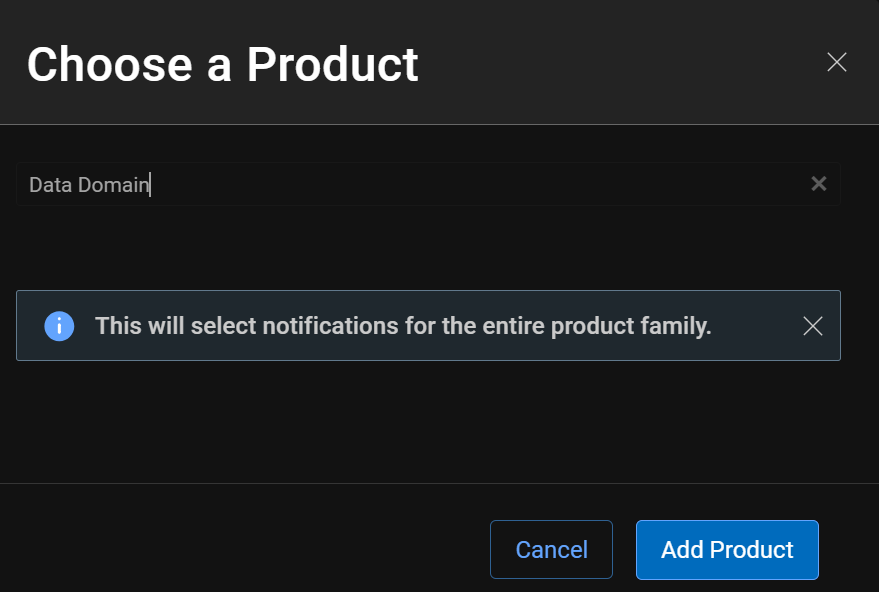
- You see the products that you have added in the My Advisory Alerts list. Ensure that the following is set:
- The correct email address is defined.
- Both All Technical Advisories (DTA) and All Security Advisories (DSA) options are enabled.

- Monitor your email messages for important DTA and DSA notifications regarding your Dell products.
Affected Products
Data Protection Suite Series, NetWorkerProducts
Avamar, SourceOne, Data Domain, Data Protection Advisor, Data Protection Central, PowerProtect Data ManagerArticle Properties
Article Number: 000008421
Article Type: How To
Last Modified: 11 Sept 2025
Version: 7
Find answers to your questions from other Dell users
Support Services
Check if your device is covered by Support Services.