Dell Unity: 업로드된 업그레이드 파일의 형식이 올바르지 않습니다(오류 코드: 0x6000cc4)(사용자 수정 가능)
Summary: 사용자가 잘못된 포맷이나 잘못된 체크섬이 있는 파일을 업로드하면 Unity는 다음 오류 코드를 반환합니다. 0x6000cc4 KB는 Windows Server 또는 Linux Server에 다운로드 또는 업로드된 이미지의 SHA256 체크섬을 식별하는 방법을 설명합니다.
This article applies to
This article does not apply to
This article is not tied to any specific product.
Not all product versions are identified in this article.
Symptoms
이미지 파일을 Unisphere 사용자 인터페이스
에 업로드할 때 "업로드된 파일의 형식이 잘못되었습니다. 업그레이드 이미지의 새 사본을 구하고 다시 시도하십시오. (Error Code: 0x6000cc4)"
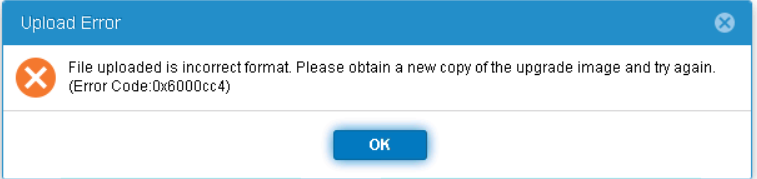
에 업로드할 때 "업로드된 파일의 형식이 잘못되었습니다. 업그레이드 이미지의 새 사본을 구하고 다시 시도하십시오. (Error Code: 0x6000cc4)"
Cause
SHA256 체크섬이 특정 이미지에 대한 적절한 체크섬 값과 일치하지 않으면 Unity가 이 오류를 반환합니다.
다른 가능한 원인도 기술 자료 문서 아래에 나열되어 있습니다. 000034066 및 000060730
다른 가능한 원인도 기술 자료 문서 아래에 나열되어 있습니다. 000034066 및 000060730
Resolution
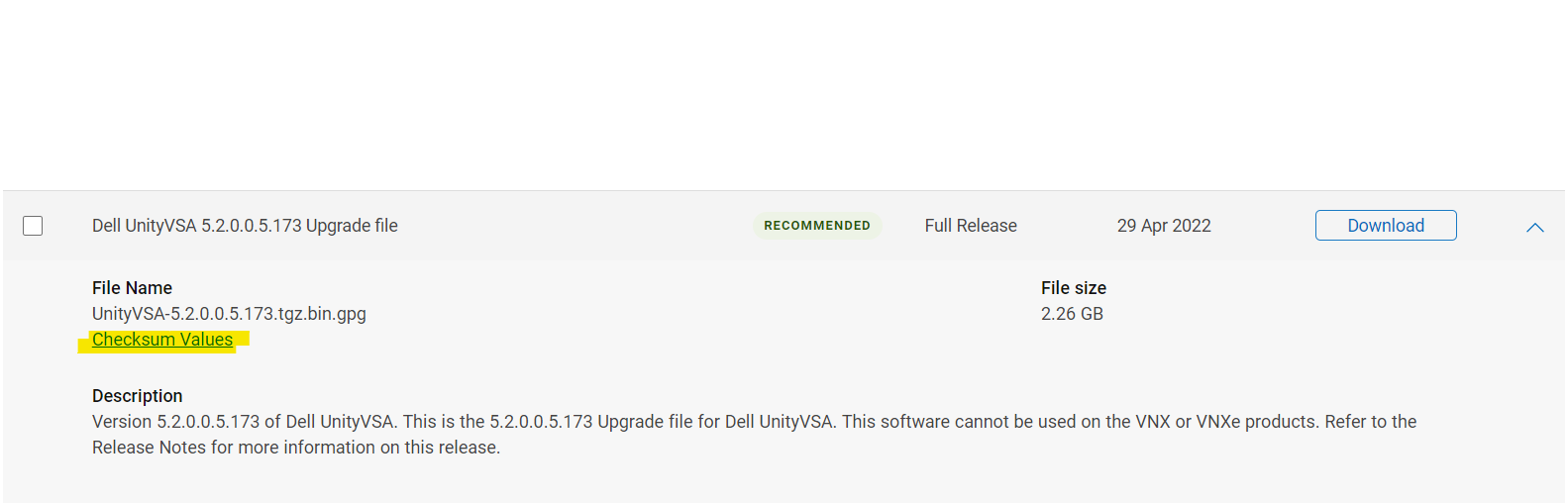
적절한 체크섬 값은 dell.com 지원 웹사이트의 필요한 이미지 "체크섬 값" 아래에 나열되어 있습니다.
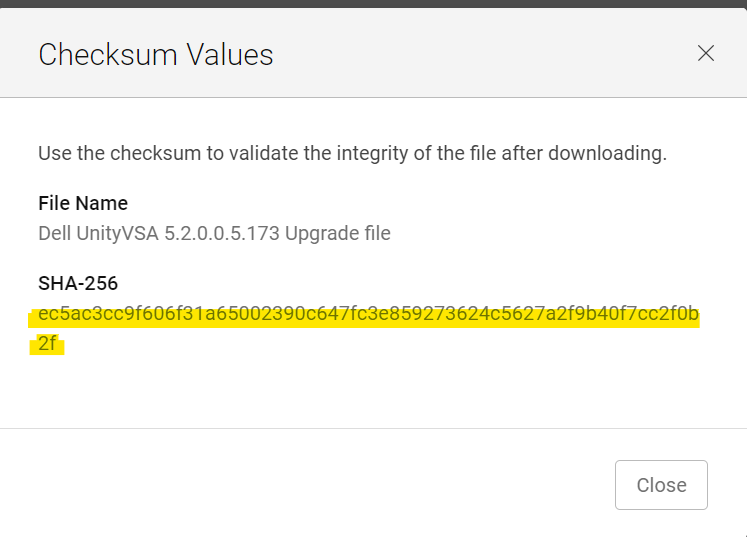
Windows 호스트에서 파일이 다운로드된 위치로 CMD를 엽니다. (다운로드 시 파일 이름이 변경되지 않았는지 확인하고 (1) 또는 (2)를 추가합니다,... 이름에.)
CMD 창에서 다음을 입력합니다.
certutil -hashfile Unity-XXXXXX SHA256
예:
C:\Users\zayedm\Downloads>certutil -hashfile Unity-Drive-Firmware-V19RC-2021-11-30.tgz.bin.gpg SHA256
SHA256 hash of Unity-Drive-Firmware-V19RC-2021-11-30.tgz.bin.gpg:
0fad835123c2508d7f581bead6eaf47f27ebb75ca119ee97b1db5b7e0944e5dd
CertUtil: -hashfile command completed successfully.
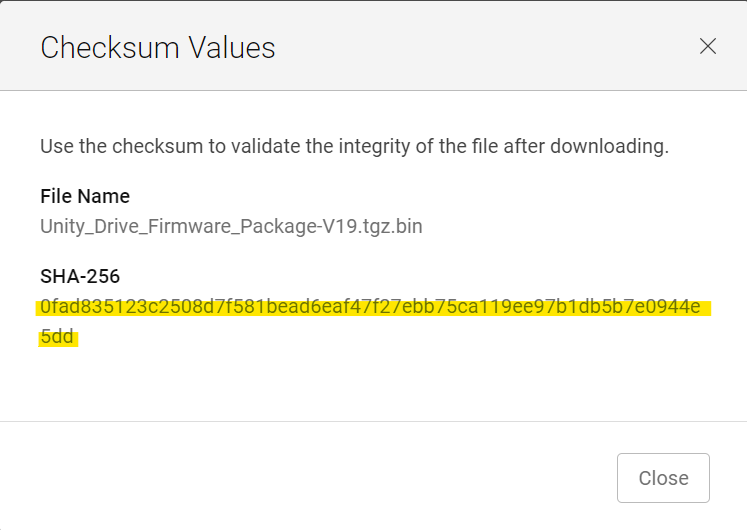
Linux 호스트(또는 파일이 수동으로 업로드된 경우 Unity 어레이 자체에서)에서 동일한 것을 확인하려면:
Command:
sha256sum filename
예:
service@XXXX:/mnt/c/Users/xxxx/Downloads$ sha256sum Unity-Drive-Firmware-V19RC-2021-11-30.tgz.bin.gpg
0fad835123c2508d7f581bead6eaf47f27ebb75ca119ee97b1db5b7e0944e5dd  Unity-Drive-Firmware-V19RC-2021-11-30.tgz.bin.gpg
반환된 출력을 Dell 지원 웹사이트의 체크섬과 일치시킵니다. 일치하지만 언급된 오류가 계속 나타나면 Dell EMC 지원에 문의하십시오. 일치하지 않으면 체크섬이 정확하지 않은 것입니다. 파일을 다시 다운로드하고 체크섬을 다시 일치시켜 보십시오.
Affected Products
Dell EMC Unity Family |Dell EMC Unity All Flash, Dell EMC Unity FamilyArticle Properties
Article Number: 000200001
Article Type: Solution
Last Modified: 14 May 2026
Version: 7
Find answers to your questions from other Dell users
Support Services
Check if your device is covered by Support Services.