开机时 SupportAssist 警告“无效的配置信息 - 请运行安装程序”
Summary: 有关开机后 SupportAssist 中显示的时间和配置设置两条警告消息的信息。
This article applies to
This article does not apply to
This article is not tied to any specific product.
Not all product versions are identified in this article.
Symptoms
打开计算机将引导至 SupportAssist 屏幕并显示以下警告消息:
- 未设置时间 - 请运行设置程序。
- 配置信息无效 — 请运行安装程序。
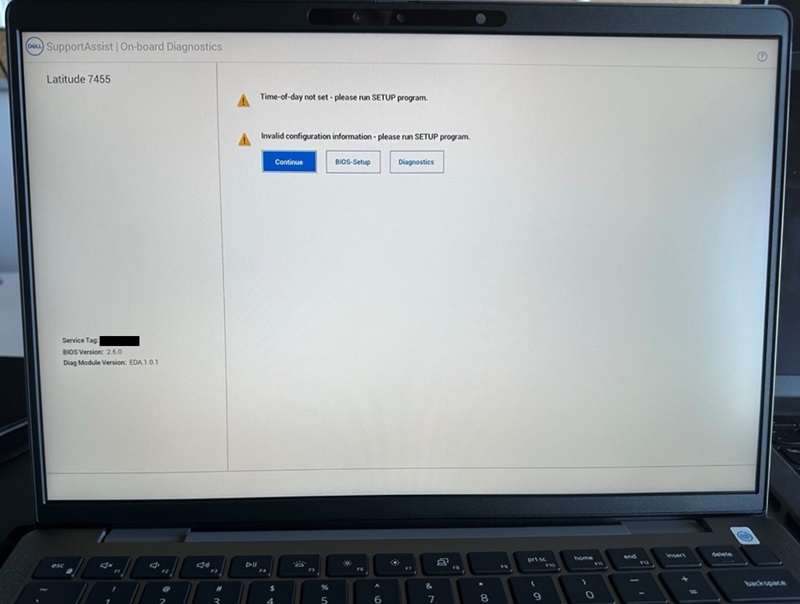
如果您单击“继续”按钮并启动至 BIOS,您会看到“安全启动”选项已关闭。
受影响的计算机:
- Inspiron灵越14 5441
- Inspiron 灵越 14 Plus 7441
- Latitude 5455
- Latitude 7455
Cause
这是由于系统 BIOS 重置导致的。
Resolution
默认 BIOS 设置和启用安全启动
要解决此问题,请将 BIOS 还原为“默认设置”并启用“安全启动”。
- 连接交流适配器以确保计算机有电可开机。
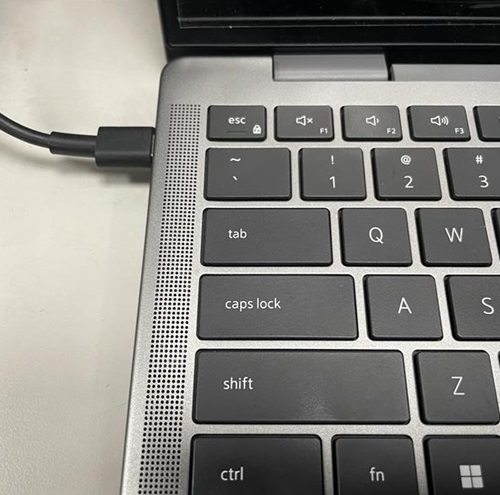
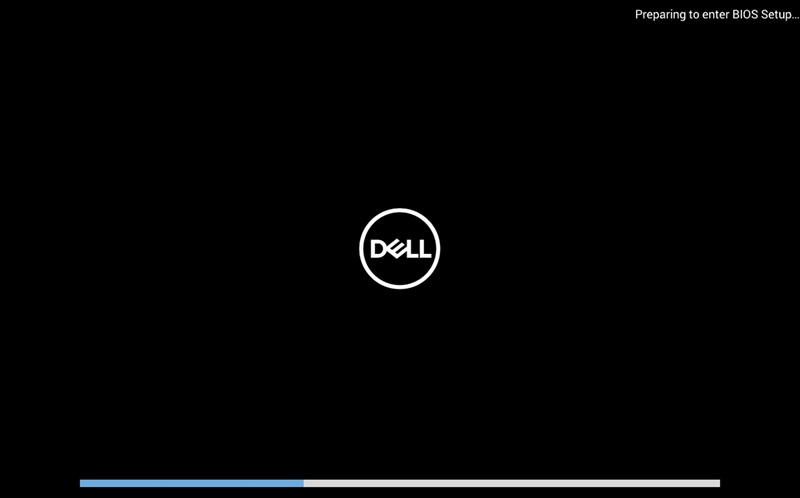
- 打开计算机电源,并在出现 DELL 徽标时按 F2 键以进入 BIOS 菜单。
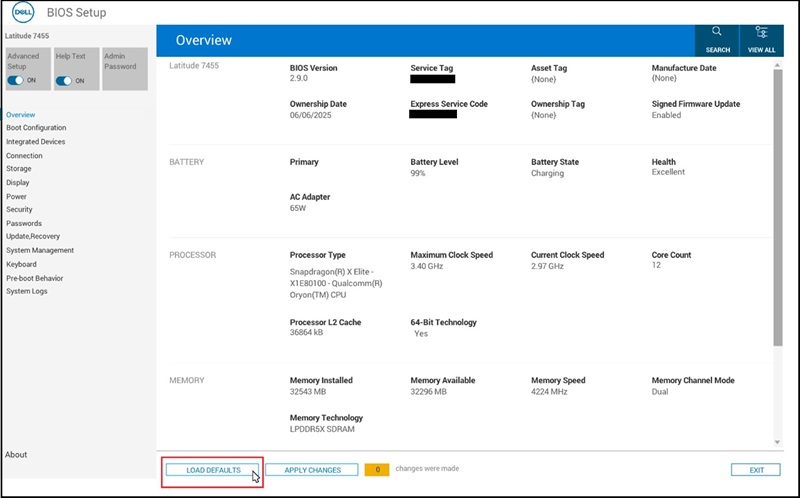
- 单击屏幕底部的“LOAD DEFAULTS”按钮。
- 当出现“Restore Settings”和“Warning”对话框时,单击“OK”,然后计算机将重新启动。
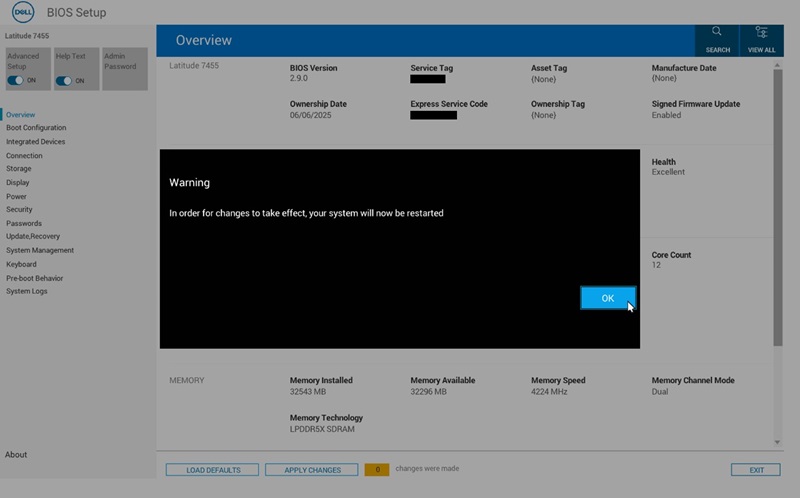
- 按照 步骤 2 再次进入 BIOS 菜单。
- 选择“Boot Configuration”页面。
找到“Secure Boot”并将其变成“ON”。
单击“APPLY CHANGES”。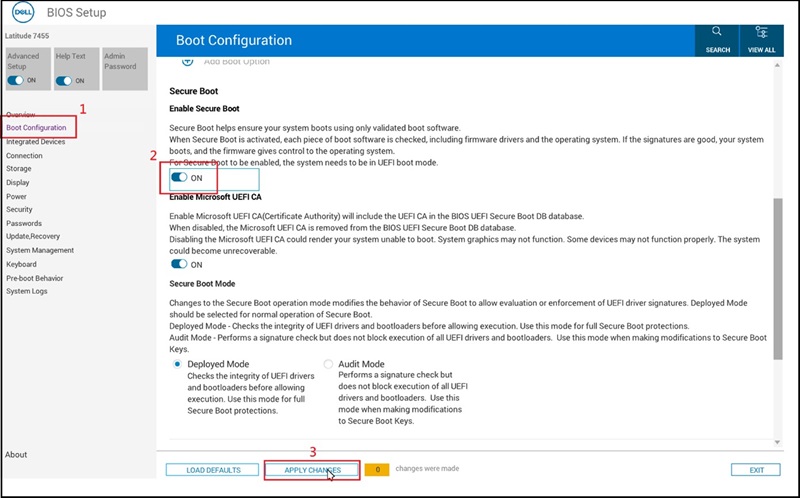
- 出现“Apply Settings Confirmation”对话框时,单击“OK”。
- 更新到 BIOS 版本 2.12.2 或更高版本以避免将来出现此问题。
Affected Products
Inspiron 14 5441, Inspiron 14 Plus 7441, Latitude 5455, Latitude 7455Article Properties
Article Number: 000353653
Article Type: Solution
Last Modified: 04 Dec 2025
Version: 2
Find answers to your questions from other Dell users
Support Services
Check if your device is covered by Support Services.