PowerStore: Non-Importable Reasons is Empty for Source NAS Server During Import
Summary: During import of NAS server from Legacy Dell source storage system to PowerStore storage system, file import source NAS server 'Importable Status' does not automatically change.
This article applies to
This article does not apply to
This article is not tied to any specific product.
Not all product versions are identified in this article.
Symptoms
User still sees the Importable status as 'READY' and 'Non-Importable Reason' as empty (as shown in screenshot below).
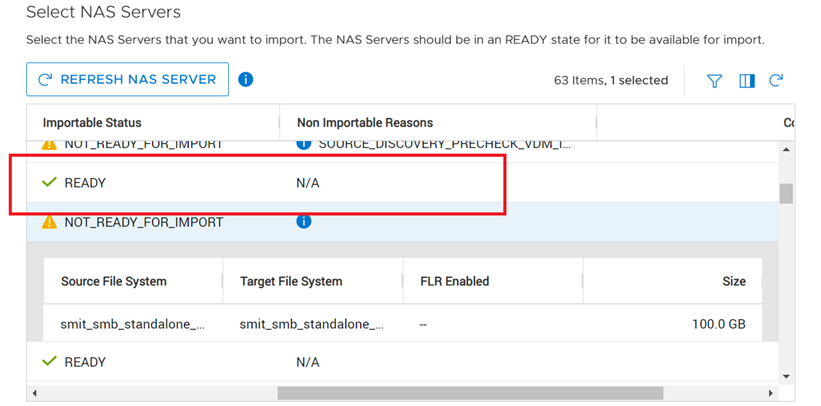
Figure 1: Screenshot of Importable Status as 'READY' and 'Non-Importable Reason' as Empty in PowerStore
Cause
Automatic refresh operation is not available during import of NAS Server.
Resolution
This issue is planned to be addressed in a future PowerStore release.
Workaround:
User must click 'REFRESH NAS SERVER' button manually to see the latest 'Importable Status' and 'Non-Importable Reason' (as shown in screenshot below).
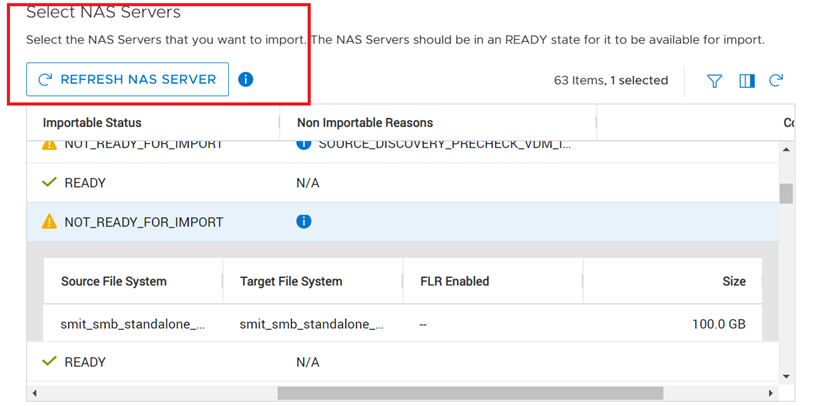
Figure 2: Screenshot of Click 'REFRESH NAS SERVER' Button Manually to See the Latest Status in PowerStore
Workaround:
User must click 'REFRESH NAS SERVER' button manually to see the latest 'Importable Status' and 'Non-Importable Reason' (as shown in screenshot below).
Figure 2: Screenshot of Click 'REFRESH NAS SERVER' Button Manually to See the Latest Status in PowerStore
Affected Products
PowerStoreArticle Properties
Article Number: 000201916
Article Type: Solution
Last Modified: 12 Jun 2023
Version: 2
Find answers to your questions from other Dell users
Support Services
Check if your device is covered by Support Services.