Avamar: Backend Capacity Report for Data Domain fails to run: "Feature is not enabled"
Summary: An Avamar backend capacity report does not run for Data Domain, reporting "Feature is not enabled".
This article applies to
This article does not apply to
This article is not tied to any specific product.
Not all product versions are identified in this article.
Symptoms
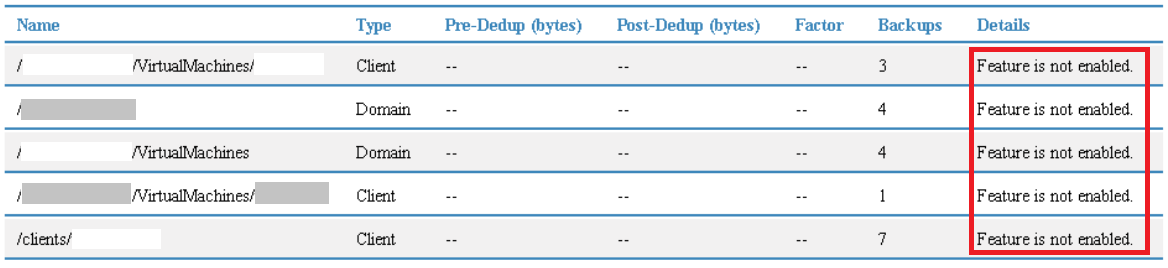
The Backend Capacity Report for Data Domain (DD) does not run, reporting "Feature is not enabled" (as shown below):
Cause
The Backend Capacity Report for Data Domain requires the compression physical-capacity-measurement function on Data Domain, available on Data Domain Operating System (DDOS) 5.7.x and greater, to be enabled.
Resolution
1. Ensure that the Data Domain is running DDOS 5.7.x or later.
2. Verify that the physical-capacity-measurement function is enabled on the Data Domain:
compression physical-capacity-measurement status
If enabled:
physical-capacity-measurement is enabled.
Initialization was not requested.
If disabled:
physical-capacity-measurement is disabled.
3. If disabled, enable using the following command:
compression physical-capacity-measurement enable
physical-capacity-measurement enabled.Affected Products
AvamarProducts
AvamarArticle Properties
Article Number: 000057575
Article Type: Solution
Last Modified: 21 Oct 2025
Version: 5
Find answers to your questions from other Dell users
Support Services
Check if your device is covered by Support Services.