Data Science Software Application Stops Responding When Installing
Résumé: Information about install issues with the Data Science Software (DSS) application in Ubuntu 24.04.
Cet article concerne
Cet article ne concerne pas
Cet article n’est associé à aucun produit spécifique.
Toutes les versions du produit ne sont pas identifiées dans cet article.
Symptômes
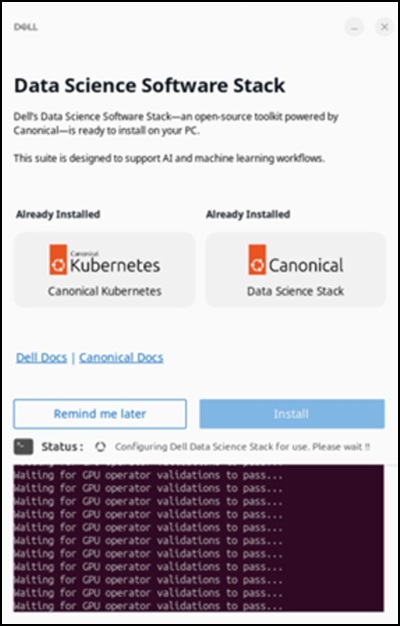
When you install the DSS application, it stops responding on the "Waiting for GPU operator validations to pass…" screen for over 48 hours. This happens after connecting to the Internet and clicking "Install" to set up the Dell Data Science software stack.
Affected Systems:
- Precision 5860 Tower
- Precision 7875 Tower
- Precision 7960 Rack
- Precision 7960 Tower
- Dell Pro Max Micro FCM2250
- Dell Pro Max Slim FCS1250
- Dell Pro Max Tower T2 FCT2250
Affected Operating System:
- Ubuntu 24.04
Cause
Network restrictions within the China region limit access to the Snap Store and prevents a successful download of the DSS application.
Résolution
Using a Virtual Private Network (VPN) is recommended to ensure that the download completes successfully. After connecting to the VPN, click the "Install" option in the DSS application.

Produits concernés
Dell Pro Max Micro FCM2250, Dell Pro Max Slim FCS1250, Dell Pro Max Tower T2 FCT2250, Precision 5860 Tower, Precision 7960 Rack, Precision 7875 Tower, Precision 7960 TowerPropriétés de l’article
Numéro d’article: 000453914
Type d’article: Solution
Dernière modification: 02 Jul 2026
Version: 2
Trouvez des réponses à vos questions auprès d’autres utilisateurs Dell
Services de support
Vérifiez si votre appareil est couvert par les services de support.