What is the Air Temperature Sensor on my Dell Desktop Computer and How Does it Work
Summary: This article provides information about air temperature sensor in a Dell desktop computer.
Instructions
What is an Air Temperature Sensor?
The air temperature sensor that Dell began installing on desktop platforms in August of 2006 is designed to monitor the temperature of the air in the room where the device is being used.
The sensor works with the device's fans to maintain an optimal running temperature. By doing this the device reduces stress on heat sensitive components.
Besides compensating for warmer than normal temperatures, the desktop reduces fan noise in cooler environments by allowing the device to run quietly when the fans are not as critical.
How Does the Air Temperature Sensor Work?
The air temperature sensor is located just behind the air intake vent in the front of the desktop. As air from the room is pulled into the device, the temperature sensor measures its temperature and adjusts the fan speed for optimal performance.
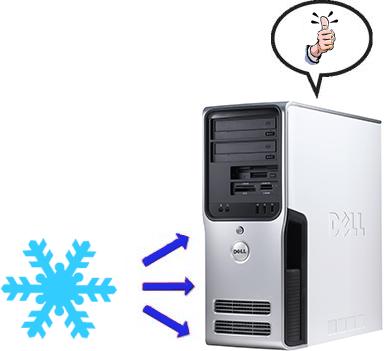
If the temperature of the incoming air is below 95 degrees Fahrenheit, the temperature sensor allows the desktop fans to run slower. As a result the device runs more quietly.
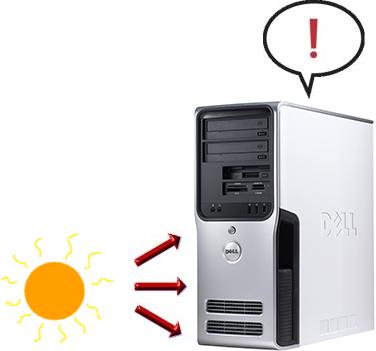
If the room temperature of the incoming air is above 95 degrees Fahrenheit, the temperature sensor increases the fan speed to maintain optimal running conditions.
Confirming the Sensor is Working
The best part of the air temperature sensor that Dell installs on desktop is that it works without any interaction. There is no need to turn it on or off or to configure any settings. The sensor comes configured for optimal running configurations no matter what climate the device is in use.
Performance In Cooler Conditions
In cooler conditions when the desktop is under normal stress there is only minimal noise generated by the device fans.
Performance In Warmer Conditions
In warmer conditions, the fan speed is increased to compensate for the room temperature. As with any fan, as the speed is increased, so is the noise created by the desktop. A device that seems to run loud all the time might indicate a problem with the environment the device is being used in.
What if the Desktop Seems to Run Loud All the Time?
If the fans in the desktop seem to run loud all the time, it may indicate a problem with the environment where the device is used. To reduce the noise caused by the device fans, attempt the following:
- Clear all possible obstructions from in front of the desktop (where the air intake is located) and the back of the device (where the air exhaust is located).
- If the desktop is in a cabinet or other enclosure, try moving it out of the enclosure to see if the problem is caused by warm air from the exhaust circulating around the enclosure and back into the intake.
- If the desktop sits on the floor, try elevating it by placing it on a desk or table to see if the performance is affected.