How to Clean the Printhead on the Dell Color Smart Printer S5840cdn
Summary: Instructions for how to clean the printhead on the Dell Color Smart Printer S5840cdn.
This article applies to
This article does not apply to
This article is not tied to any specific product.
Not all product versions are identified in this article.
Instructions
How to Clean the Printhead
The following steps are recommended for cleaning the S5840 printhead.
- Power off the printer.
- Remove the developer assembly.
- Inside the opening where the developer assembly, gently wipe the four glass slots on the printhead with a clean, lint-free cloth.
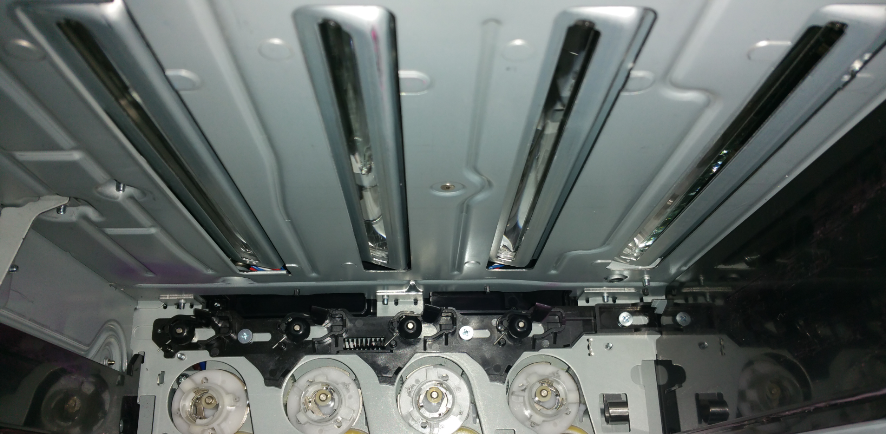
- Reinstall the developer assembly after cleaning.
Affected Products
Dell Color Smart Printer S5840cdnArticle Properties
Article Number: 000131173
Article Type: How To
Last Modified: 20 Aug 2024
Version: 4
Find answers to your questions from other Dell users
Support Services
Check if your device is covered by Support Services.