How to access Storage Center Web Interface when Java certificate is expired
Summary: Visual guide and steps to access Storage Center when the Java certificate is expired
This article applies to
This article does not apply to
This article is not tied to any specific product.
Not all product versions are identified in this article.
Symptoms
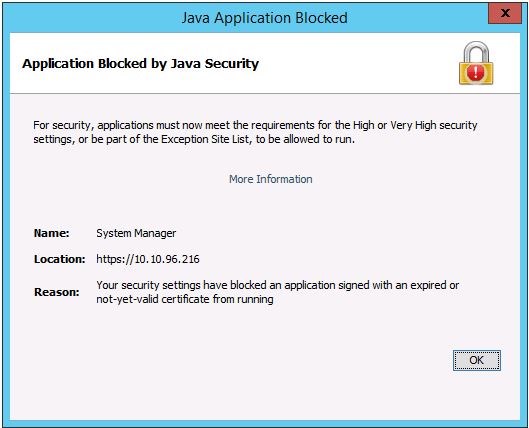
If the Storage Center version has an expired Java security certificate, you will not be able to log into the Web UI, unless the Storage Center OS is upgraded to newer version that has a current certificate or the management IP is added to the Java Exception Site List.
Dell Storage Manager (DSM) is the preferred management interface for managing Storage Center arrays and is not impacted by an expired Java security certificate.
Below is sample error message when the Java security certificate is expired
Dell Storage Manager (DSM) is the preferred management interface for managing Storage Center arrays and is not impacted by an expired Java security certificate.
Below is sample error message when the Java security certificate is expired
Resolution
To add the management IP to the Exception Site List, refer to this article or follow the steps below.
https://www.java.com/en/download/faq/exception_sitelist.xml
1. Open the Java Control Panel on management system
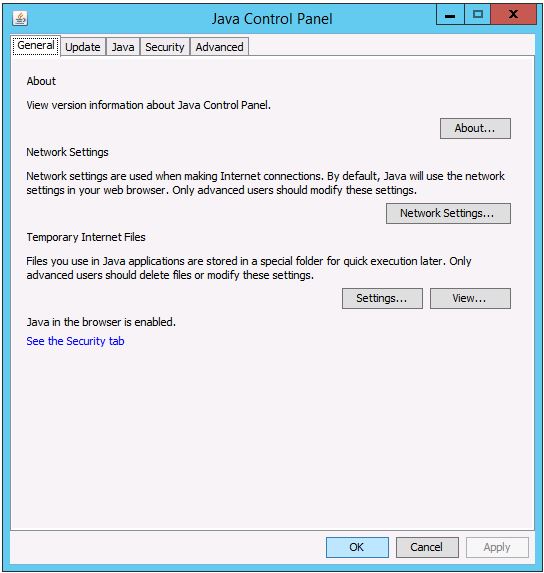
2. Click on the Security tab.
Click on Edit Site List.
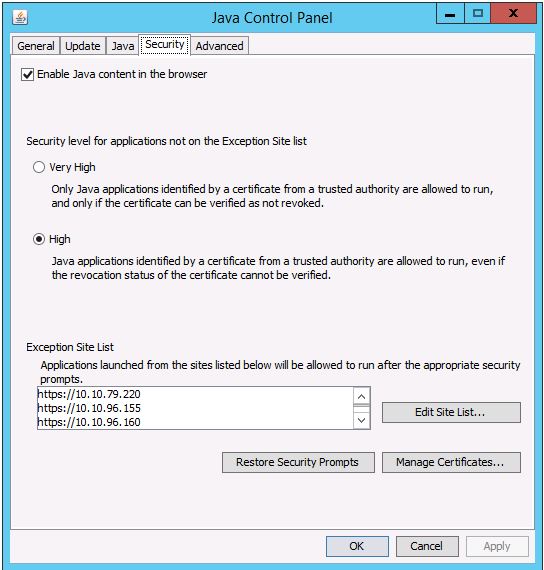
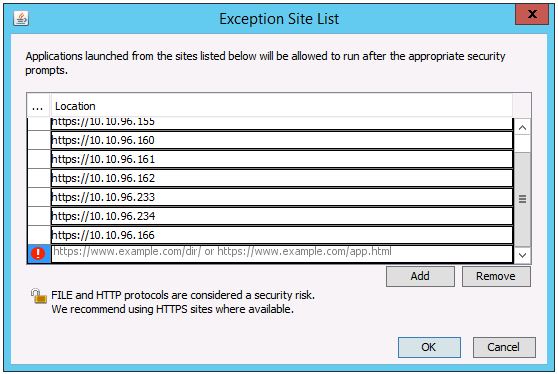
3. Enter the Storage Center’s management IP address in this format: https://x.x.x.x
https://www.java.com/en/download/faq/exception_sitelist.xml
1. Open the Java Control Panel on management system
2. Click on the Security tab.
Click on Edit Site List.
3. Enter the Storage Center’s management IP address in this format: https://x.x.x.x
Affected Products
Compellent (SC, SCv & FS Series), Dell Compellent SC4020, Dell Storage SC8000, Dell Compellent Series 40, Dell Storage SC9000Article Properties
Article Number: 000142151
Article Type: Solution
Last Modified: 01 May 2026
Version: 4
Find answers to your questions from other Dell users
Support Services
Check if your device is covered by Support Services.