PowerStore:添加启动器失败,并显示错误“Cannot add IQN since already exists as part of the host (0xE0A01001000C)”
Summary: 添加启动器失败,并显示错误“Cannot add IQN since already exists as part of the host (0xE0A01001000C)”
This article applies to
This article does not apply to
This article is not tied to any specific product.
Not all product versions are identified in this article.
Symptoms
运行 PowerStore OE 2.2.1
的设备 两个主机(host1 和 host2)被错误地分配具有相同 WWPN
的启动器 从主机 1
中删除重复 WWPN GUI 和 PSTCLI 输出未显示任何主机正在使用的已删除 WWPN。
尝试将已从 host1 删除的 WWPN 添加到 host2 失败,并显示错误“Cannot add IQN since it already exists as part of the host (0xE0A01001000C)”
注意:忽略 IQN 引用,此问题适用于任何启动器类型。
问题示例:
我们尝试添加的启动器也无法在使用 PSTCLI 的任何其他主机中找到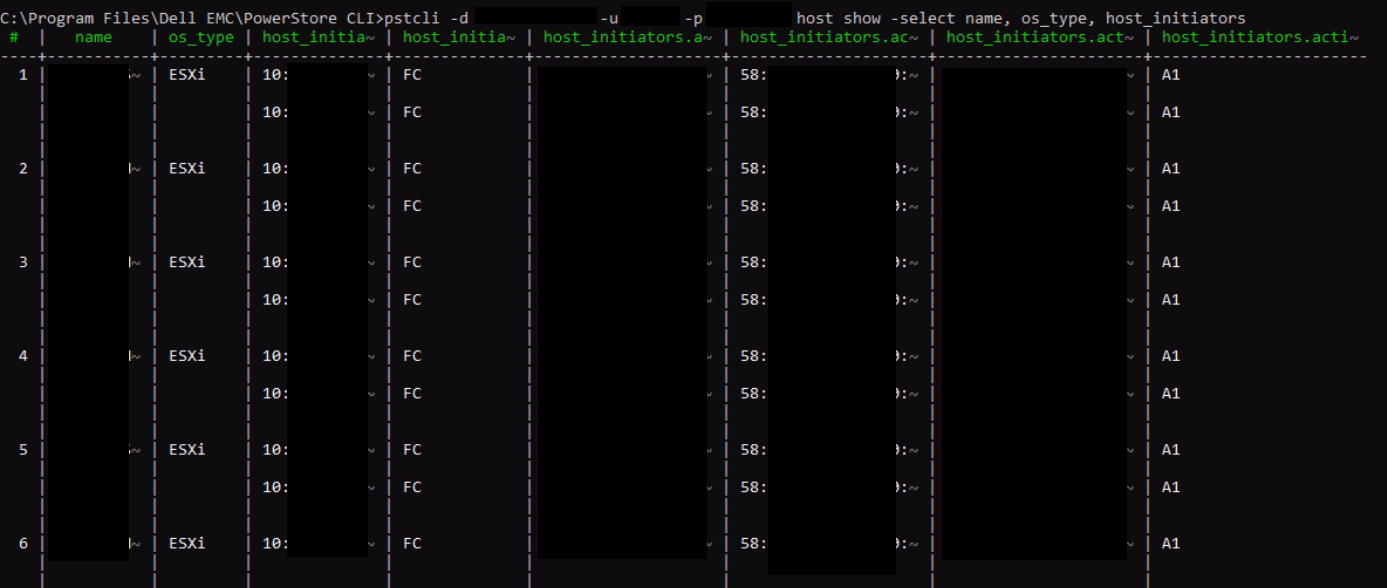
的设备 两个主机(host1 和 host2)被错误地分配具有相同 WWPN
的启动器 从主机 1
中删除重复 WWPN GUI 和 PSTCLI 输出未显示任何主机正在使用的已删除 WWPN。
尝试将已从 host1 删除的 WWPN 添加到 host2 失败,并显示错误“Cannot add IQN since it already exists as part of the host (0xE0A01001000C)”
注意:忽略 IQN 引用,此问题适用于任何启动器类型。
问题示例:
- 使用 WWPN C 创建 2 个主机、主机 1 和 WWPN A、B、host2。
- 将这些主机添加到主机组中。
- 将 WWPN A 添加到 host2。成功。现在,每个主机都有 2 个启动器。这是错误的。2 台主机不能使用相同的 WWPN。
- 从主机 1 中删除 WWPN A。WWPN A 似乎已从 GUI 上的两个主机中删除,但不会从主机 2 的底层数据库中删除。
- 现在尝试将 WWPN A 添加到 host2。它失败并显示错误“Cannot add IQN since already exists as part of the host (0xE0A01001000C)”
我们尝试添加的启动器不会列在 GUI 中的主机下。
我们尝试添加的启动器也无法在使用 PSTCLI 的任何其他主机中找到
"host show -select name, os_type, host_initiators"
Cause
PowerStore OE 2.1.1.1 存在允许将重复启动器添加到现有主机的问题。
Resolution
解决方法:
如果遇到此问题,请联系戴尔技术支持并参考本文以获得帮助。
修复:
此问题已在 PowerStore OE 3.0.0.1 及更高版本中更正。
如果遇到此问题,请联系戴尔技术支持并参考本文以获得帮助。
修复:
此问题已在 PowerStore OE 3.0.0.1 及更高版本中更正。
Affected Products
PowerStoreArticle Properties
Article Number: 000205128
Article Type: Solution
Last Modified: 27 Jul 2023
Version: 3
Find answers to your questions from other Dell users
Support Services
Check if your device is covered by Support Services.