AppSync:從 AppSync UI 收集代理程式記錄失敗,並顯示「發生例外狀況:SmbAuthException,訊息:登入失敗:未知使用者」
Summary: 從 AppSync UI 自動收集 Windows 代理程式主機的 AppSync 代理程式記錄失敗。 但是,您會看到伺服器日誌收集成功。
This article applies to
This article does not apply to
This article is not tied to any specific product.
Not all product versions are identified in this article.
Symptoms
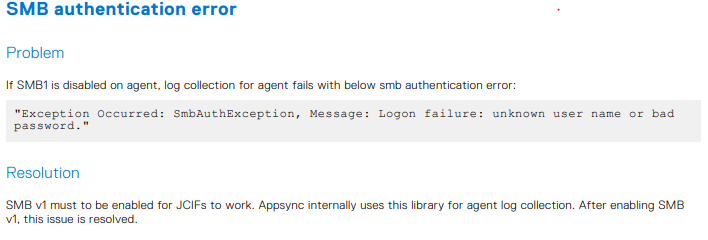
從 AppSync UI 收集記錄時,會擲回 SMB 驗證錯誤。
您在 AppSync 伺服器記錄中看到以下內容:
但是,使用者已透過適當的權限確認使用者名稱和密碼正確無誤。
您在 AppSync 伺服器記錄中看到以下內容:
<TimeStamp> INFO [EJB default - 3] [com.emc.archway.service.hostservice.HostServiceBean] [UDP-DAS-10] [] 7adf3a3e-f01a-4076-b352-a23198c6ee1a->>> userName === <UserName>  domain == xxxxxx
<TimeStamp> INFO [EJB default - 3] [com.emc.archway.service.hostservice.HostServiceBean] [UDP-DAS-10] [] 7adf3a3e-f01a-4076-b352-a23198c6ee1a->>> SMB URL formed to create the session is : smb://<Agent Host FQDN>/Admin$/AppSync-logs/appsyncHostPlugin_<HostName>_<TimeStamp>.zip
<TimeStamp> ERROR [EJB default - 3] [com.emc.archway.commands.logCollection.CollectLogsCommandBean] [UDP-DAS-10] [] 7adf3a3e-f01a-4076-b352-a23198c6ee1a->>> Exception Occurred: LogCollectionFailedException, Message: SmbAuthException, Message: Logon failure: unknown user name or bad password
Cause
代理程式主機上的 SMB1 已停用。AppSync 會在內部使用此程式庫來收集代理程式記錄。
因此,AppSync 4.6 使用者指南第 348 頁的故障診斷一節中也記錄需要此工具。
Resolution
Additional Information
如果已啟用 SMB1,此 Powershell 命令會顯示 true:
Get-SmbServerConfiguration | Select EnableSMB1Protocol
Products
AppSyncArticle Properties
Article Number: 000211362
Article Type: Solution
Last Modified: 10 Oct 2025
Version: 2
Find answers to your questions from other Dell users
Support Services
Check if your device is covered by Support Services.