Dell APEX Cloud Platform For Microsoft Azure: Solution Update fails with CAU raised an exception.
Summary: This article is used to instruct user how to handle CAU role creation issues due to 3rd party DNS servers that don't support "Dynamic Updates".
Symptoms
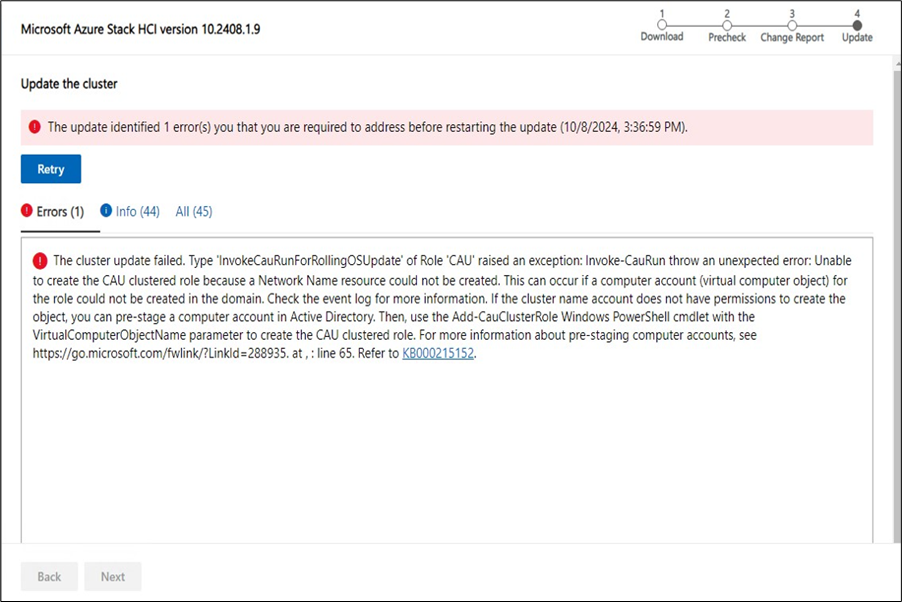
User sees error prompt on update web page during cluster update, with detailed error message. A sample screen is as below.
Cause
The error message arises due to two primary issues:
-
Insufficient Permissions: The Cluster Name Object (CNO) lacks the necessary permissions to the Organizational Unit (OU) to create the Cluster-Aware Updating (CAU) Virtual Computer Object (VCO). Refer to the article on Prestage cluster computer objects in Active Directory Domain Services for the required permissions and manual prestaging steps.
-
Third-Party DNS Servers: The use of third-party DNS servers that do not support dynamic updates can also cause this issue. According to the article on Custom or advanced Active Directory configuration for Azure Stack HCI, version 23H2, if your DNS server does not support secure dynamic updates, you must manually create the required DNS records before deploying your Azure Stack HCI system. The necessary records include:
- Computer objects for the cluster (CNO)
- CAU (VCO)
- Computer objects for the nodes
Resolution
1-Prestage all the computer objects in AD by following this article.
2-Create DNS records manually in 3rd party DNS server (3 node example).
1-ComputerName in this example is Prestaged-CAU
2-IP is the management IP of the first node in the cluster.
A) Prestaged-CAU = 192.168.0.11
B) Prestaged-CAU = 192.168.0.12
C) Prestaged-CAU = 192.168.0.13
3-Disable DNS dynamic updates on the management NIC of the cluster.
Network ATC will override this setting so it is important to create the CAU cluster role from step 4 in less than 15 minutes before network atc reverts the setting back to Dynamic Updates True.
icm -ComputerName (Get-ClusterNode).name -ScriptBlock{Get-NetAdapter "vManagement*" | Set-DnsClient -RegisterThisConnectionsAddress $false}
4-Add the CAU Cluster Role by running the following command from one of the nodes in the cluster.
Add-CauClusterRole -ClusterName <NameofCluster> -VirtualComputerObjectName Prestaged-CAU -GroupName Prestaged-CAU -EnableFirewallRules -verbose