PowerEdge: How to Install Cyber Recovery on SuSe Linux 15 SP5
Summary: Steps to install Cyber Recovery on Virtualized and Physical Server with SuSe Linux 15 SP5.
This article applies to
This article does not apply to
This article is not tied to any specific product.
Not all product versions are identified in this article.
Instructions
- Prerequisites
- Internet connection
- Valid SUSE subscription
- Select minimal installation.
- Add enough disk, memory, and cpu.
- Validate Repository is enabled.

- Install Docker

- Check the Docker version

- Start and Enable Docker Service


- Uncompress Cyber Recovery Files
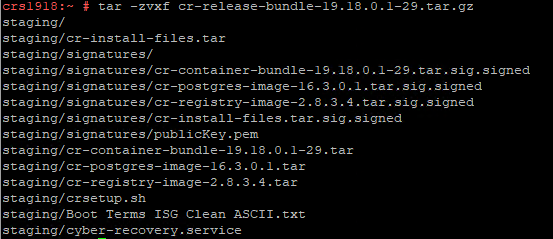
- Validate requisites
- Install prerequisites
nfs-utils
acl
Ping
- Download
docker-compose
Run
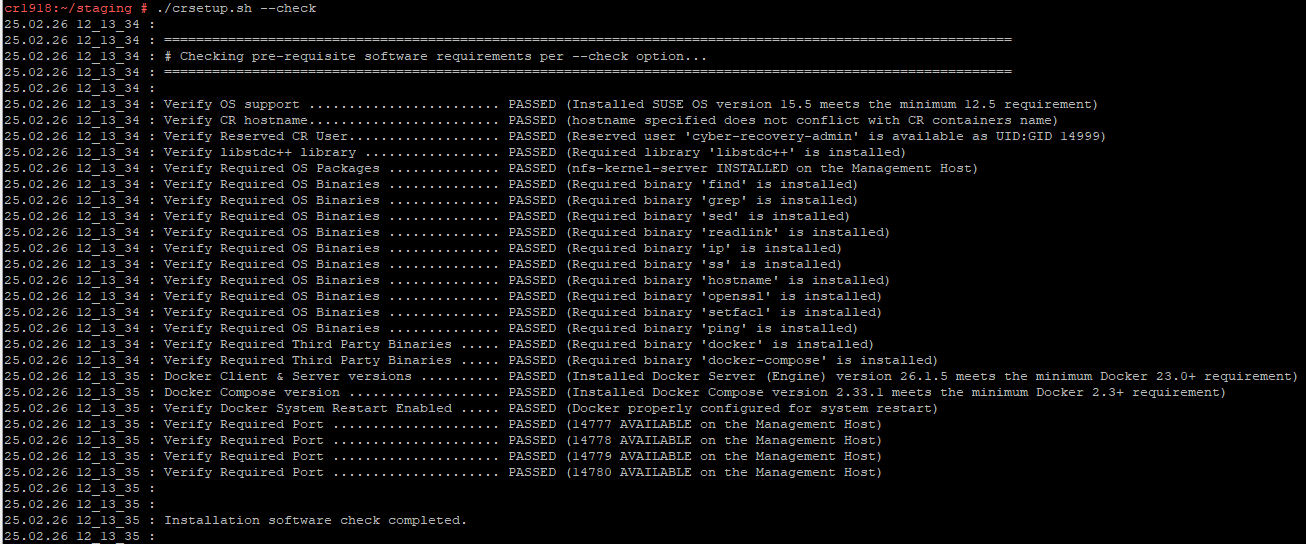
chmod +x /usr/bin/docker-compose - Check if it is ready to install.
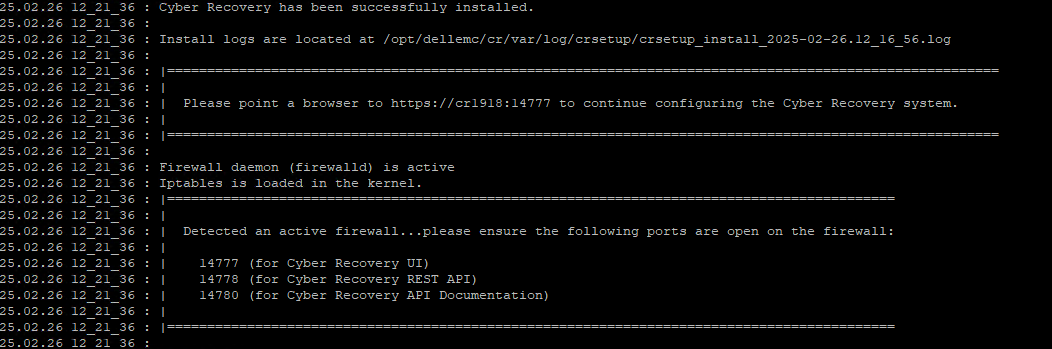
- Installation Complete
- Troubleshooting
- Failed to get
CR FQDN.
- If DNSs are not configured, add the name
/ipin the hosts file.
- Failed to get
Affected Products
SUSE Linux Enterprise Server 15Article Properties
Article Number: 000289857
Article Type: How To
Last Modified: 03 Sept 2025
Version: 2
Find answers to your questions from other Dell users
Support Services
Check if your device is covered by Support Services.