Dell Automation Platform: Resolving Connection Status issues due to Secure Remote Services
Summary: Dell Automation Platform uses the connection-status application programming interface (API) query on multiple areas of the Orchestrator. If the connection-status API returns an HTTP 500 error, multiple components are affected. The connection-status API returns an HTTP 500 if Secure Remote Services is not configured correctly. ...
Symptoms
This issue occurs on Dell Automation Platform 1.0 - 1.2 for on-premises deployments.
Connection-status is utilized in the Dell Automation Platform Orchestrator in various sections, for example:
- Administration/Entitlement
- Spinning wheel or loading indicator appears in the License section of the Dell Private Cloud blueprint
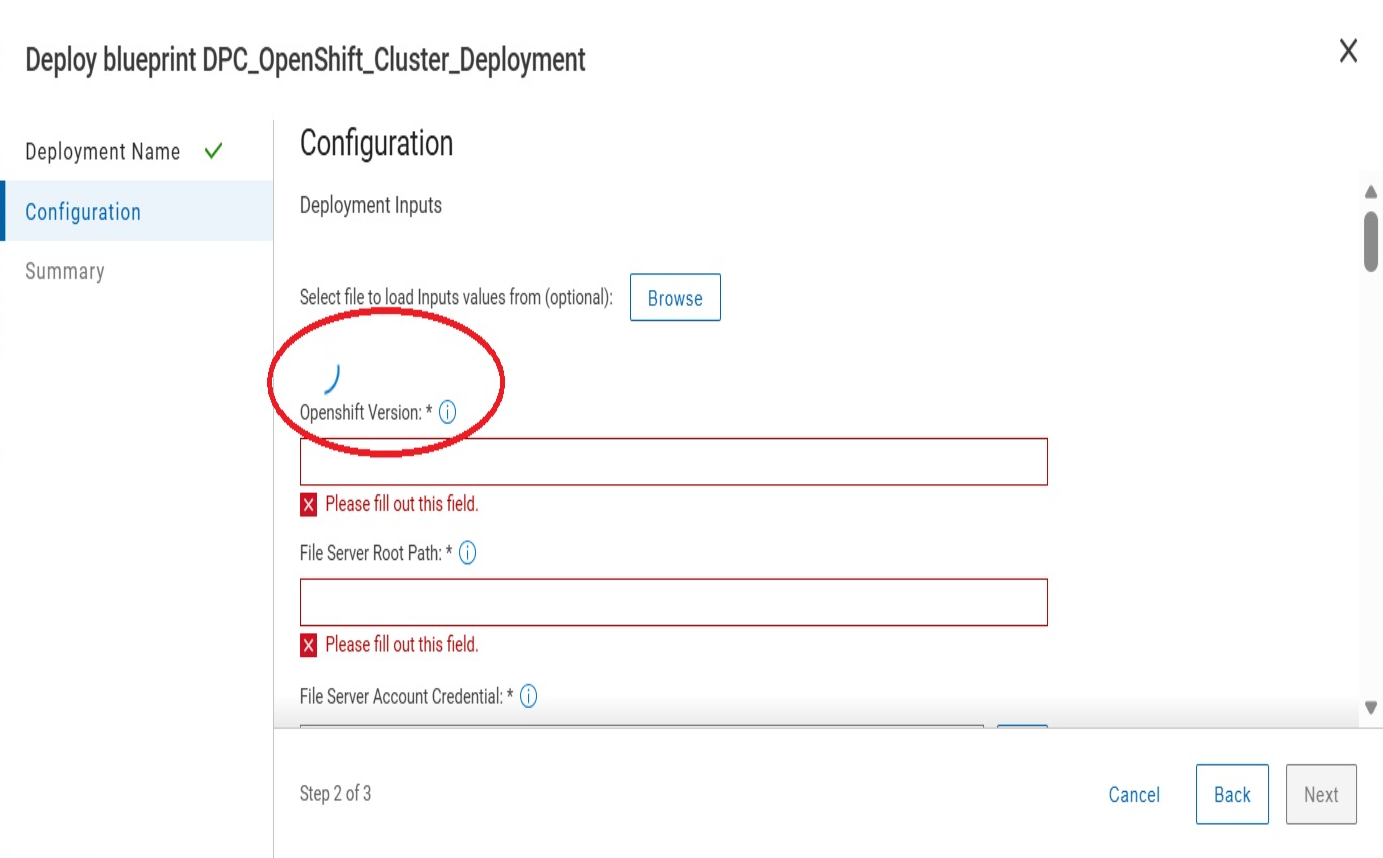
When querying the API https://<orchestratorfqdn>/api/v2/eo-init/entitlements/connection-status an HTTP 500 error is reported.
{
    "http_status_code": 500,
    "messages": [
        {
            "message": "Failed to get entitlement connection status",
            "severity": "ERROR"
        }
    ]
}
Cause
This HTTP 500 error occurs due to an incomplete or misconfigured connection in Dell Secure Remote Services in the Dell Automation Platform Orchestrator.
Resolution
Fix:
This issue is scheduled to be resolved in Dell Automation Platform 2.0.
Workaround:
To resolve this misconfiguration, a script is attached to this article which resets the Secure Remote Services within the Dell Automation Platform Orchestrator.
- Download the attached script, transfer it to the system that the Dell Automation Platform deployed on and extract the downloaded script.
- Change the execution bit of the file to be executable
For example:chmod +x connectionstatus.sh - Start an interactive root shell
For example:sudo -s(supply the password when prompted) - Run the script (you must supply the namespace that the orchestrator is deployed in)
For example: ./connectionstatus.sh -n <namespace>
Once the script completes retry the Secure Remote Services connection if wanted and once complete, validate that the connection-status API returns an HTTP200 value (or at least not an HTTP500 error)
Example of the script being ran
dap-server:/home/mystic # ./connectionstatus.sh -n dapo
Cleaning up ese data on namespace dapo
Scaling down product svc pod on namespace dapo
deployment.apps/hzp-product-svc scaled
Pod hzp-product-svc-78d6d6cc5d-drmsz still exist, waiting...
Pod hzp-product-svc-78d6d6cc5d-drmsz still exist, waiting...
Pod hzp-product-svc-78d6d6cc5d-drmsz still exist, waiting...
Pod hzp-product-svc-78d6d6cc5d-drmsz still exist, waiting...
Pod hzp-product-svc-78d6d6cc5d-drmsz still exist, waiting...
Pod hzp-product-svc-78d6d6cc5d-drmsz still exist, waiting...
Scaling up product svc pod on namespace dapo
deployment.apps/hzp-product-svc scaled
Waiting for deployment "hzp-product-svc" rollout to finish: 0 of 1 updated replicas are available...
deployment "hzp-product-svc" successfully rolled out
All process completed successfully
Additional Information