Cómo confirmar políticas para servidores Dell Data Security
Resumen: Obtenga información sobre cómo confirmar políticas para los servidores Dell Data Security y Dell Data Protection siguiendo estas instrucciones.
Instrucciones
Conozca los pasos para confirmar políticas en Dell Security Management Server (anteriormente, Dell Data Protection Enterprise Edition Server o Dell Data Protection Virtual Edition).
Productos afectados:
- Dell Security Management Server
- Dell Security Management Server Virtual
- Dell Data Protection Enterprise Edition Server
- Servidor Dell Data Protection Virtual Edition
Versiones afectadas:
- v8.0 y versiones posteriores
Las políticas se deben guardar y, a continuación, confirmar en Dell Security Management Server para que los cambios surtan efecto en un terminal administrado.
La configuración de la política de Dell Security Management Server varía entre las versiones del producto v9.2.0 y posteriores o v8.0.0 a 9.1.X. Haga clic en la versión correspondiente para ver los pasos específicos. Para obtener información sobre la versión, consulte Cómo identificar la versión del servidor de Dell Data Security.
v9.2.0 y posteriores
- Inicie sesión en la consola de administración de Dell Data Security.
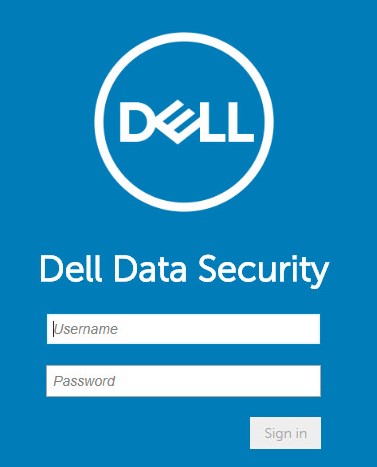 Nota: Para obtener más información, consulte Cómo acceder a la consola de administración de Dell Data Security Server.
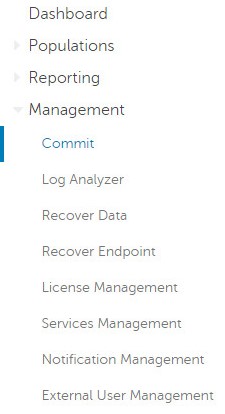
 - En el panel del menú de la izquierda, haga clic en Management y, a continuación, seleccione Commit.
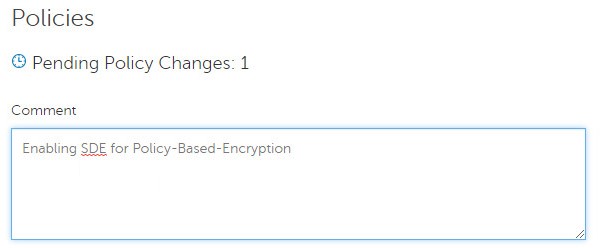
- Ingrese un comentario que detalle los cambios guardados en la política que se confirmarán.
- Haga clic en Commit Policies.

Versión 8.0.0 a 9.1.X
- Ingrese las credenciales para iniciar sesión en la consola de administración de Dell Data Protection.
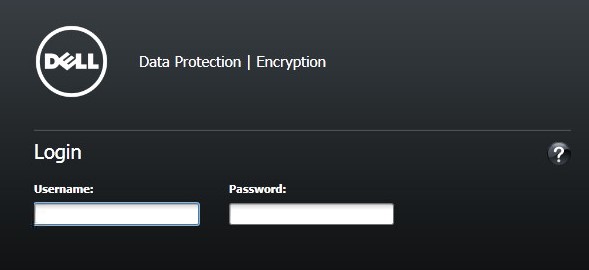 Nota: Para obtener más información, consulte Cómo acceder a la consola de administración de Dell Data Security Server.
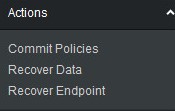
 - En el panel izquierdo, haga clic en Commit Policies.
- Complete un comentario que detalle los cambios guardados en la política y, a continuación, haga clic en Apply Changes.
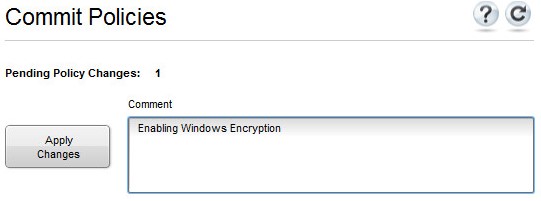 Nota: Se asigna un número de cambio de política pendiente en función de la cantidad de políticas, terminales y dominios afectados.
Para comunicarse con el equipo de soporte, consulte los números de teléfono de soporte internacionales de Dell Data Security.
Vaya a TechDirect para generar una solicitud de soporte técnico en línea.
Para obtener información y recursos adicionales, únase al foro de la comunidad de seguridad de Dell.