Dell EMC Unity : How to enable and configure NDMP [User Correctable]
Resumen: How to configure NDMP on Array
Este artículo se aplica a
Este artículo no se aplica a
Este artículo no está vinculado a ningún producto específico.
No se identifican todas las versiones del producto en este artículo.
Instrucciones
From Unisphere GUI:
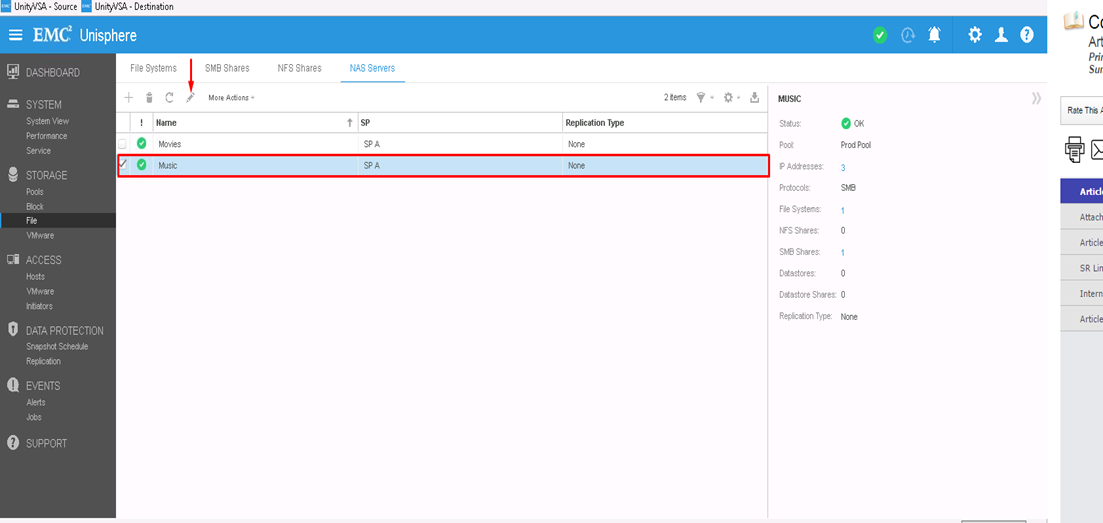
- First, You Select the NAS Server you want to configure NDMP on and then click the edit icon to modify
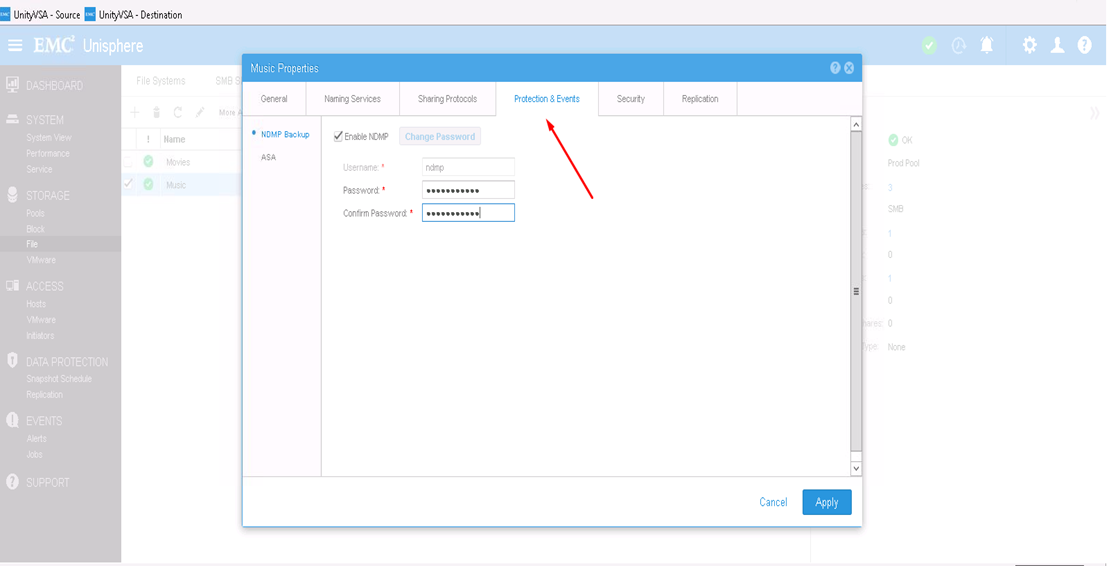
- From Protection & events tab, you can enable NDMP check box with your defined username and password
From CLI:
1) Find out the NAS Server resource id by : uemcli -d <array_ip> -u admin -p <admin_pwd> /net/nas/server show
2) Enable and Set NDMP password by : uemcli -d <array_ip> -u admin -p <admin_pwd> /net/nas/ndmp -server <nas_x> set enabled yes passwd ndmp_pwd
Above enables NDMP on unity with username "ndmp".
From Backup clients, you can use NAS Server IP address, "ndmp" as the login user and the password that is configured for NDMP Backups.
Productos afectados
Dell EMC Unity FamilyProductos
Dell EMC Unity Family, VNXe1 Series, VNXe2 SeriesPropiedades del artículo
Número del artículo: 000022637
Tipo de artículo: How To
Última modificación: 16 oct 2025
Versión: 3
Encuentre respuestas a sus preguntas de otros usuarios de Dell
Servicios de soporte
Compruebe si el dispositivo está cubierto por los servicios de soporte.