How to Install RACADM on VMware ESXi and Configure iDRAC IP
Resumen: This article describes how to install RACADM on VMware ESXi and demonstrates how to change the iDRAC IP address using RACADM commands.
Este artículo se aplica a
Este artículo no se aplica a
Este artículo no está vinculado a ningún producto específico.
No se identifican todas las versiones del producto en este artículo.
Instrucciones
Contents:
Installing RACADM
- Refer to How to find and download the RACADM installation package (VIB) compatible with the VMware vSphere ESXi version and download the RACADM VIB package compatible with the current VMware ESXi version.
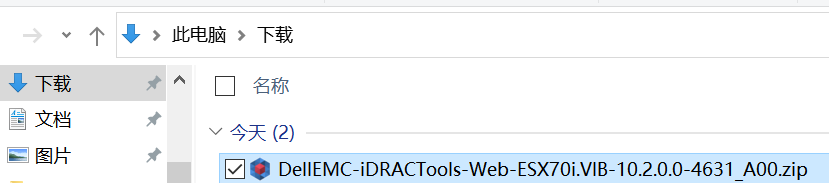
- Refer to How to upload files to the VMware ESXi Datastore using the vSphere Host Client and upload the installation package to the ESXi Datastore using the ESXi vSphere Host Client.
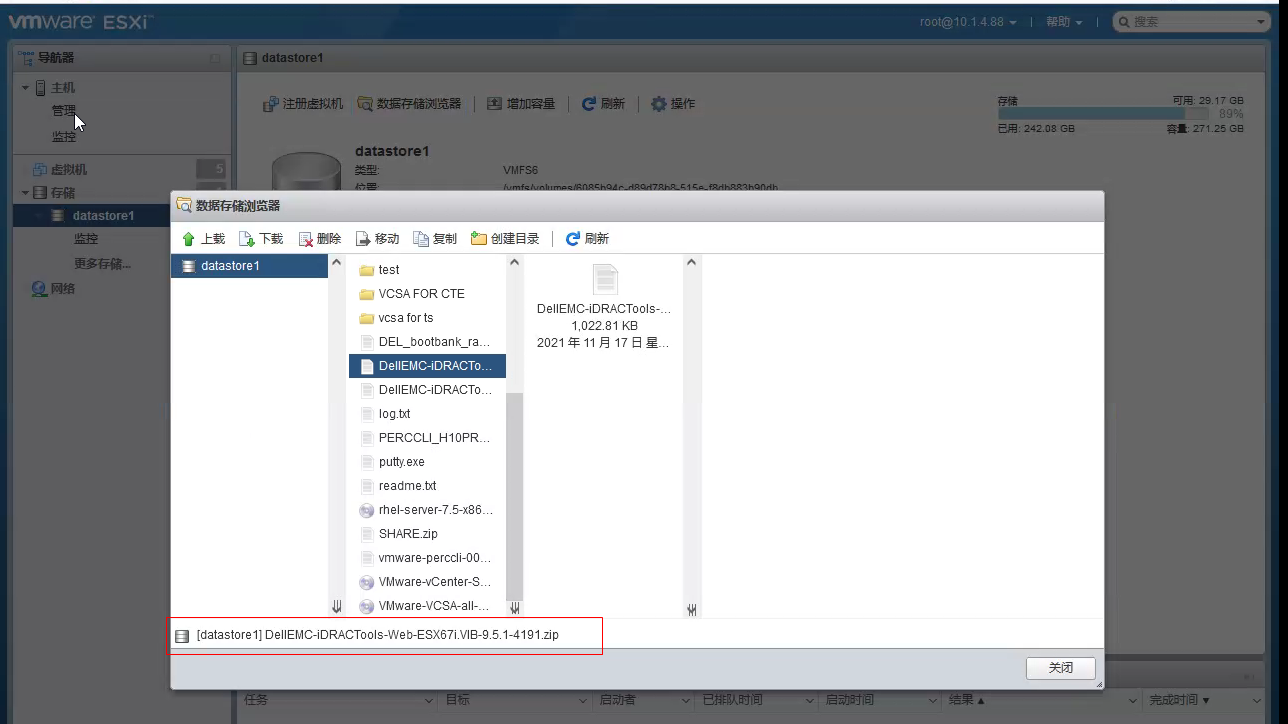
- You can run the "ls" command to verify whether the file has been uploaded successfully, and then install RACADM using the following command:
esxcli software vib install -d /vmfs/volumes/datastore1/DellEMC-iDRACTools-Web-ESX67i.VIB-9.5.1-4191.zip
NOTE: You must use the absolute path: /vmfs/volumes/datastore1/DellEMC-iDRACTools-Web-ESX67i.VIB-9.5.1-4191.zip
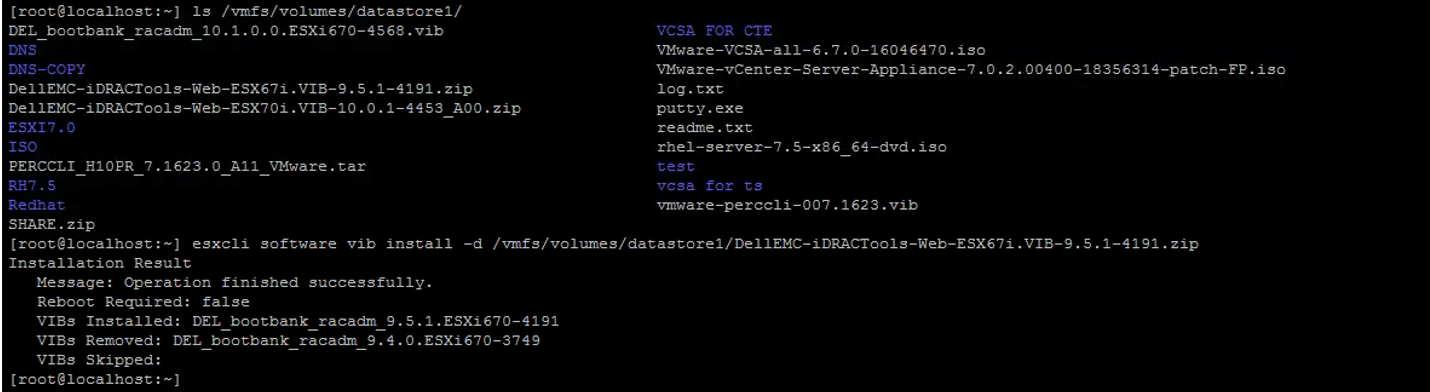
- Run the following command to verify that RACADM is already in the installation list.
 [root@localhost:/var/log/vmware] esxcli software vib list | grep racadm
 racadm                         10.2.0.0.2021-DEL.700.0.0.15525992    DEL     VMwareAccepted    2020-04-09
Using RACADM
- The installed RACADM tool is located in the directory "opt/dell/racadm". You can use the "cd" command to go to the directory where the RACADM tool is located.

- Enter the RACADM command to execute, e.g., "racadm getniccfg", to view the iDRAC IP, subnet mask, gateway, NIC, and other information.
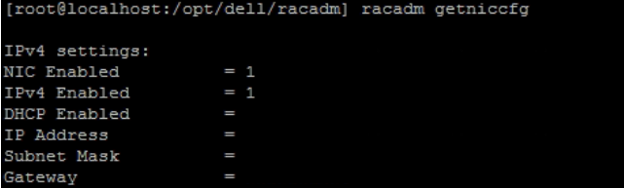
- RACADM command demo: Changing the iDRAC IP.
Run the "racadm getniccfg" command to view the current iDRAC network settings. 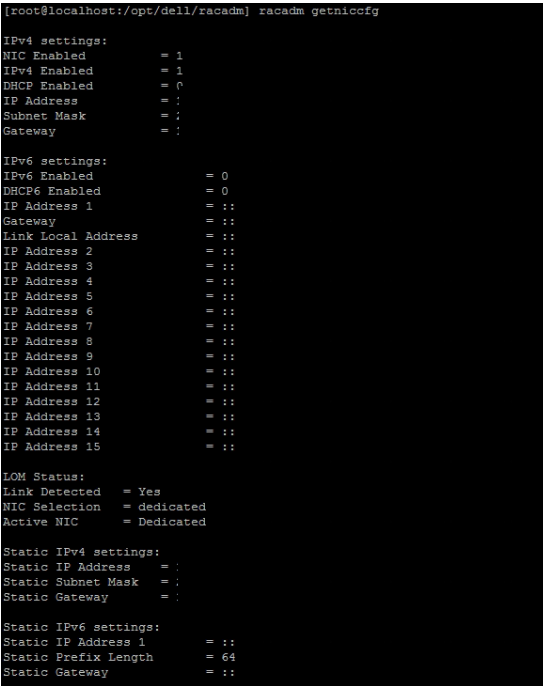
Run the following commands to change the IP address, subnet mask, and gateway of the iDRAC.
Run the following command to set the IPv4 address.
racadm set iDRAC.IPv4.Address 10.1.4.XX
Run the following command to set the subnet mask.
racadm set iDRAC.IPv4.Netmask 255.XXX.0.0
Run the following command to set the gateway.
racadm set iDRAC.IPv4.Gateway 10.1.0.XXX
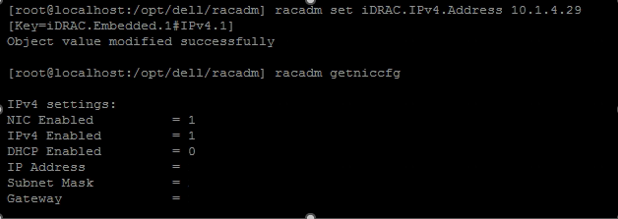
Verify whether the IP was successfully changed.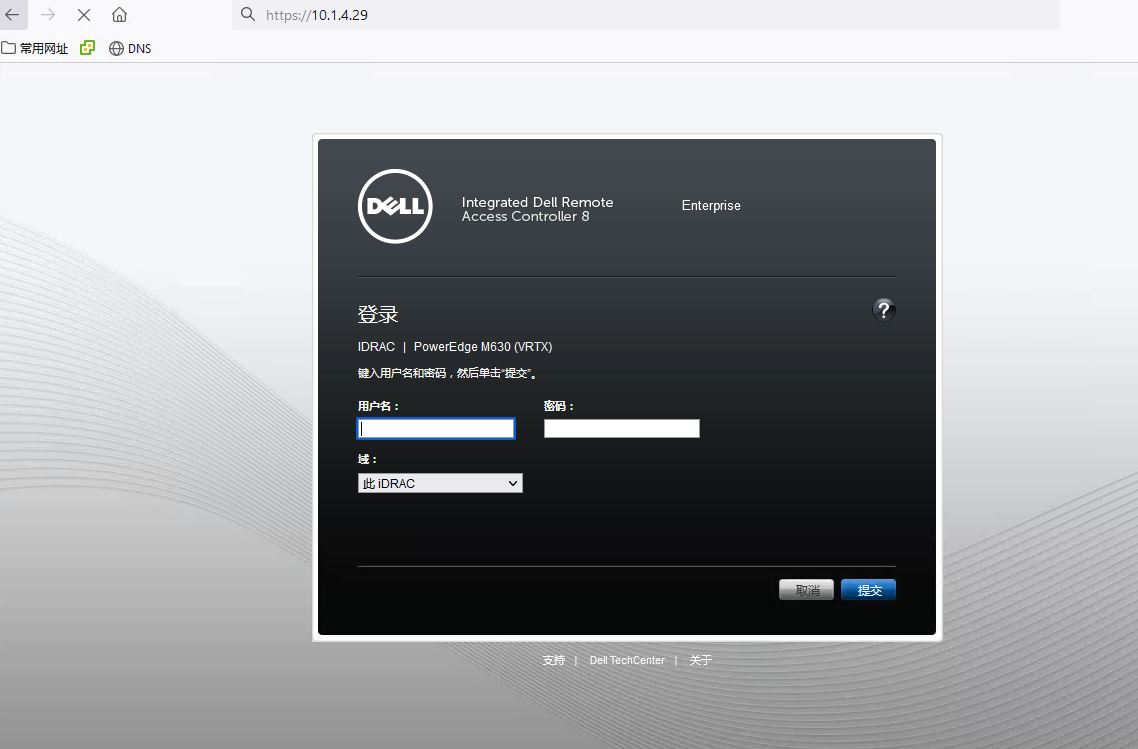
Información adicional
For more RACADM commands, refer to the manuals:
Integrated Dell Remote Access Controller 9 RACADM CLI GuideiDRAC 8/7 v2.70.70.70 RACADM CLI Guide
Productos afectados
PowerEdge, VMware ESXi 5.x, VMware ESXi 6.5.X, VMware ESXi 6.7.X, VMware ESXi 6.x, VMware ESXi 7.xPropiedades del artículo
Número del artículo: 000193731
Tipo de artículo: How To
Última modificación: 15 ene 2026
Versión: 10
Encuentre respuestas a sus preguntas de otros usuarios de Dell
Servicios de soporte
Compruebe si el dispositivo está cubierto por los servicios de soporte.