NVP vProxy: NetWorker vProxy fails network configuration
Resumen: The vProxy appliance is deployed with a static IPv4 address that never appears on the VM and does not respond; wickedd reports duplicate‑IP errors because the address is in use on the network. ...
Este artículo se aplica a
Este artículo no se aplica a
Este artículo no está vinculado a ningún producto específico.
No se identifican todas las versiones del producto en este artículo.
Síntomas
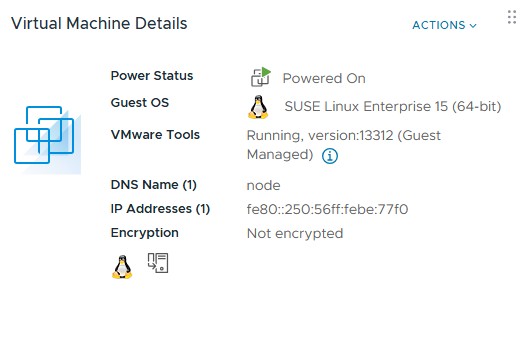
vProxy OVF is deployed with a specified IPv4 address but the deployed VM does not show the address and does not respond on the network to that address.
ip a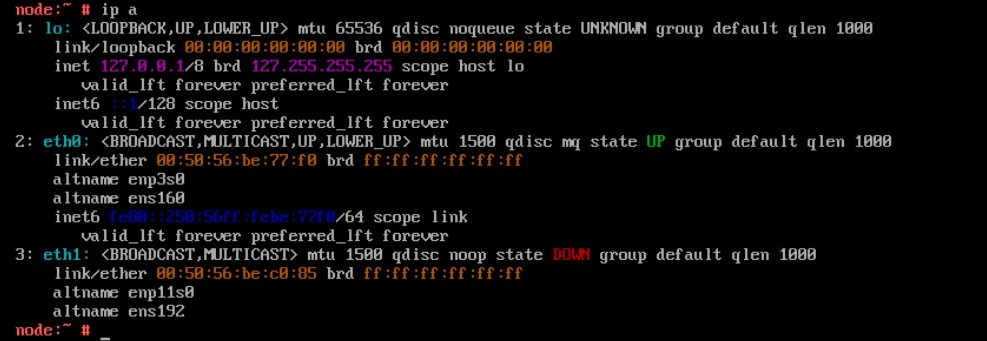
Reconfiguring the network parameters using the config_network.sh script fails to apply the static IPv4 address
/opt/emc/vproxy/bin/config_network.sh <Interface> <FQDN> <IP Address> <Netmask> <Gateway> <DNS List (comma separated)>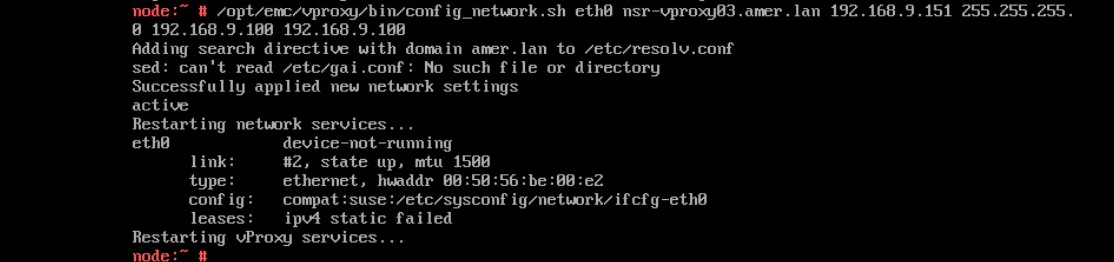
Status of the wickedd service shows duplicate IP address errors.
systemctl status wickedd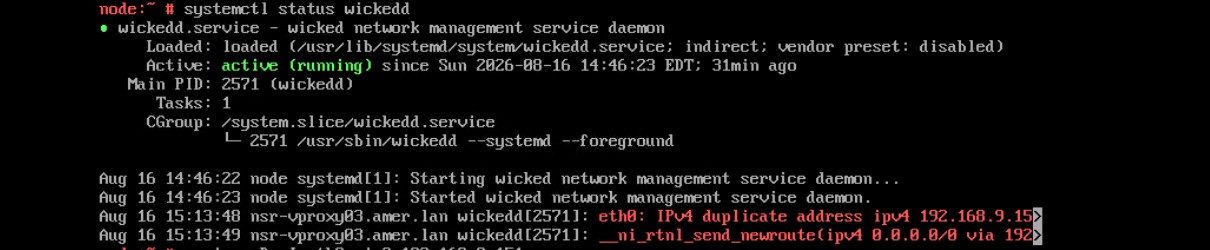
Causa
Resolución
Find a new unique address and use the following command to assign the new IP address.
- Log in to the vProxy and elevate to root.
- Run the following command.
/opt/emc/vproxy/bin/config_network.sh <Interface> <FQDN> <IP Address> <Netmask> <Gateway> <DNS List (comma separated)>*For more information, see NVP vProxy: How to Manually Change the vProxy Appliance Network Interface Settings
Productos afectados
NetWorkerPropiedades del artículo
Número del artículo: 000499204
Tipo de artículo: Solution
Última modificación: 17 ago 2026
Versión: 1
Encuentre respuestas a sus preguntas de otros usuarios de Dell
Servicios de soporte
Compruebe si el dispositivo está cubierto por los servicios de soporte.